saved as *.264 format.
Snapshot function
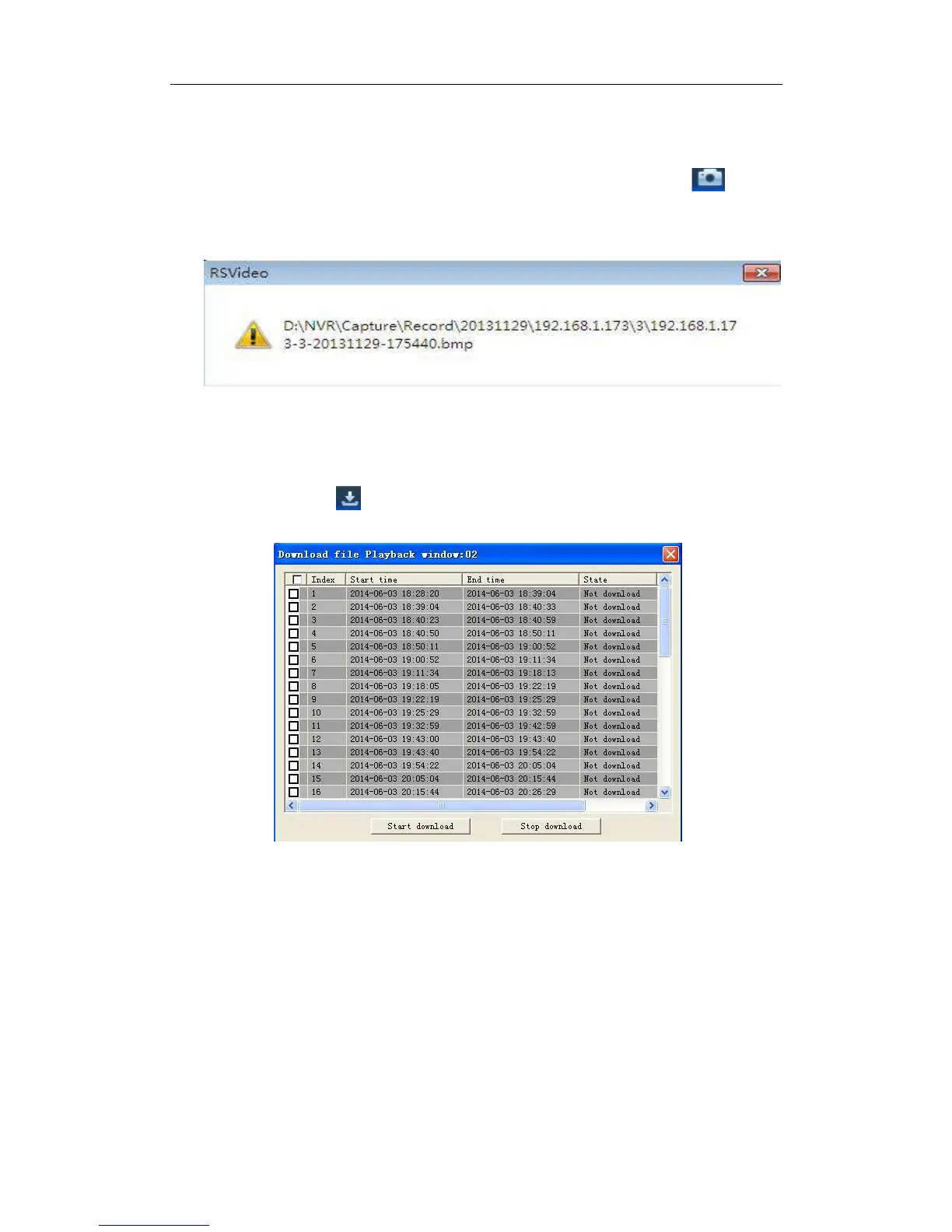
Move the mouse curse to the channel you want to capture, and click [ ] icon to
capture the live images remotely. After capturing the images successfully, a path prompt
box will be popped up, as shown in Picture 5-10.
Picture 5-10
The captured file will be saved as .bmp format.
Record file download
Click download icon “ ” on the control bar to display all the matched record file
according to the search conditions of channels, as shown in picture 5-11.
Picture 5-11
Tick-select the record file you want to download and click [Start download] .System will
download the record file in sequence and save to local PC. The downloading file will be
displayed in percentage form. After downloading finishes, “Complete” will be displayed on
the status bar.
5.3.3Parameter Setting
Click Parameter Setting to enter into the interface shown as Picture 5-12, including
Display, Record, Network, Alarm, Device, System and Advance.
5.3.3.1 Display
Unfold [Display] option to find its sub-options: IP Camera, Live and Privacy zone.
1. Live: You may change channel name, position, channel preview and relevant
parameters. If show time is set as <disable>, current NVR system time will not appear



 To Next Page