EasyManua.ls Logo

TECHWOOD DDR 95 - User Manual

TECHWOOD DDR 95
31 pages
Print Icon
To Next Page IconTo Next Page
Loading...
CAUTION: TO REDUCE THE RISK OF ELECTRIC SHOCK, DO NOT REMOVE COVER (OR
BACK). NO USER-SERVICEABLE PARTS INSIDE. REFER SERVICING TO QUALIFIED
SERVICE PERSONNEL.
The lightning flash with arrowhead symbol, within an equilateral triangle, is intended to alert the user to the
presence of uninsulated “dangerous voltage” within the product’s enclosure that may be of sufficient
magnitude to constitute a risk of electric shock to persons.
The exclamation point within an equilateral triangle is intended to alert the user to the presence of
important operating and maintenance (servicing) instructions in the literature accompanying the
appliance.
WARNING: TO PREVENT FIRE OR SHOCK HAZARD, DO NOT EXPOSE
THIS APPLIANCE TO RAIN OR MOISTURE.
CAUTION
RISK OF ELECTRIC SHOCK
DO NOT OPEN
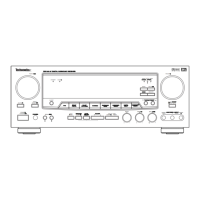
AV Digital Surround Receiver
OWNER’S MANUAL
VOLUME

E
FUNCTION
ION
MUTING
G
PHONES
PHONES
SPEAKERS
ERS
ADJUST
ADJUST
DELAY TIME
BASS
TREBLE
LE
CENTER
R
REAR
VIDEO
AUDIO L
R
R
L
L
R
OFF
OFF
ON
A
B
POWER
R
STANDBY/ON
/ON
TAPE 2
MONITOR
OR
BASS BOOST
BOOST
TEST
TONE
SPEAKER
SPEAKER
CONFIG
G
LEVEL
LEVEL
SELECT
SELECT
BALANCE
NCE
SLEEP
BAND FM MODE
DE
MODE
MODE
MEMORY
DIGITAL
COAXIAL
COAXIAL
OPTICAL
OPTICAL
MUTING
G
STANDBY
12
2
3
DDR 9
5

Questions and Answers

  • G
    gwhiteAug 16, 2025
    What to do if the remote control is not working for TECHWOOD DDR 95?
    • W
      Willie GuerreroAug 16, 2025
      If the TECHWOOD Receiver's remote control isn't working, first, replace the batteries with new ones. If that doesn't solve the problem, make sure you are operating the remote within its effective range of the receiver.
  • M
    Marco HardyAug 19, 2025
    Why is there no sound coming from my TECHWOOD DDR 95?
    • B
      Brenda DavisAug 19, 2025
      If there is no sound from your TECHWOOD Receiver, ensure that the A/B Speaker selectors are not turned off by pressing the A or B speaker selector as applicable. Also, check that the Tape 2 MONITOR is turned OFF.
  • A
    Alan PriceAug 22, 2025
    What to do if TECHWOOD DDR 95 Receiver sound cuts off or there is no sound?
    • J
      Jonathan AlvarezAug 22, 2025
      If the sound cuts off while listening to music or there's no sound even when the power is on for your TECHWOOD Receiver, it may be due to the speaker impedance being less than what is prescribed for the unit. Turn off the power, then turn it on again, and reduce the volume. Alternatively, change to the correct 8 ohm speakers.
  • S
    Stephen WadeAug 25, 2025
    Why is sound only coming from one channel on my TECHWOOD DDR 95 Receiver?
    • M
      Manuel HinesAug 26, 2025
      If sound is only coming from one channel on your TECHWOOD Receiver, first, ensure that the input cords are securely connected. If the issue persists, check if the BALANCE control is set to one side and adjust it accordingly.
  • W
    Whitney LongAug 27, 2025
    How to fix no sound from the rear speakers on TECHWOOD Receiver?
    • C
      Charles DanielsAug 28, 2025
      If there's no sound from the rear speakers of your TECHWOOD Receiver, verify that the SURROUND ON/OFF button is set to the desired surround mode position. Also, ensure that the source being played is recorded or broadcast in surround sound or stereo. Finally, check all rear speaker wires for a good connection.
  • S
    Susan DouglasAug 31, 2025
    Why is the bass response low on my TECHWOOD DDR 95 Receiver?
    • J
      Jessica BanksAug 31, 2025
      If you're experiencing low bass response with your TECHWOOD Receiver, check all speakers for correct polarity (+/–). Also, ensure the line straight button is turned off by pressing it.
  • T
    Tonya MonroeSep 3, 2025
    How to troubleshoot no sound from the center speaker on TECHWOOD DDR 95 Receiver?
    • J
      Joseph HaleSep 3, 2025
      If there is no sound from the center speaker of your TECHWOOD Receiver, ensure that the SURROUND mode button is set to DOLBY DIGITAL, DTS, DOLBY PRO LOGIC, or 3 STEREO.
  • R
    Rebecca HernandezSep 6, 2025
    Why is there hissing noise in stereo on my TECHWOOD DDR 95?
    • S
      suzannenicholsSep 6, 2025
      If you hear an unusual hissing noise when listening to stereo broadcasts on your TECHWOOD Receiver, but not in monaural mode, try the following: * Reduce the treble sound by adjusting the treble controls. * Change the location, height, and/or direction of the antenna. * Set the FM mode to monaural by pressing the STEREO/MONO button (note that the broadcast will then be heard as monaural sound). * If using an indoor antenna, switch to an outdoor antenna. * Try using an antenna with more elements.
  • A
    andrew78Sep 9, 2025
    What causes a low hum or buzzing sound in my TECHWOOD DDR 95?
    • B
      Brandy PittmanSep 9, 2025
      If you are hearing a low hum or buzzing sound from your TECHWOOD Receiver, it could be due to the power line of a fluorescent light installed nearby. Try placing the receiver as far away as possible from electric devices that may cause interference.
  • G
    Gail CampbellSep 12, 2025
    How to fix reversed left/right speakers on TECHWOOD Receiver?
    • J
      Jessica JohnsonSep 12, 2025
      If the left and right speakers sound reversed when listening to music in stereo on your TECHWOOD Receiver, the speakers might be connected incorrectly. Check the speaker connections and reconnect if needed.

Summary

Safety and Warning Notices

Electrical Shock Hazard Warning

Warning against opening the unit to prevent electric shock and internal damage.

Understanding Safety Symbols

Explanation of warning symbols like lightning flash and exclamation point for user safety.

Comprehensive Safety Instructions

General Operational and Maintenance Safety

Instructions for safe operation, cleaning, and usage.

Electrical Safety and Hazard Prevention

Guidance on power cords, grounding, polarization, and preventing hazards.

Servicing, Overload, and Damage Precautions

Warnings about overloading, unauthorized servicing, and damage.

Unit Installation and Placement Precautions

Location, Ventilation, and Power Source Guidelines

Advice on choosing a location, ensuring airflow, and using correct power sources.

FCC Compliance and AC Power Cord Safety

Information on FCC rules, unit modifications, and safe AC power cord connection.

Audio Connections Guide

Connecting Audio Equipment

How to connect turntables, CD players, tape decks, and MD players.

Specific Audio Jack Connections

Detailed guide for PHONO, CD, MD/TAPE, and TAPE 2 jacks.

Video and Digital Connections

Video Source Connections

Connecting VCRs, DVD players, and TVs using video and S-Video signals.

Digital Audio Input;Output

Connecting digital sources via optical and coaxial inputs/outputs.

PRE OUT and AC Outlet Connections

Connecting Subwoofer and Center Channels

How to use PRE OUT jacks for subwoofers and center speakers.

Switched AC Outlets

Information on the receiver's power outlets and their usage limits.

Antenna and Video Connections

Video Camera Recorder Connections

Connecting video cameras to the AUX/VIDEO 3 INPUT.

FM Antenna Setup

Instructions for connecting FM indoor and outdoor antennas with transformers.

Speaker System and AM Antenna Connections

Connecting Speaker Systems

Detailed instructions for connecting speakers, including polarity and impedance.

AM Antenna Setup

Instructions for connecting AM loop and outdoor antennas.

Front Panel Controls and Indicators

Front Panel Layout Overview

Identification and function of buttons and indicators on the receiver's front panel.

Display Examples and Indicators

Examples of information displayed on the receiver screen.

Remote Control Unit and Display Information

Remote Control Unit Functions

Detailed explanation of the remote control's buttons and features.

Display Indicators Explained

Description of various indicators shown on the receiver's display.

Basic Audio Operations

Powering On and Basic Controls

Steps for powering on, setting basic functions, and adjusting volume.

Sleep Timer Functionality

How to set the receiver to turn off automatically after a set time.

Advanced Audio Adjustments

Tone, Balance, and Bass Boost Controls

How to adjust audio settings like tone, balance, and bass boost.

Surround Mode and Digital Input Selection

How to select surround modes and digital inputs.

Radio Reception and Tuning

Auto and Manual Tuning Methods

Guide to tuning FM/AM stations using auto and manual methods.

FM Mode and Tuning Indicators

Using FM mode for stereo/mono reception and understanding tuning indicators.

Radio Tuning and Memory Presets

Direct Tuning Input

How to tune directly to a frequency using numeric keys.

Automatic and Manual Memory Presetting

Methods for automatically and manually storing radio stations.

Media Playback and Memory Functions

Listening to Records and Compact Discs

How to play audio from turntables and CD players.

Playing MD;TAPE 1 and Memory Functions

Playing cassettes from TAPE 1 and using back-up memory functions.

Tape Deck Operations and Recording

Playing TAPE 2 Deck

Instructions for playing cassettes from the TAPE 2 deck.

Recording and Dubbing Sources

How to record sources onto a cassette deck and dub between decks.

Video Source Playback and Editing

Playing Video Sources

Selecting and playing video signals from connected components.

Video Dubbing and S.A.V.E. System

Performing tape dubbing and using the Second Audio Source feature.

Understanding Surround Sound Modes

DTS and Dolby Digital Surround

Explains DTS and Dolby Digital surround sound formats.

Dolby Pro Logic and 3 Stereo Modes

Explains Dolby Pro Logic and 3 Stereo surround sound modes.

Hall, Theater, Disco, Stadium, Church Modes

Describes various environmental surround sound modes.

Speaker Setup for Surround Sound

Speaker Positioning Guidelines

Recommendations for optimal placement of front, center, and rear speakers.

Speaker Configuration Options

How to configure speaker types (Large/Small/None) for different surround modes.

Adjusting Surround Sound Parameters

Channel Level Adjustment

How to adjust the volume level for individual speakers using test tones.

Delay Time Settings

How to set delay times for center and rear speakers in different surround modes.

Surround Sound Playback and System Functions

Playing Surround Sound

Steps to activate and play content in surround sound modes.

Night Mode and Back-Up System

Using Night Mode for late listening and understanding the back-up memory.

On-Screen Display (OSD) Operation

OSD Activation and Input Status

How to enable the OSD and view current input status.

OSD Main Menu Overview

Introduction to the main menu structure for system adjustments.

OSD Menu Navigation and Settings

Input Selector and Digital Input Menu

Navigating OSD menus to select video inputs and digital audio sources.

Surround Mode and Speaker Configuration Menus

Adjusting surround modes and speaker settings via OSD menus.

OSD Language Settings

Language Selection via OSD

How to change the language of the on-screen display menus.

Automatic OSD Functionality

Test Tone and System Status Display

Using OSD for test tones, volume indication, and system status.

Sleep Timer Display

Visual feedback on the display for sleep timer settings.

Remote Control Unit Operations

Using the Remote Control Unit

How to operate the receiver from a distance using the remote.

Battery Installation and Precautions

Instructions for inserting, replacing, and handling remote control batteries safely.

Troubleshooting Guide

Amplifier and Tuner Problem Solutions

Solutions for common audio, reception, and amplifier related issues.

Surround Sound and Remote Control Issues

Resolving problems with surround playback, speaker output, and remote control functionality.

Technical Specifications

Amplifier, Tuner, and Video Specifications

Detailed technical data for amplifier, FM/AM tuners, and video sections.

General Unit Information and Accessories

Power requirements, dimensions, weight, and list of standard accessories.

TECHWOOD DDR 95 Specifications

General IconGeneral
BrandTECHWOOD
ModelDDR 95
CategoryReceiver
LanguageEnglish

Related product manuals