TECNA S.p.A. ITEM TE700 Instruction Manual
2.17 - PROG. SEQUENCE
-TE700 VER. 1.13--
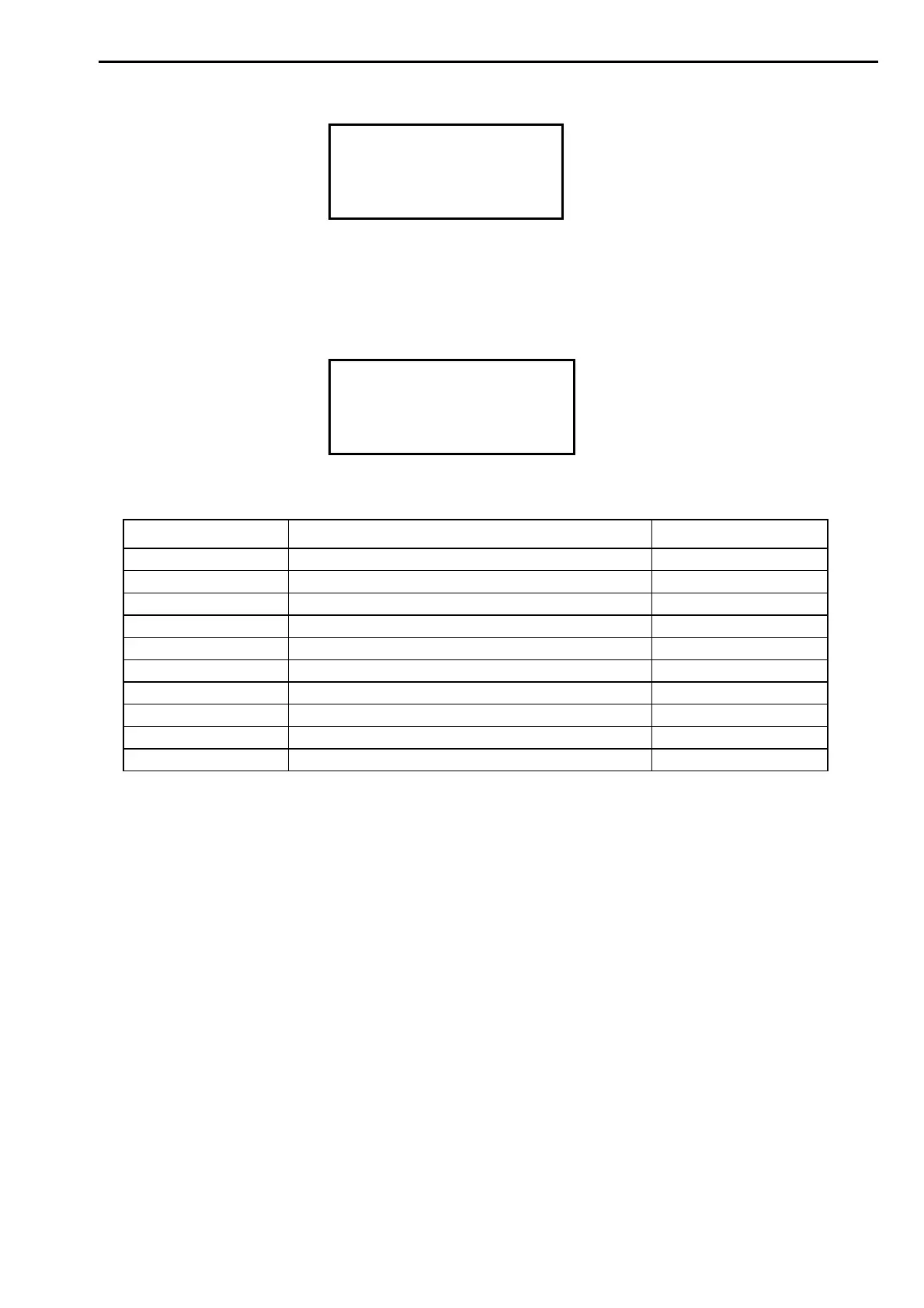
DIAGNOSTIC TE700
DIAGNOSTIC INV.
>PROG. SEQUENCE
This menu includes the parameters required for activating the programs sequences
operations. In this working mode the weld control unit commands the welder to perform a
series of spots, deciding automatically the work program for each spot and the spots order
without having to make an external selection of the program.
PROG. SEQUENCE
>STEP 1 PRG. 003
STEP 1 WELDS 07
STEP 2 PRG. 012
PROGRAM SEQUENCES MENU PARAMETERS TABLE
PARAMETER PARAMETER DESCRIPTION RANGE VALUE
STEP 1 PRG. Program to be carried out in the step 1 000 – 250
STEP 1 WELDS Number of spots to be carried out with step 1 01 – 25
STEP 2 PRG. Program to be carried out in the step 2 001 – 250
STEP 2 WELDS Number of spots to be carried out with step 2 00 – 25
STEP 3 PRG. Program to be carried out in the step 3 001 – 250
STEP 3 WELDS Number of spots to be carried out with step 3 00 – 25
STEP 4 PRG. Program to be carried out in the step 4 001 – 250
STEP 4 WELDS Number of spots to be carried out with step 4 00 – 25
STEP 5 PRG. Program to be carried out in the step 5 001 – 250
STEP 5 WELDS Number of spots to be carried out with step 5 00 – 25
STEP 1 PRG.
This parameter indicates the number of the program that the welder must carry out, and is
coupled with the STEP 1 WELDS parameter.
When this parameter is set to zero, the programs sequence is disabled.
STEP 1 WELDS
The value of this parameter indicates the number of welds to be carried out with the program
matched to the same step.
STEP 2 PRG.
This parameter indicates the program number that the welder has to carry out and is always
coupled with the STEP 2 WELDS parameter.
STEP 2 WELDS
The value of this parameter indicates the number of welds to be carried out with the program
matched to the same step.
STEP 3 PRG.
This parameter indicates the program number that the welder has to carry out and is always
coupled with the STEP 3 WELDS parameter.
79/128


 To Next Page