Instruction Manual ITEM TE700 TECNA S.p.A.
66/128
2.12 - FEATURES TE700
-TE700 VER. 1.13--
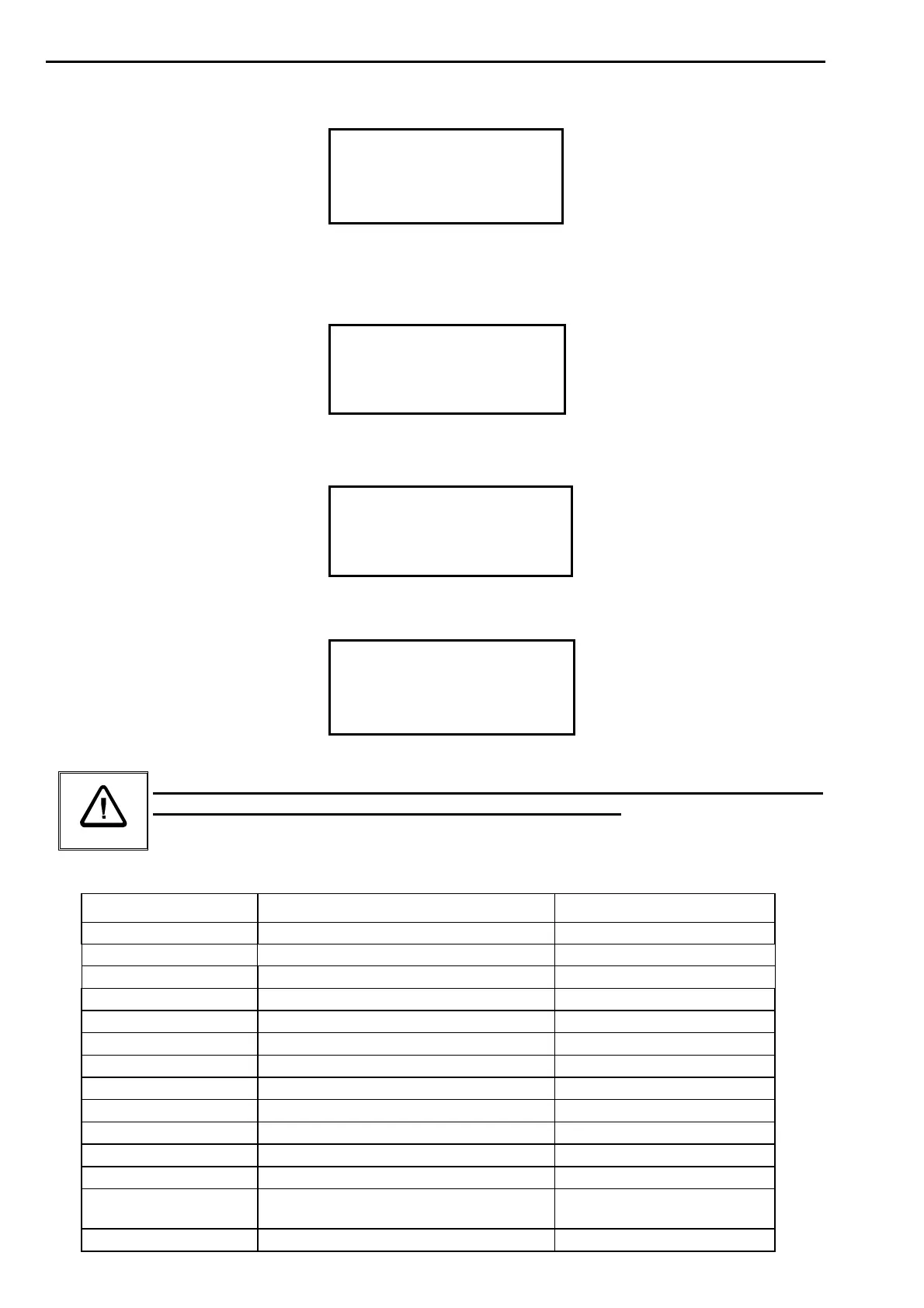
SETUP MENU
STEPPER MENU
>FEATURES TE700
The TE700 installation menu contains the parameters that describe the complexity and the
typology of the welder on which the control unit works. Access to said menu is protected by
an access code due the importance of these parameters.
ENTER ACCESS CODE
FEATURES MENU
- - - - -
If the operator is not authorized to enter this menu and does not know the access code, the
following message is displayed:
WRONG CODE
TRY AGAIN !
The parameters can be edited only after having typed in the access code.
FEATURES TE700
>SERIAL COM. OFF
NET ADDRESS 01
OUT LOCK/END END
Keep in mind that only skilled personnel are permitted to edit the following
parameters to prevent damage to people or equipment.
PARAMETER PARAMETER DESCRIPTION RANGE VALUE
SERIAL COM. Serial communication 232 – 485 – OFF
NET ADDRESS Network address 01 – 31
OUT LOCK/END Output function END – LOCK
LOW FORCE SQ. Low force squeeze ON - OFF
FORGE Forging ON – OFF
PROP. VALVE Proportional valve ON - OFF
PRESSURE RATIO Proportional ratio 0.1 – 2.0
AUTORETAIN Start Autoretain ON – OFF
START 1-2 NC Operation of NC inputs OFF – RIC 7-8 – ON
BIC 1-2 NC Operation of NC inputs OFF – RIC 5-6 – ON
SEAM WELD MODE Spots / seams ON – OFF
CASCADE MODE Electric cascade function ON – OFF
WELD – NO WELD Operation of weld - no weld external
input
INT – EXT – BOTH
DSP UPG PRESS Command to update inverter SW <+>


 To Next Page