English
11
BLAST CHILLER ISTRUCTION C-200306/2011
5
.12 PRINTER (OPTIONAL)
• If you have to turn the instrument on/off press
• If you have to feed the paper by hand press
•
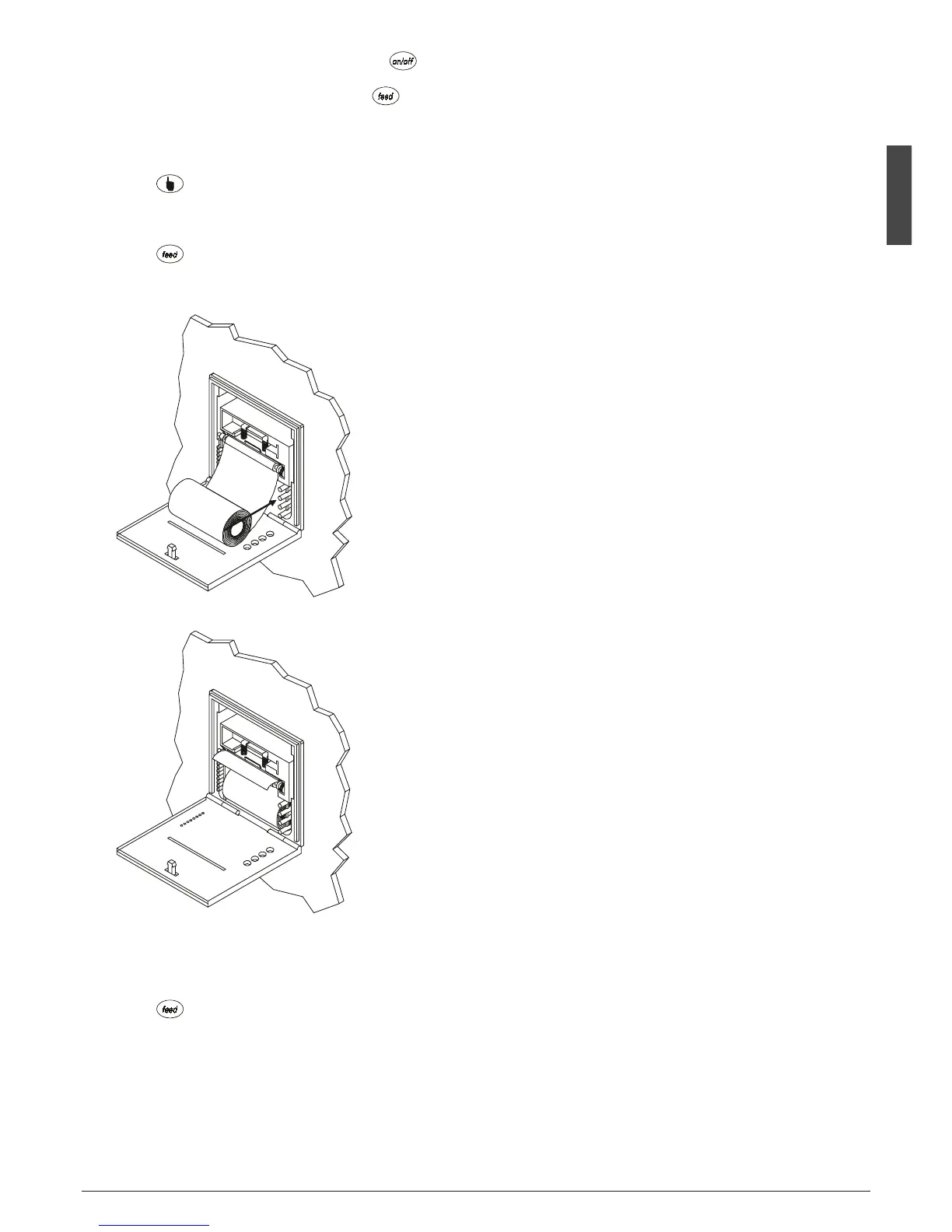
If you have to change the roll of paper:
- Turn the instrument off
- Press for opening the panel at the front of the instru-
ment
-
Slip the roll of paper into the lower side of the roller
- Press as long as the roller drags the roll of paper
- Put the roll of paper into its box
- Close the panel at the front of the instrument
• If you have to execute the print test
- Switch off the power supply of the instrument
- Press .
- Switch on the power supply of the instrument
• Signals: on/off led
- if it is lighted, the instrument will be in ON mode



 To Next Page