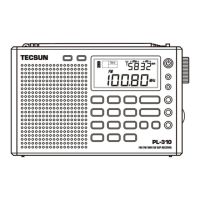
TUNING INTO STATIONS
Turn on the device, then quick press the [ FM/ST. ], [ MW/LW ], [ < ] or [ > ]
(for SW) button to select your desired frequency band. You can tune into
your favorite stations using any of the following tuning methods.
7
SW Meter Band Selection
Quick press [ < ] or [ > ] to change between the below shortwave meter bands:
120m / 90m / 75m / 60m / 49m / 41m / 31m / 25m / 22m / 19m / 16m / 15m /
13m / 11m
Manual Tuning
In VF mode, rotate the [ TUNING ] knob to search for your desired stations.
To change the tuning speed (steps), quick press [ STEP ]. “ ” is displayed
above the frequency to indicate a smaller tuning step when rotating the knob.
Tip: Review the “Specifications” section (page 22) for an overview of the
selectable tuning steps for each frequency band.
Auto Scan
In VF mode, press and hold the [ VF ] button. The device will automatically
scan the entire frequency band for available stations. When a station is found
it will stay there for about 5 seconds before continuing the search. To stop the
auto scan feature, quick press any button (except [ M ]).
Direct Keypad Entry
In VF mode, quick press the numeric keys [ 0 - 9 ] to directly enter a
frequency.
Tips:
For FM band, ignore the decimal point when inputting frequency numbers.
For example: enter 1, 0, 3, 0 for FM 103.0 MHz.
If the entered frequency is not within the covering range, the error “ ”
symbol will be displayed.


 To Next Page