© 2014 552_D - 09/14
14 of 44
A Watts Water Technologies Company
Set Temp Menu (1 of 3)
Setting Display
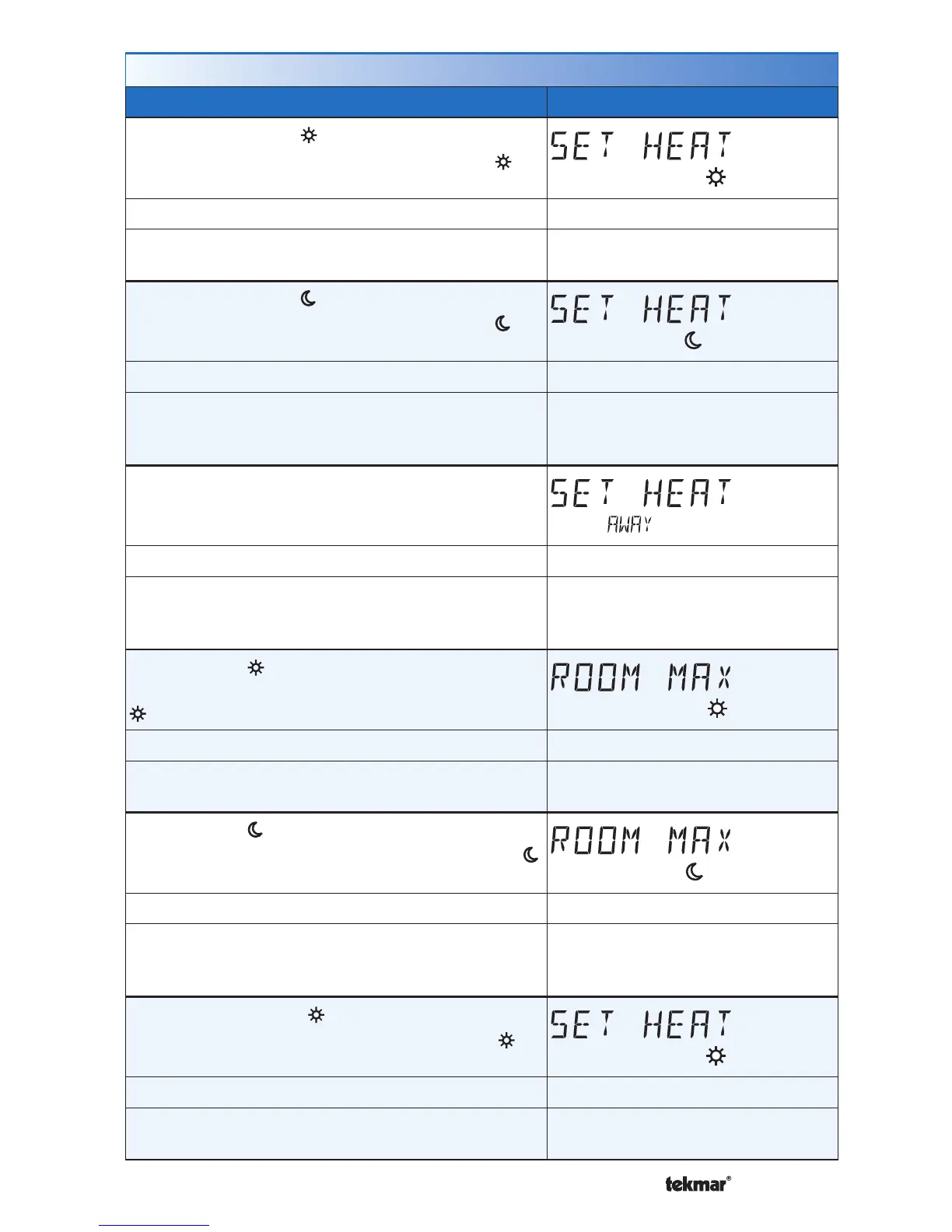
SET HEAT ROOM
Set the room heating temperature during the
event.
Room
Access Level: Installer, User Range: 40 to 95°F (4.5 to 35.0°C)
Conditions: Room Sensor set to ON or Sensor 1 or
Sensor 2 set to Room.
Default: 70°F (21.0°C)
SET HEAT ROOM
Set the room heating temperature during the
event.
Room
Access Level: Installer, User Range: 40 to 95°F (4.5 to 35.0°C)
Conditions: Room Sensor set to ON or Sensor 1 or
Sensor 2 set to Room, and Schedules are in use
or Scenes are set to All or Guest.
Default: 65°F (18.5°C)
SET HEAT ROOM AWAY
Set the room heating temperature during the Away
scene.
Room
Access Level: Installer, User Range: 40 to 95°F (4.5 to 35.0°C)
Conditions: Room Sensor set to ON or Sensor 1 or
Sensor 2 set to Room, and Scenes is set to Away,
All or Guest.
Default: 62°F (16.5°C)
ROOM MAX
Set the maximum room heating limit while in the
event.
Access Level: Installer Range: 40 to 95°F (4.5 to 35.0°C)
Conditions: Room Sensor set to ON or Sensor 1 or
Sensor 2 set to Room.
Default: 85°F (29.5°C)
ROOM MAX
Set the maximum room heating limit while in the
event.
Access Level: Installer Range: 40 to 95°F (4.5 to 35.0°C)
Conditions: Room Sensor set to ON or Sensor 1 or
Sensor 2 set to Room, and Schedules are in use
or Scenes are set to All or Guest.
Default: 85°F (29.5°C)
SET HEAT FLOOR
Set the floor heating temperature while in the
event.
Floor
Access Level: Installer, User Range: 40 to 122°F (4.5 to 50.0°C)
Conditions: Room Sensor set to OFF and Sensor
1 or Sensor 2 set to Floor.
Default: 72°F (22.0°C)



 To Next Page