© 2014 552_D - 09/14
24 of 44
A Watts Water Technologies Company
Setting Display
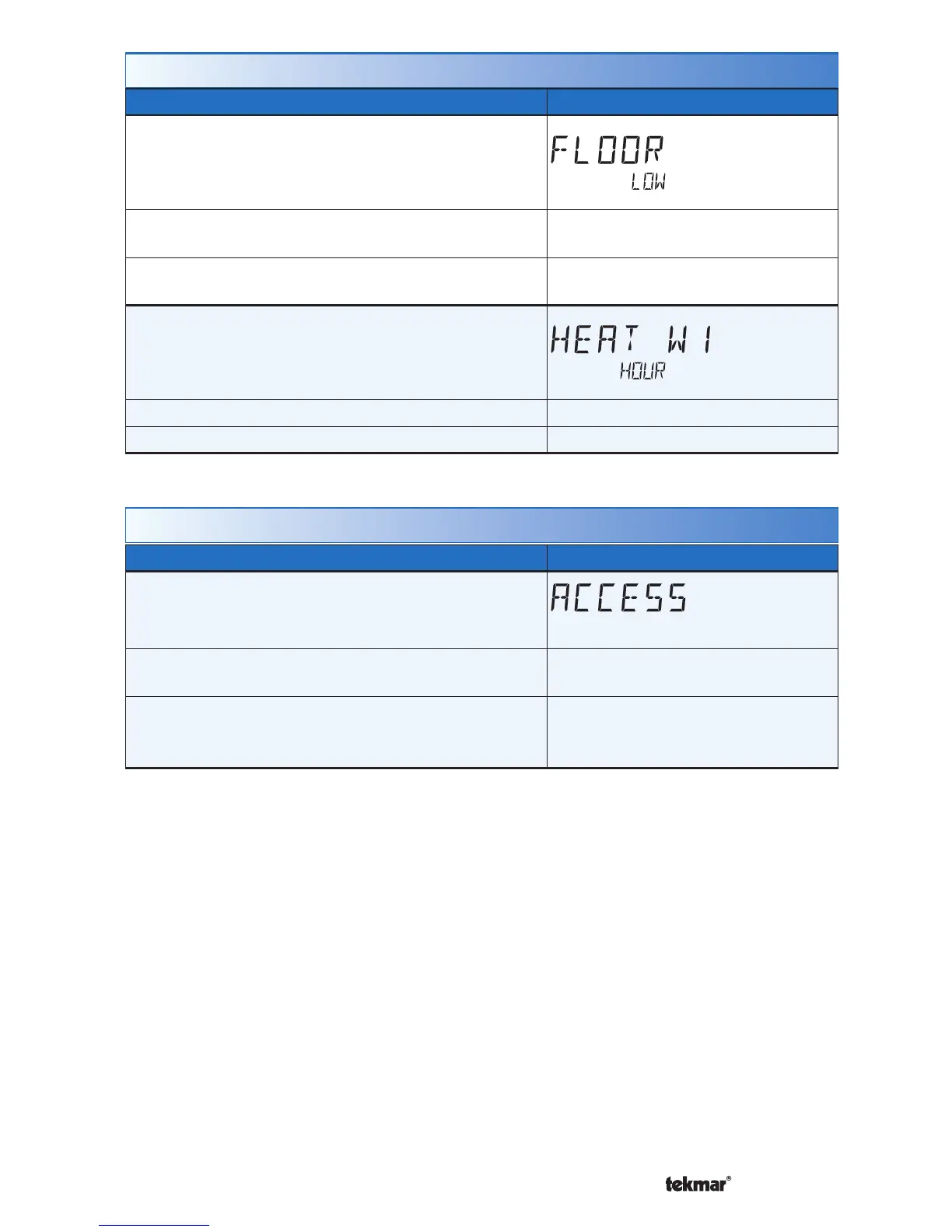
FLOOR LOW
The lowest recorded floor temperature measurement.
Touch the number and touch the ENTER key to
reset.
Access Level: Installer, User
Range: -76 to 149°F (-60.0 to
65.0°C)
Conditions: Setup menu setting SENSOR 1 or 2 is
set to FLOR.
Default: Not applicable.
HEAT W1
The total number of hours the W1 relay has been
operated for heating. Touch the number and touch
the ENTER key to reset.
Access Level: Installer, User Range: 0000 to 9999 hours
Conditions: Always available. Default: 0000 hours
Monitor Menu (3 of 3)
Setting Display
ACCESS LEVEL
Selects the access level of the thermostat, which
determines which menus and items are available.
Access Level: Installer, User, Limited, Secure
Range: INST (installer), USER,
LTD (limited), SEC (secure)
Conditions: Adjustable only when thermostat switch
setting set to UNLOCK OR tekmarNet
®
system control
switch setting set to UNLOCK.
Default: INST
Toolbox Menu (1 of 3)



 To Next Page