© 2014 552_D - 09/14
25 of 44
A Watts Water Technologies Company
Toolbox Menu (2 of 3)
Setting Display
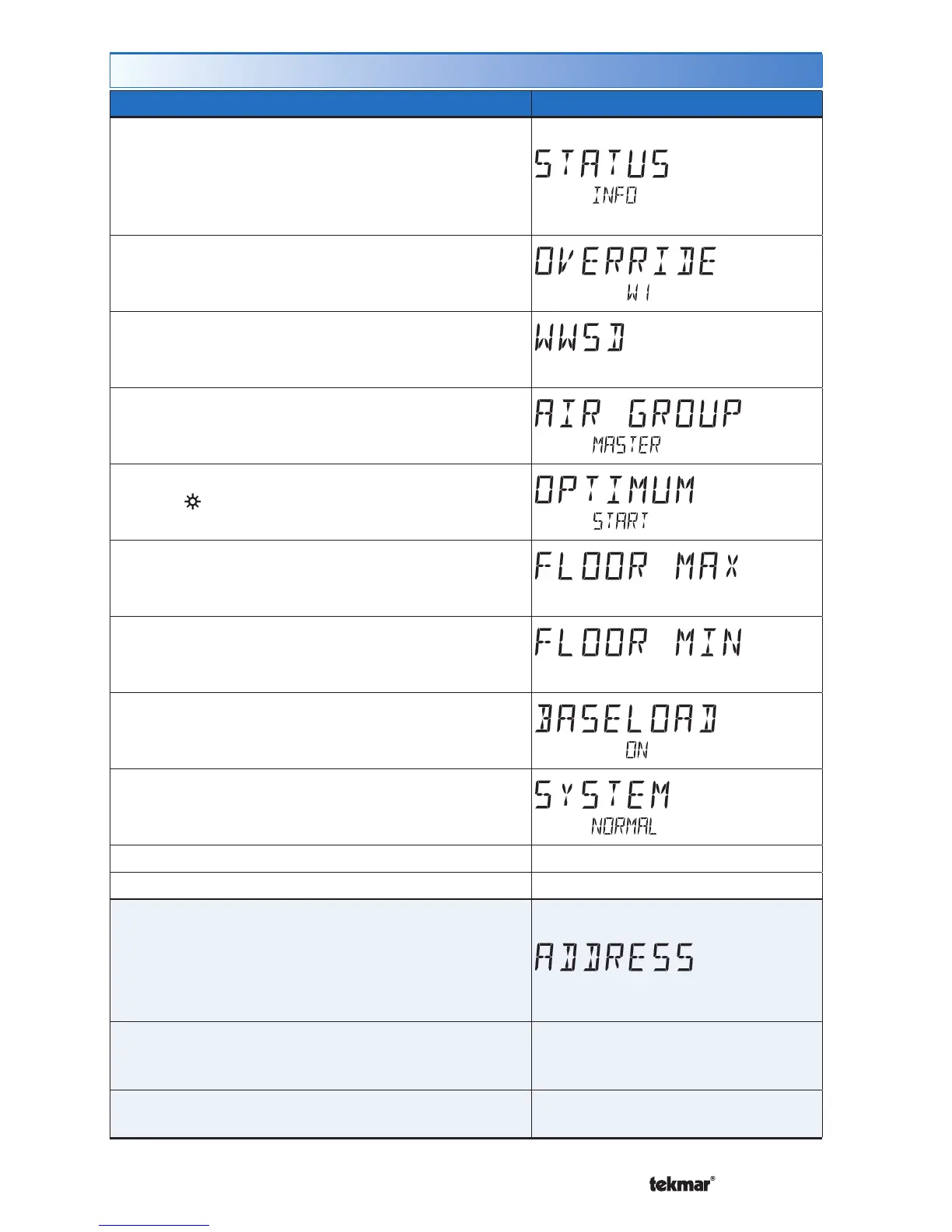
STATUS INFO
Displays the current status of the thermostat including
any overrides from the tekmarNet
®
system control.
Toggles between “Status Info” and the current
status.
Override W1 = The tekmarNet
®
system control is
either forcing the W1 relay on or off.
WWSD = Warm Weather Shut Down is in effect.
Air Group Master Cool = Heating is off while the
cooling system is on.
Optimum Start = Heating is started early in order
to meet temperature setpoint at Event 1 or
Event 3.
Floor Max = The floor has reached its maximum
temperature. Some under heating could occur.
Floor Min = The floor is operating at its minimum
temperature. Some over heating could occur.
Baseload On = Baseload heating is on even
though the room temperature is satisfied. Reduces
heat up time when the sun sets in the evening.
System Normal = Thermostat is operating
normally.
Access Level: Installer, User Range: See Description
Conditions: Always available. Default: System Normal
ADDRESS
The tekmarNet
®
address of this thermostat.
AUTO = Automatic addressing
To manually set the address, use the up or down
arrow buttons while in the Installer access level.
Access Level: Installer
Range: AUTO, 01 to 24, b:01 to
b:04, 1:01 to 1:24, 2:01 to 2:24, 3:01
to 3:24
Conditions: tekmarNet
®
2 or tekmarNet
®
4
communication detected.
Default: AUTO



 To Next Page