© 2014 552_D - 09/14
19 of 44
A Watts Water Technologies Company
Schedule Menu (1 of 2)
Setting Display
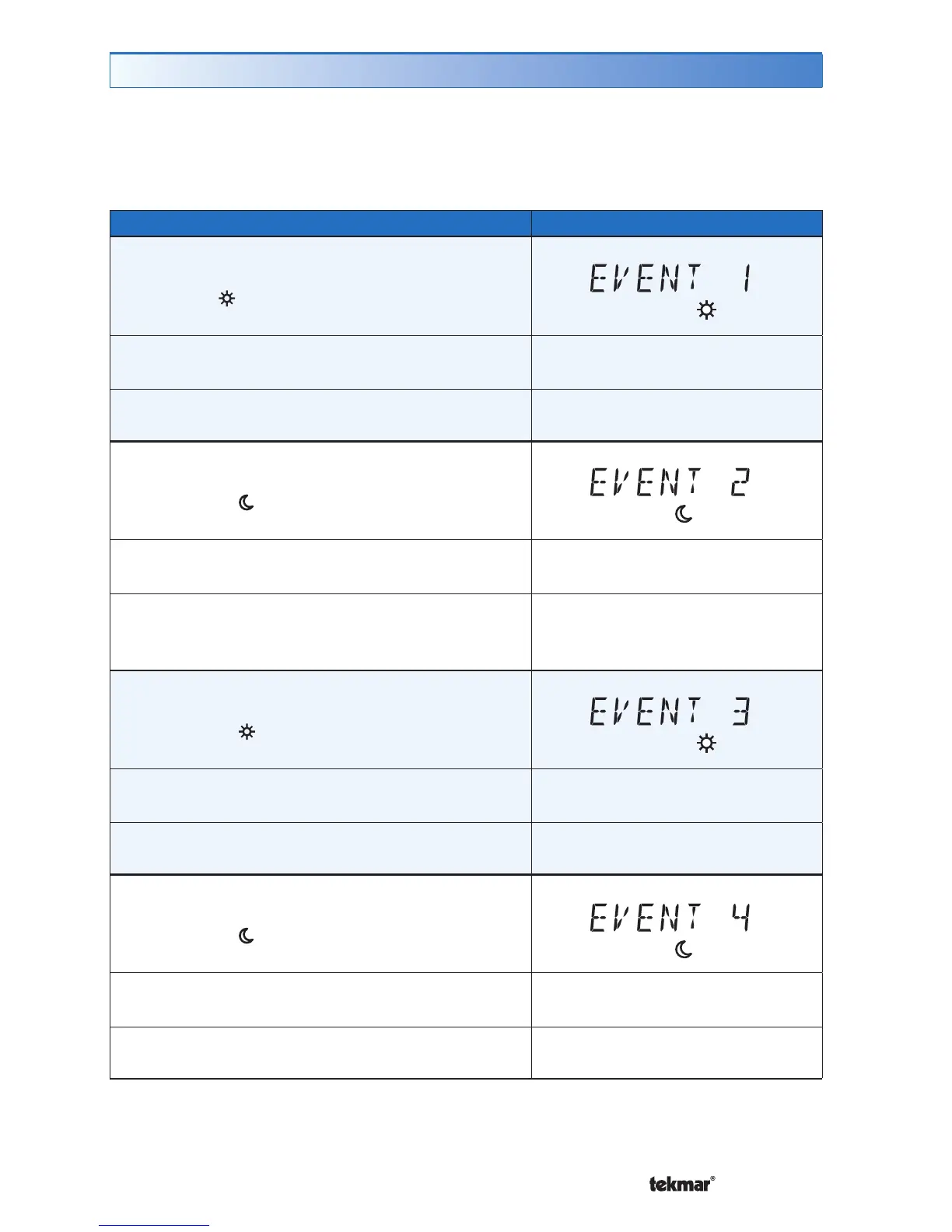
EVENT 1
The first programmable schedule time period of
the day. The
temperature settings are used
during this time period.
SuMoTuWeThFrSa
Access Level: Installer, User
Range: 12:00 AM to 11:50 PM, SKIP
or 00:00 to 23:50, SKIP
Conditions: Schedule setting is set to Zone or
Master 1, 2, 3, 4 and Event/Day is set to 2 or 4.
Default: 6:00 AM
EVENT 2
The second programmable schedule time period
of the day. The temperature settings are used
during this time period.
SuMoTuWeThFrSa
Access Level: Installer, User
Range: 12:00 AM to 11:50 PM, SKIP
or 00:00 to 23:50, SKIP
Conditions: Schedule setting is set to Zone or
Master 1, 2, 3, 4 and Event/Day is set to 2 or 4.
Default:
10:00 PM when Event/Day is 2
8:00 AM when Event/Day is 4
EVENT 3
The third programmable schedule time period
of the day. The temperature settings are used
during this time period.
SuMoTuWeThFrSa
Access Level: Installer, User
Range: 12:00 AM to 11:50 PM, SKIP
or 00:00 to 23:50, SKIP
Conditions: Schedule setting is set to Zone or
Master 1, 2, 3, 4 and Event/Day is set to 4.
Default: 6:00 PM
EVENT 4
The fourth programmable schedule time period
of the day. The temperature settings are used
during this time period.
SuMoTuWeThFrSa
Access Level: Installer, User
Range: 12:00 AM to 11:50 PM, SKIP
or 00:00 to 23:50, SKIP
Conditions: Schedule setting is set to Zone or
Master 1, 2, 3, 4 and Event/Day is set to 4.
Default: 10:00 PM
The schedule menu can operate on a 24 hour or 7 day repeating schedule. When a
24 hour schedule is selected, “SuMoTuWeThFrSa” is shown on the top of the screen
to show that the event time applies to all days of the week. When a 7 day schedule
is selected, each individual day of the week is shown with the event time.



 To Next Page