© 2014 552_D - 09/14
22 of 44
A Watts Water Technologies Company
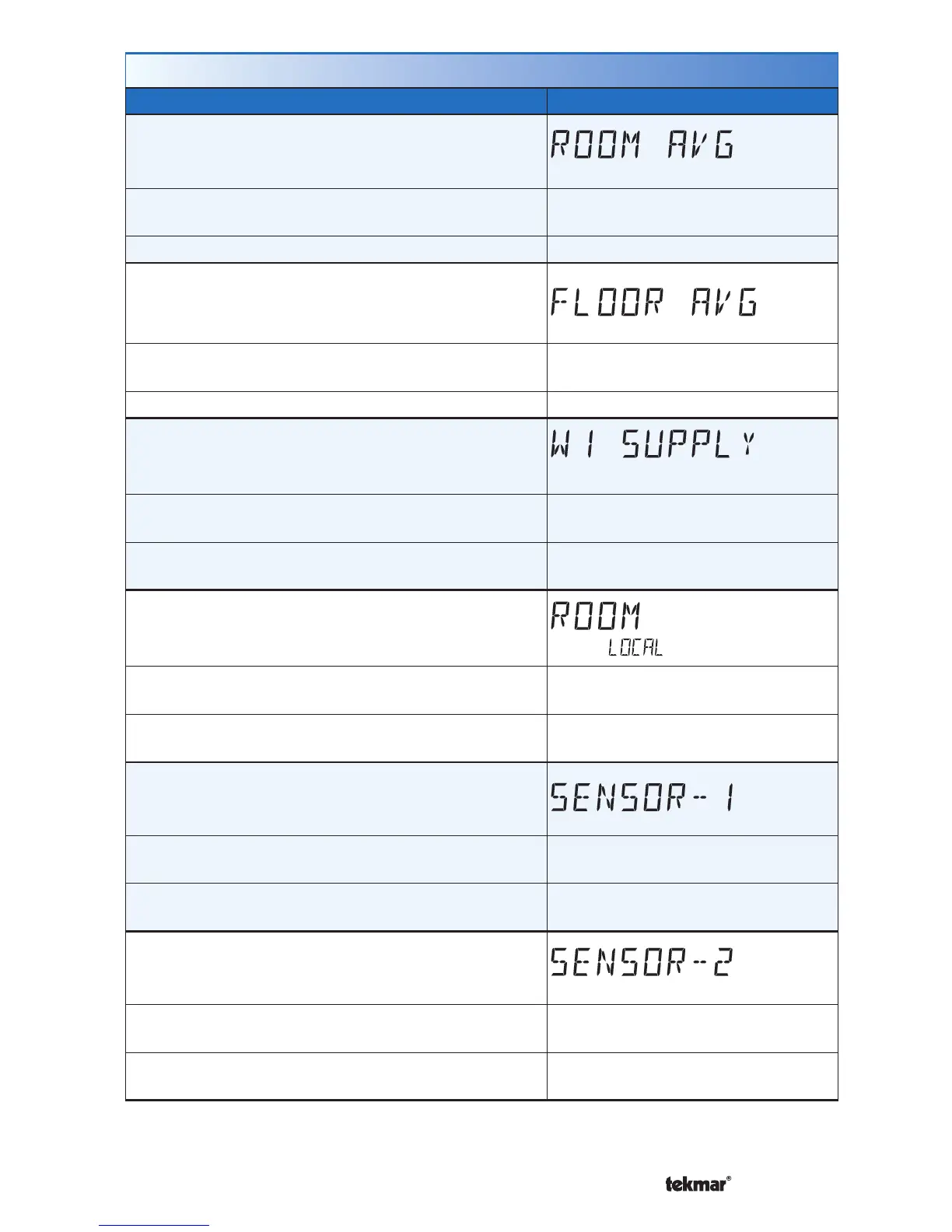
Monitor Menu (1 of 3)
Setting Display
ROOM AVERAGE
Current room temperature. Displays the average if
there are multiple room sensors.
Access Level: Installer
Range: -58 to 212°F (-50.0 to
100.0°C)
Conditions: Sensor 1 or 2 is set to Room. Default: Not applicable.
FLOOR AVERAGE
Current floor temperature. Displays the average if
there are multiple floor sensors.
Access Level: Installer
Range: -58 to 212°F (-50.0 to
100.0°C)
Conditions: Sensor 1 or 2 is set to Floor. Default: Not applicable.
W1 SUPPLY
First stage heating supply water temperature.
Access Level: Installer
Range: -22 to 266°F (-30.0 to
130.0°C)
Conditions: Setup menu setting W1 TERM set to
CTRL, HRF1, HRF2, CONV or COIL.
Default: Not applicable.
ROOM LOCAL
The built-in room sensor temperature measurement.
Access Level: Installer
Range: -58 to 212°F (-50.0 to
100.0°C)
Conditions: Setup menu setting ROOM SENSOR
is set to ON.
Default: Not applicable.
SENSOR 1
The temperature measurement from the sensor 1
input wiring terminals.
Access Level: Installer
Range: -22 to 266°F (-30.0 to
130.0°C)
Conditions: Setup menu setting SENSOR 1 is set to
ROOM, FLOR, or OUT.
Default: Not applicable.
SENSOR 2
The temperature measurement from the sensor 2
input wiring terminals.
Access Level: Installer
Range: -22 to 266°F (-30.0 to
130.0°C)
Conditions: Setup menu setting SENSOR 2 is set
to ROOM or FLOR.
Default: Not applicable.



 To Next Page