© 2014 552_D - 09/14
23 of 44
A Watts Water Technologies Company
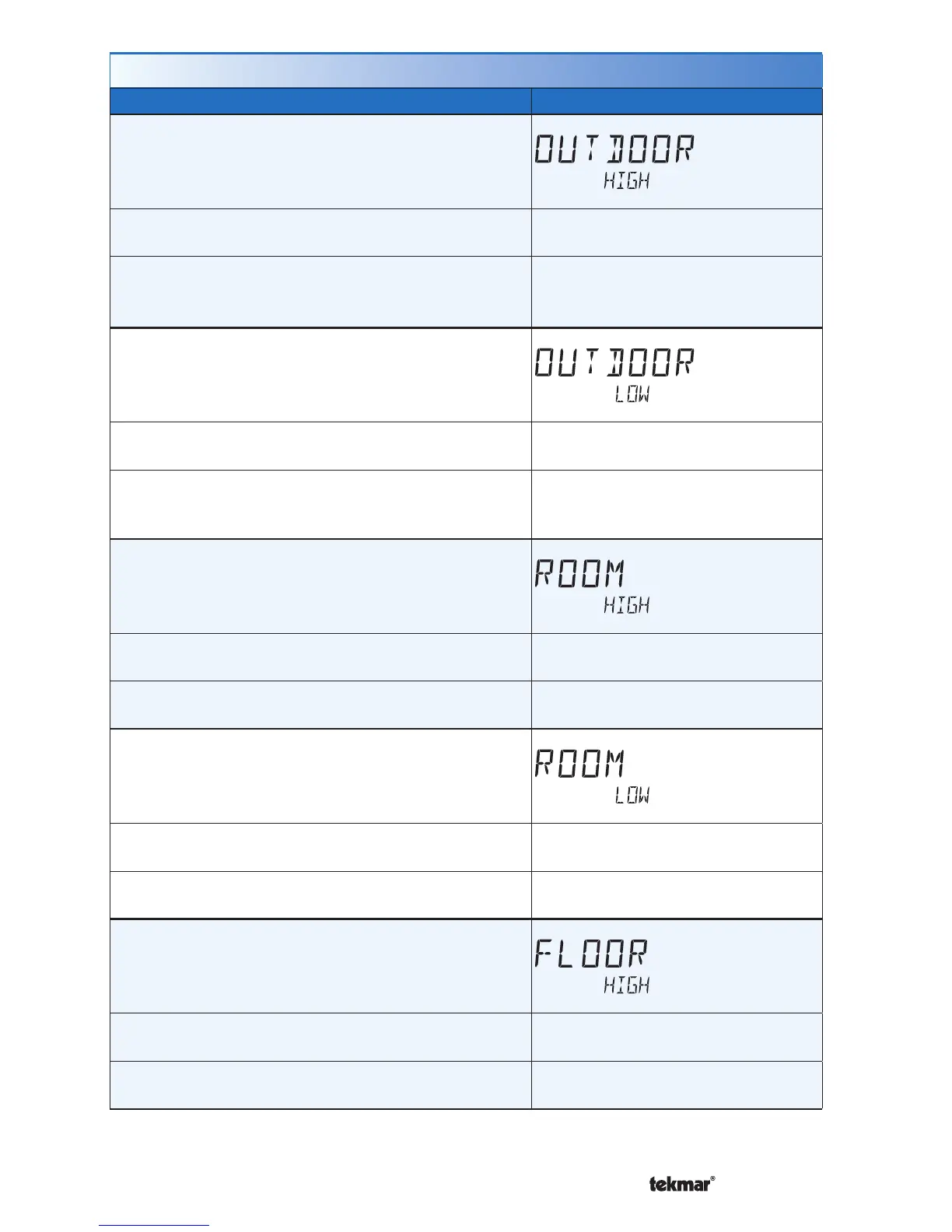
Setting Display
OUTDOOR HIGH
The highest recorded outdoor air temperature
measurement. Touch the number and touch the
ENTER key to reset.
Access Level: Installer, User
Range: -76 to 149°F (-60.0 to
65.0°C)
Conditions: Setup menu setting SENSOR 1 is set to
Outdoor or an outdoor temperature is available on
the tekmarNet
®
System.
Default: Not applicable.
OUTDOOR LOW
The lowest recorded outdoor air temperature
measurement. Touch the number and touch the
ENTER key to reset.
Access Level: Installer, User
Range: -76 to 149°F (-60.0 to
65.0°C)
Conditions: Setup menu setting SENSOR 1 is set to
Outdoor or an outdoor temperature is available on
the tekmarNet
®
System.
Default: Not applicable.
ROOM HIGH
The highest recorded room temperature measurement.
Touch the number and touch the ENTER key to
reset.
Access Level: Installer, User
Range: -76 to 149°F (-60.0 to
65.0°C)
Conditions: Setup setting ROOM SENSOR is set to
ON or SENSOR 1 or 2 is set to ROOM.
Default: Not applicable.
ROOM LOW
The lowest recorded room temperature measurement.
Touch the number and touch the ENTER key to
reset.
Access Level: Installer, User
Range: -76 to 149°F (-60.0 to
65.0°C)
Conditions: Setup setting ROOM SENSOR is set to
ON or SENSOR 1 or 2 is set to ROOM.
Default: Not applicable.
FLOOR HIGH
The highest recorded floor temperature measurement.
Touch the number and touch the ENTER key to
reset.
Access Level: Installer, User
Range: -76 to 149°F (-60.0 to
65.0°C)
Conditions: Setup menu setting SENSOR 1 or 2 is
set to FLOR.
Range: Not applicable.
Monitor Menu (2 of 3)



 To Next Page