© 2014 552_D - 09/14
27 of 44
A Watts Water Technologies Company
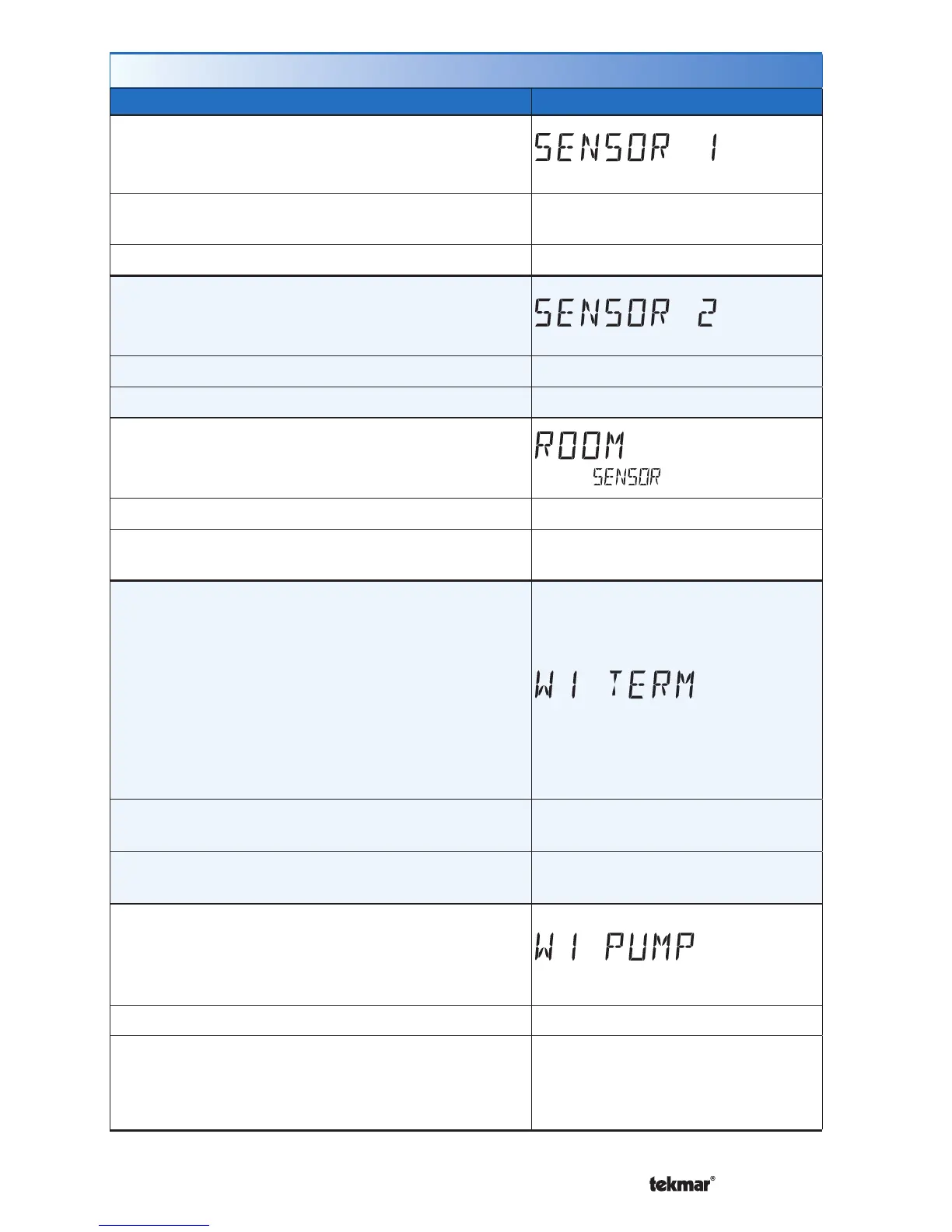
Setup Menu (1 of 2)
Setting Display
SENSOR 1
Select to the type of sensor connected to auxiliary
sensor input 1.
Access Level: Installer
Range: OFF, ROOM, FLOR (floor),
OUT (outdoor)
Conditions: Always available. Default: OFF
SENSOR 2
Select to the type of sensor connected to auxiliary
sensor input 2.
Access Level: Installer Range: OFF, ROOM, FLOR (floor)
Conditions: Always available. Default: OFF
ROOM SENSOR
Select whether the built-in room temperature sensor
is on or off.
Access Level: Installer Range: OFF or ON
Conditions: Only available when Sensor 1 or Sensor
2 is set to Room or Floor.
Default: ON
W1 TERMINAL UNIT
Select the terminal unit type of the first stage of
heat W1.
CTRL = Same as on tekmarNet
®
system control.
HRF1 = High mass hydronic radiant floor
HRF2 = Low mass hydronic radiant floor
CONV = Fin-tube convectors
COIL = Fan coil
OTHR = Other than hydronic heating
Access Level: Installer
Range: CTRL, HRF1, HRF2,
CONV, COIL, OTHR
Conditions: Only available when a tekmarNet
®
system
control is connected.
Default: CTRL
W1 PUMP
Select whether the primary or mix system pump on
a tekmarNet
®
system control should operate while
the first stage of heat W1 is operating.
Access Level: Installer Range: OFF or ON
Conditions: Only available when a tekmarNet
®
system control is connected and the Setup menu
setting W1 TERM is set to CTRL, HRF1, HRF2,
CONV, or COIL.
Default: ON



 To Next Page