Calls Screen
Time Screen
Changing the Time
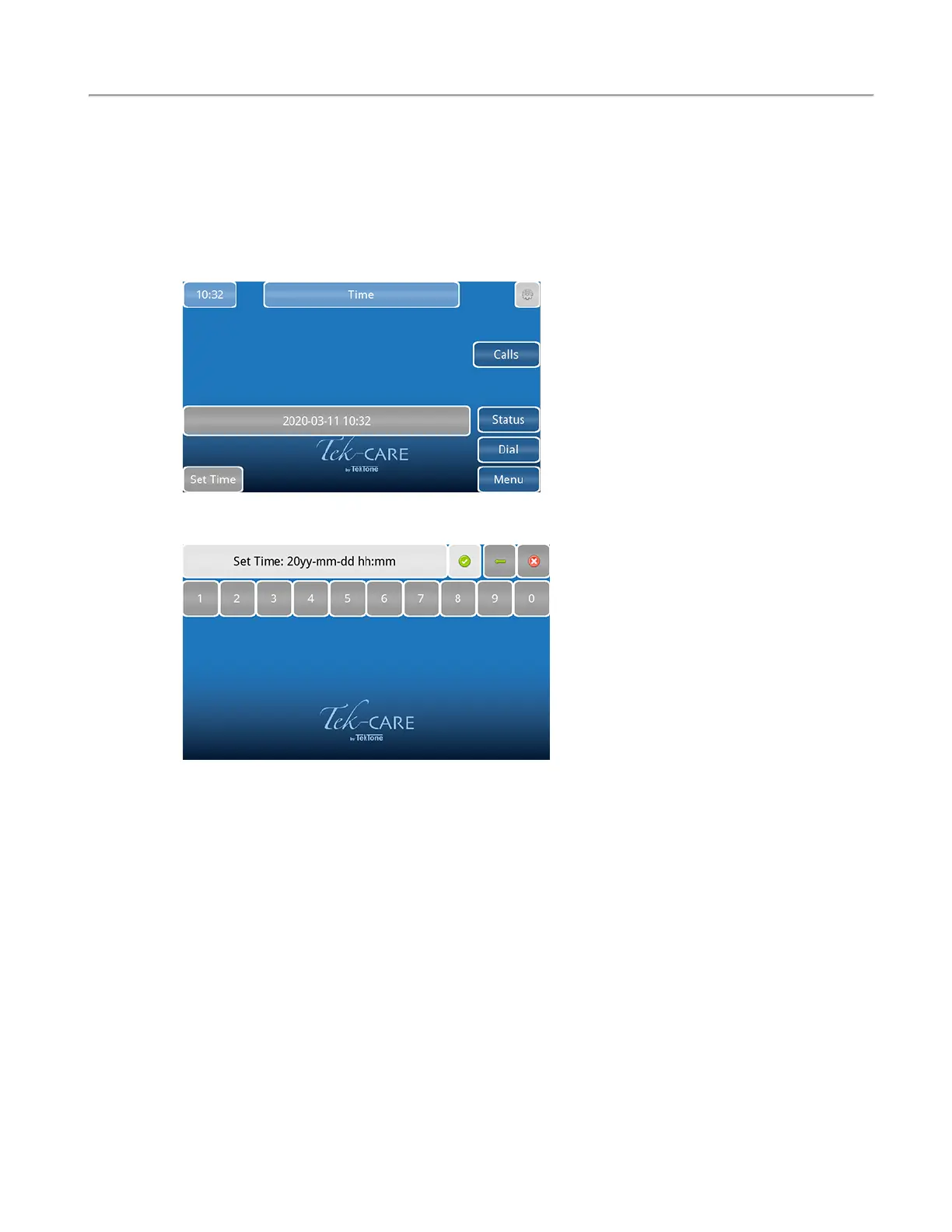
To change the system time, touch the clock in the upper left corner of the screen. The current system
time and date will appear as shown below.
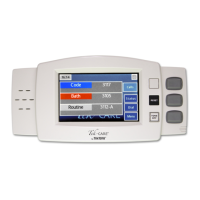
To change the system time or date, touch Set Time in the lower left corner of the screen. On the next
window that appears, enter the date and time in YYYY-MM-DD HH:MM 24-hour format.
Select Apply (Green check mark) once the time is set.
14|IL1052 NC403TS and NC404TS Installation Manual
Copyright
©
TekTone Sound and Signal Mfg., Inc. All Rights Reserved


 To Next Page