Installing the NC403TS Monitor and NC404TS
Master Station
NOTE: The NC475 is required to be installed and running prior to the installation of the
NC403TS Monitor and NC404TS Master Station.
Installing the NC403TS Monitor
Connect and screw in the following:
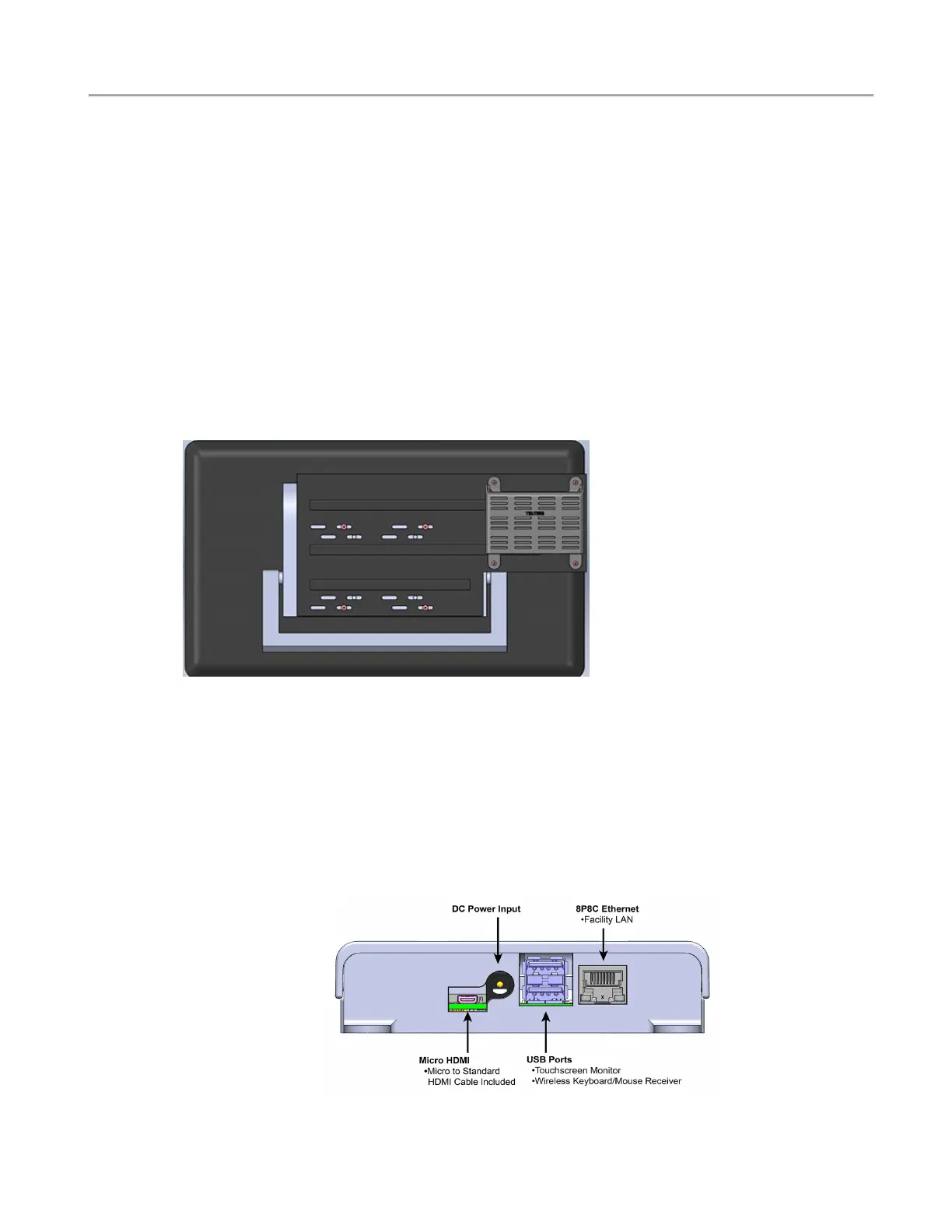
Screw the NC403NOTS onto the back of the monitor using the four HW336 screws provided. (If using
the CL234 wall-mount bracket, screw the bracket to the NC318 monitor and to the NC403NOTS with
the additional screws provided as shown below.)
On the back of the NC403TS Monitor, connect the following:
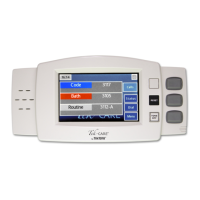
1. Connect the PK307 plug-in transformer to the DC Power Input of the NC403NOTS.
2. Connect the USB cable to the USB port on the NC403NOTS and the monitor.
3. Connect the CA060 HDMI cable to the Micro HDMI on the NC403NOTS and the monitor.
4. Connect the NC403NOTS Ethernet jack to the Facility LAN.
5. Connect the monitor's power cord to an AC outlet and then to the NC318 monitor.
NC403NOTS Interconnection Diagram
Copyright
©
TekTone Sound and Signal Mfg., Inc. All Rights Reserved
IL1052 NC403TS and NC404TS Installation Manual | 5
Installing the NC403TS Monitor and NC404TS Master Station


 To Next Page