Dial Screen
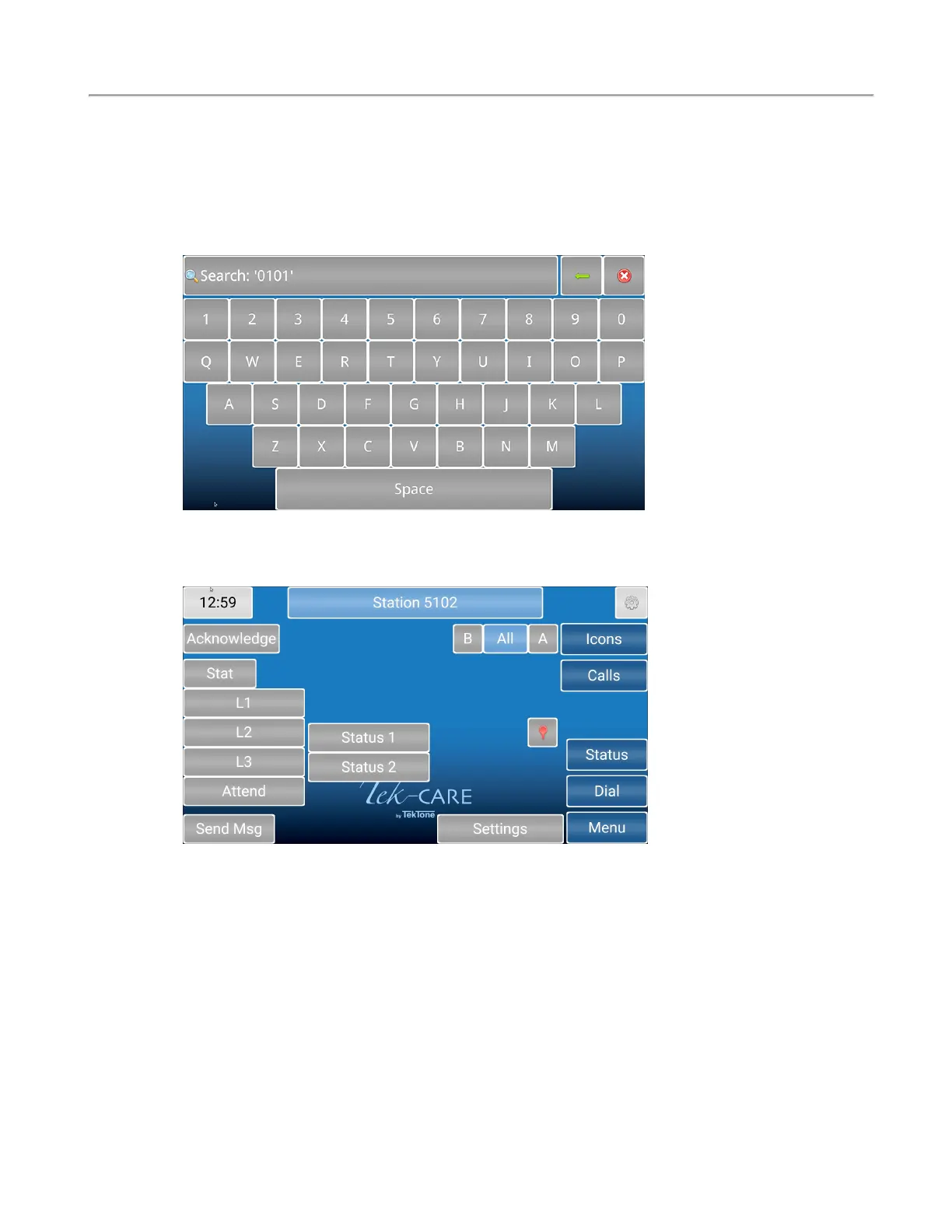
Touch the Dial button to access the Dial screen. Enter the station ID.
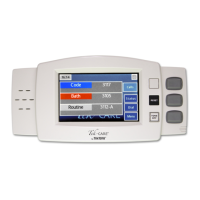
Touch the Search button to open the Call Details page.
Once on the Call Details page, you can use the buttons to place statuses on the station, attend calls, and
other options.
A Stat call can be used as a staff emergency. Touch Stat if there is an emergency for the patient in the
room with that station. Stat can only be reset at either the station itself, or on the NC404L sidecar. To
clear this option at the master station, select Stat, touch Reset, then press the RESET button on the side-
car.
L1, L2, and L3 represent different levels of aid, such as housekeeping or a nurse is needed. Touch any
of the levels of care to send out a request letting assigned staff know how to help the patient. To clear
an L1 through Attend, either touch the button on the master station, or go to the room and reset the sta-
tion.
Status 1 and Status 2 can be used depending on the situation which triggers a dome light. Touch either
Status 1 or Status 2 to either enable or disable them.
Touch Send MSG to send either a preprogrammed or custom message to individuals or a staff group
about the station if a form of messaging has been integrated with the system.
Touch Settings to edit the settings for that station.
Copyright
©
TekTone Sound and Signal Mfg., Inc. All Rights Reserved
IL1052 NC403TS and NC404TS Installation Manual | 17
Dial Screen


 To Next Page