Calls Screen
The Calls screen is the home page.
Touch the navigation buttons to interact with the master station. To return to the home screen at any
time, touch the background of the screen or the Calls button.
List View
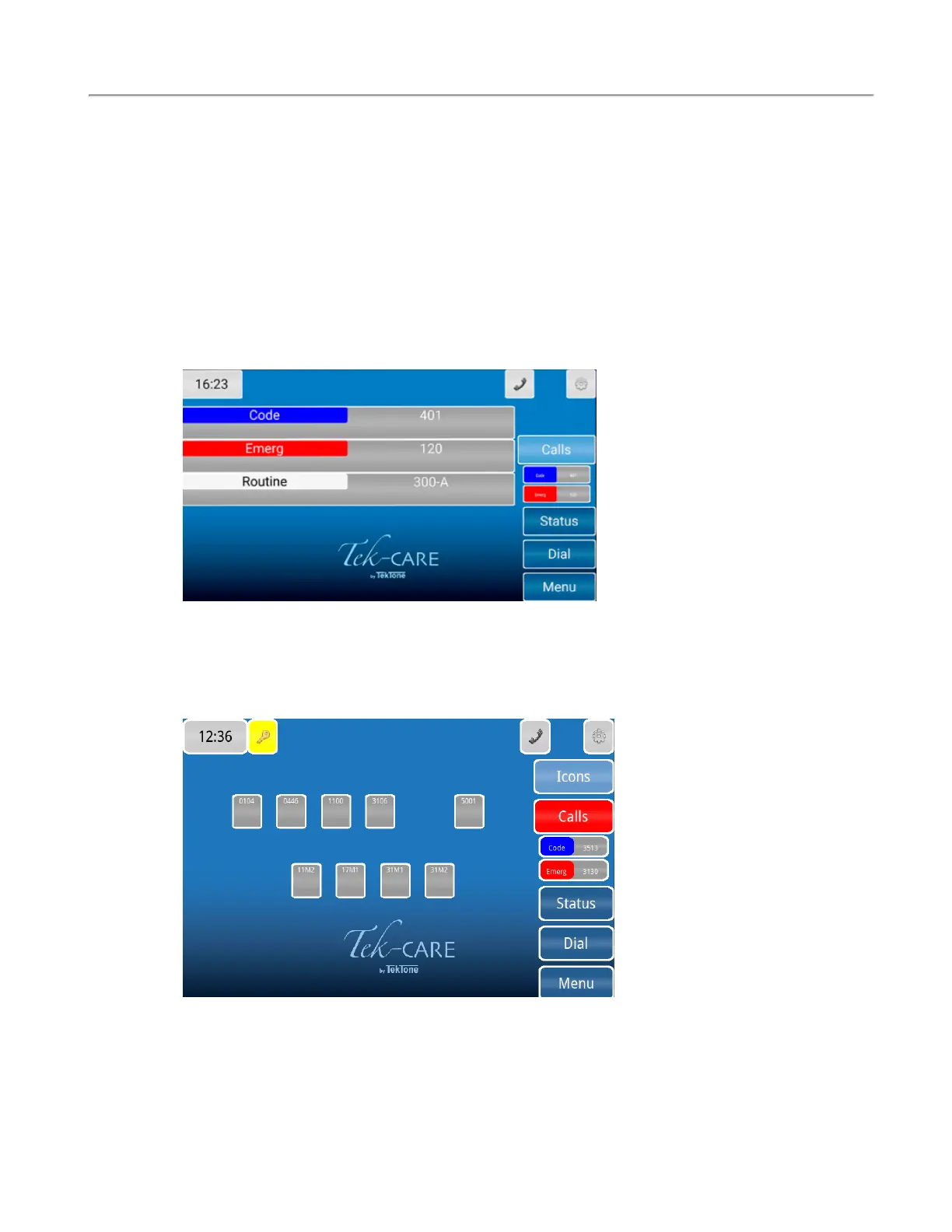
The List view is the default view that will show all of the calls in a list format.
The Icon View
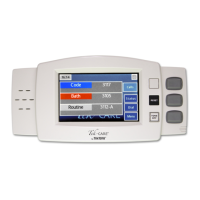
The Icon view can show an icon layout of stations that are throughout the facility and indicate incom-
ing calls by changing the background color or flashing color on the icon. The icon can also be used for
direct dialing and placing other visual indicators such as nurse requests.
Copyright
©
TekTone Sound and Signal Mfg., Inc. All Rights Reserved
IL1052 NC403TS and NC404TS Installation Manual | 11
Calls Screen


 To Next Page