Status Screen
Status Screen
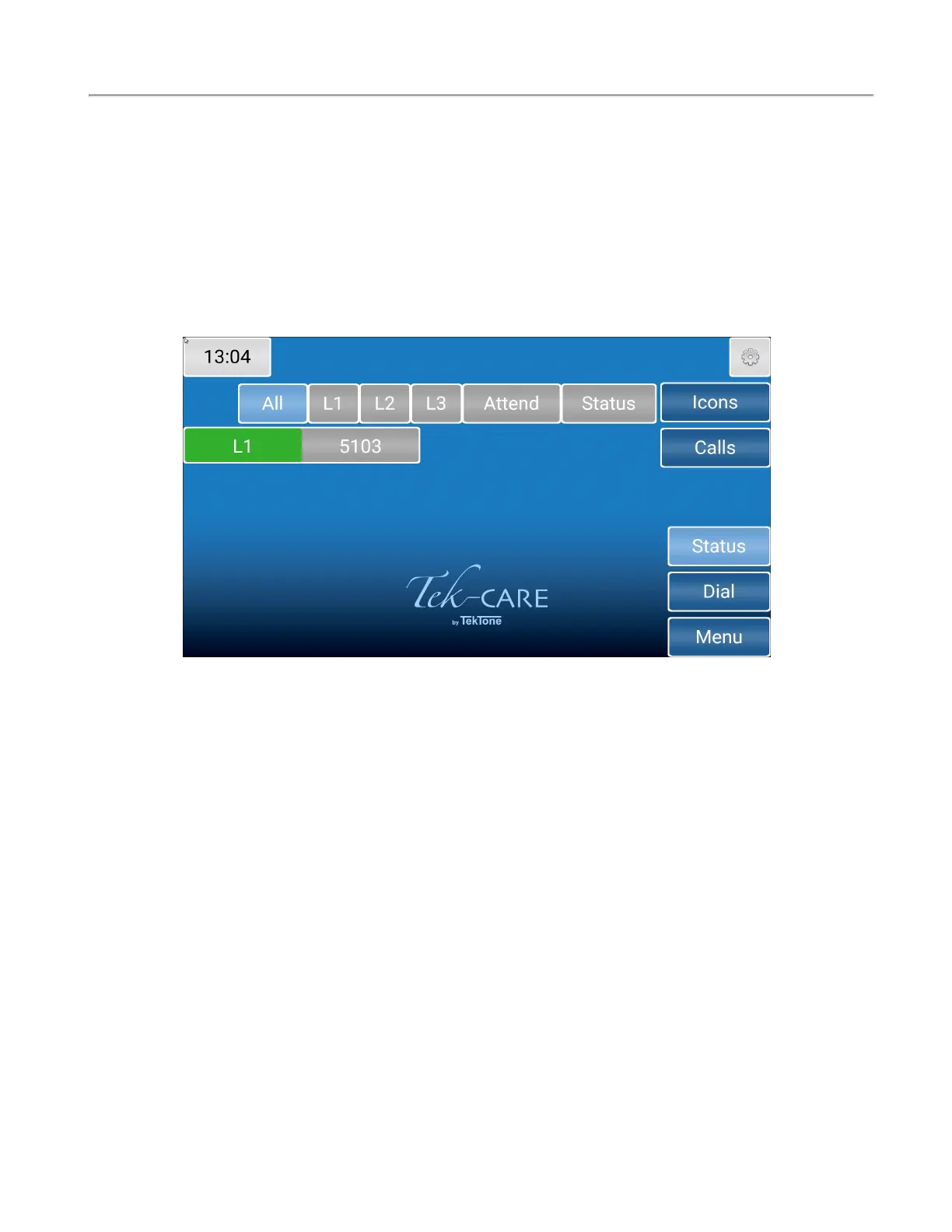
The Status screen shows a list of active calls with a status.
Once a status is selected, the button on the details screen changes color, and the status annunciates on
the system.
If a status is annunciating, the Status button on the right side of the screen turns red to notify staff. Act-
ive statuses may be viewed by touching the Status button.
Touch the background or the Calls button to return to the home screen.
16|IL1052 NC403TS and NC404TS Installation Manual
Copyright
©
TekTone Sound and Signal Mfg., Inc. All Rights Reserved


 To Next Page