Dial Screen
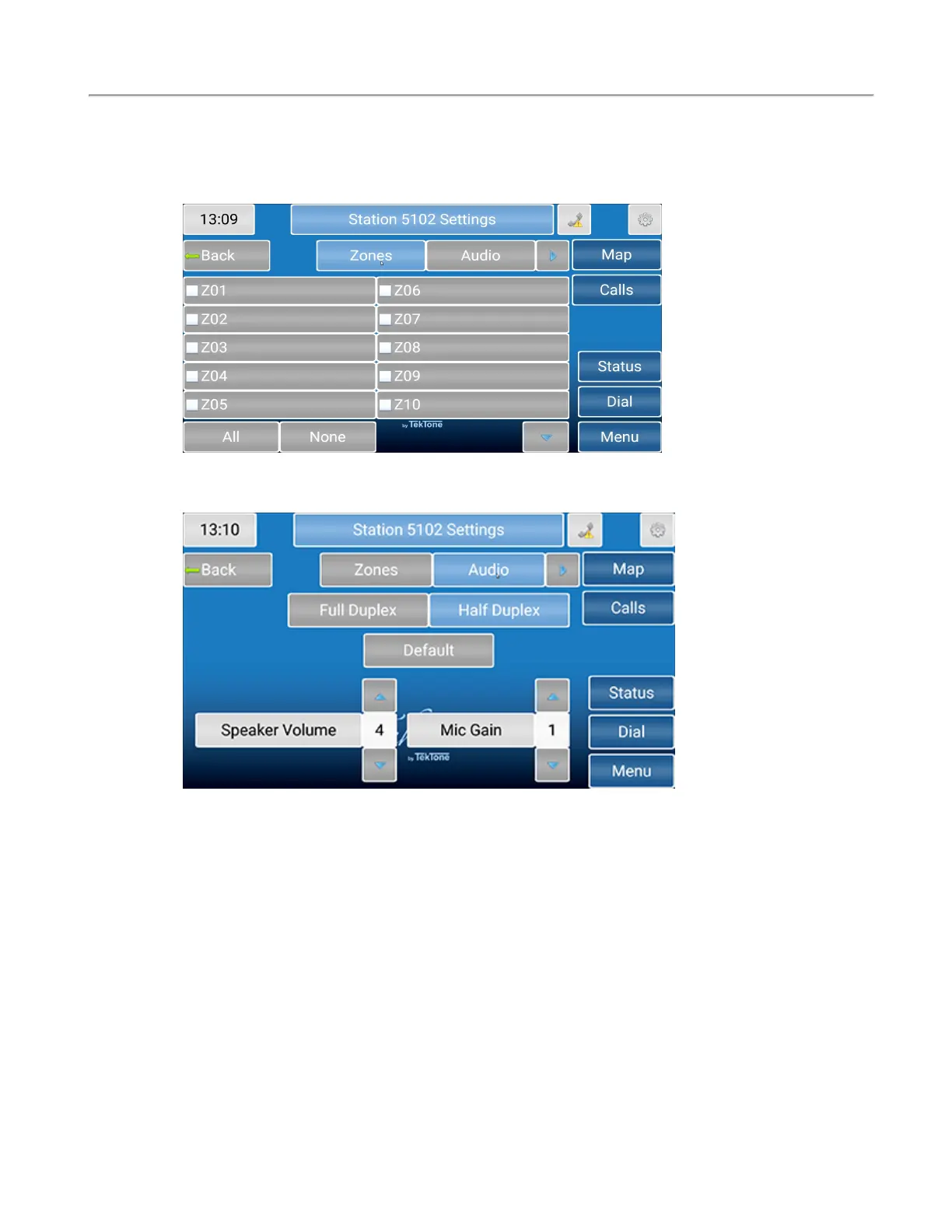
On the Settings page, Zones will show which zone the station is currently in or will allow you to add
the specific station to additional zones that are watched by the master station. Touch the zones to
include that station.
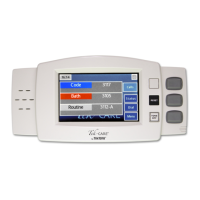
Select Audio to change the speaker volume and mic gain for that station.
Choose either Full Duplex or Half Duplex. Full Duplex enables simultaneous audio to and from the sta-
tion (like a telephone - talk and listen simultaneously). Half Duplex only allows audio to work from one
station at a time (like a radio - push to talk, release to listen).
Select Default to revert back to the default audio settings. Change the Speaker Volume and Mic Gain
with the blue arrows. Speaker Volume will change the volume of the speaker. Mic Gain will adjust the
input volume on the station.
18|IL1052 NC403TS and NC404TS Installation Manual
Copyright
©
TekTone Sound and Signal Mfg., Inc. All Rights Reserved


 To Next Page