Staff Rounding
With the staff rounding feature enabled, facilities can set schedules and reminders for rounds. This fea-
ture allows the nurse call system to register when a staff member enters a patient or resident room during
their scheduled time period and presses the designated rounding button all in a timely manner.
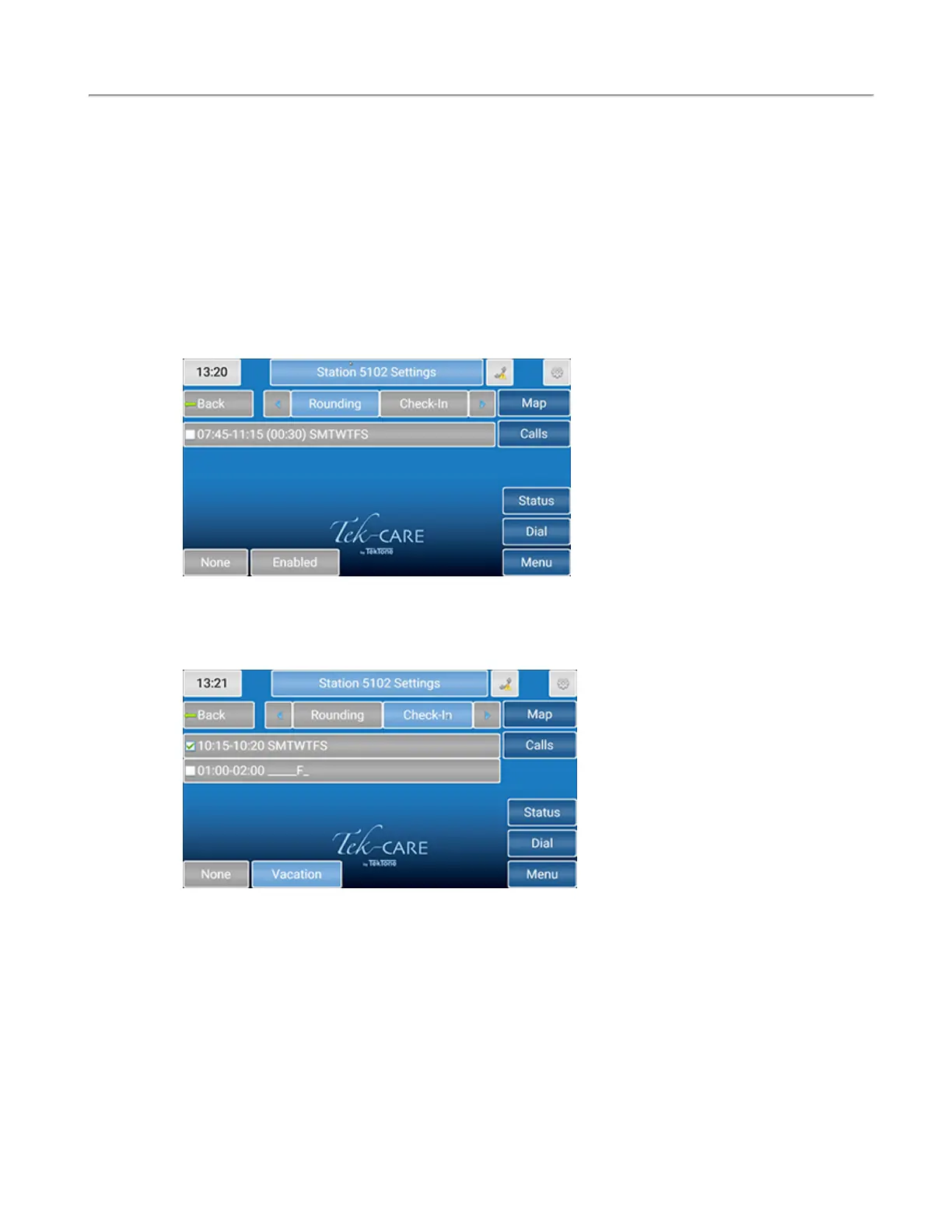
If the rounding feature is available for the facility, touch Dial and enter the station or select the station
icon. At the bottom, select Settings. On the Station Settings page, touch the arrow next to Audio and
select Rounding to select a rounding schedule for the station. Select the applicable rounding schedule
for the station. Touch None at the bottom of the screen if none of the rounding schedules should be
selected for that station.
For more information on rounding schedules, please refer to the Rounding Settings and Rounding Sched-
ules sections in the IL855 LS450 Config Tool Installation Manual.
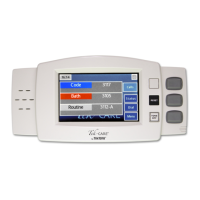
Touch Check-In to see what days and times the patient has to check-in. Typically, assisted living facil-
ities use this feature. If the resident doesn't check-in on the station located in his/her room, an inactivity
alarm will appear on the system.
Touch None at the bottom of the screen if none of the check-in schedules should be selected for that sta-
tion.
Touch Vacation at the bottom of the screen to turn off the check-in if the resident will be absent from
the facility. To remove the station from vacation mode, either touch Vacation again or go to the patient
station and press Reset.
Touch the blue arrow next to Check-In to add the station to zones and select the appropriate call types
for that station.
Copyright
©
TekTone Sound and Signal Mfg., Inc. All Rights Reserved
IL1052 NC403TS and NC404TS Installation Manual | 19
Dial Screen


 To Next Page