Installing the NC403TS Monitor and NC404TS Master Station
Installing the NC404TS Master Station
Connect and screw in the following:
1. Screw the NC404L to the CL231 bracket with the four HW379 screws.
2. Screw the CL231 bracket to the NC318 monitor with the four HW376 screws provided.
3. Screw the NC403NOTS to the CL231 bracket with the provided four HW336 mounting screws.
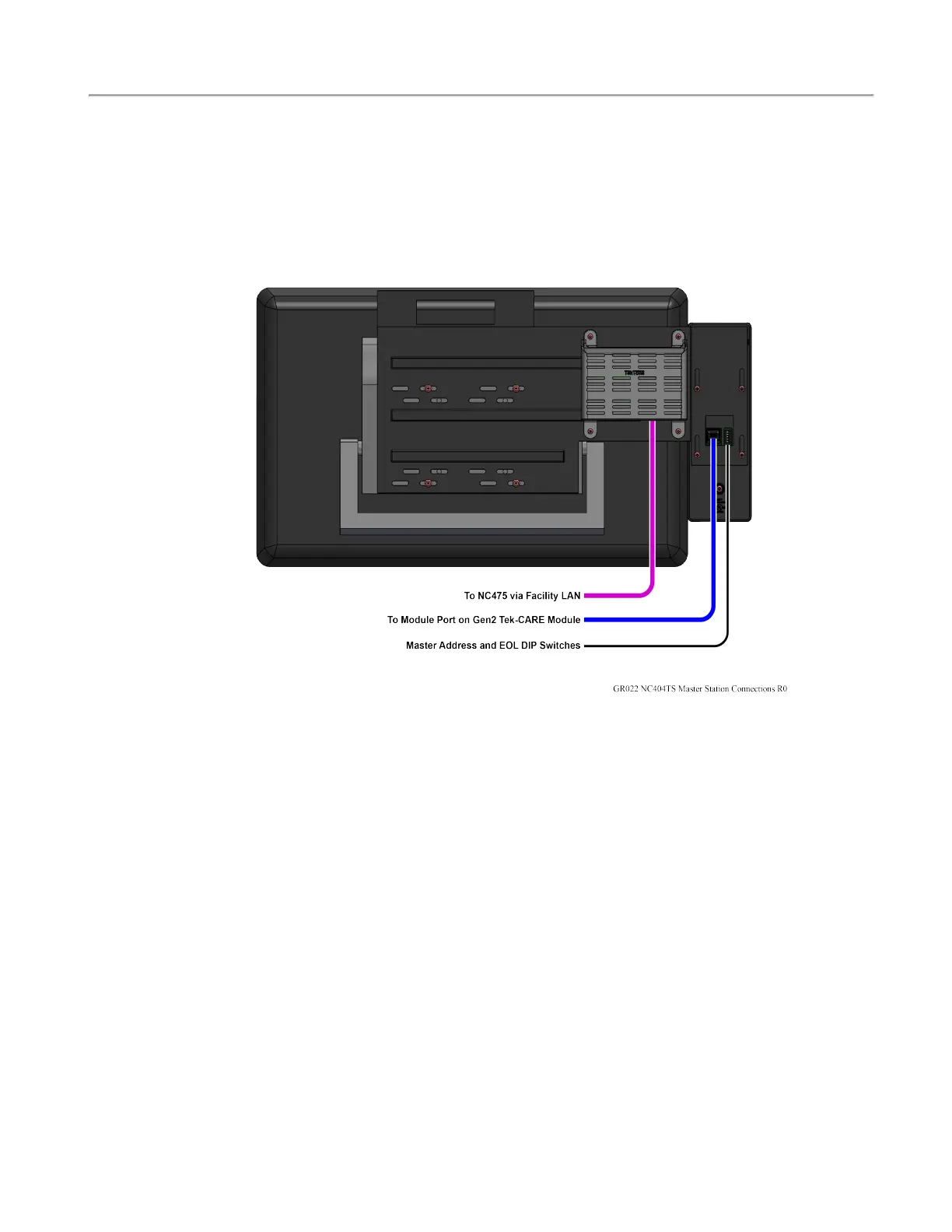
Connect the following on the back of the NC404TS Master Station:
1. Connect the PK307 plug-in transformer to the DC Power Input of the NC403NOTS.
2. Connect the USB cable to the USB port on the NC403NOTS and the monitor.
3. Connect the CA060 HDMI cable to the Micro HDMI on the NC403NOTS and the monitor.
4. Connect the NC403NOTS Ethernet jack to the facility LAN.
5. Connect the included coiled cord between the handset and the 4-pin jack on the rear of the
NC404L.
6. Connect the CAT5 cable to the back of the NC404L and to the Gen2 CEmodule.
7. Assign a unique address for each NC404TS Master Station using the DIP switch at the rear of the
NC404L sidecar.
8. Connect the monitor's power cord to an AC outlet and then to the NC318 monitor.
Refer to the NC403TS Interconnection Diagram on the previous page for the various connections to the
device.
6|IL1052 NC403TS and NC404TS Installation Manual
Copyright
©
TekTone Sound and Signal Mfg., Inc. All Rights Reserved


 To Next Page