Trigger Setup
Choosing a Trigger Type
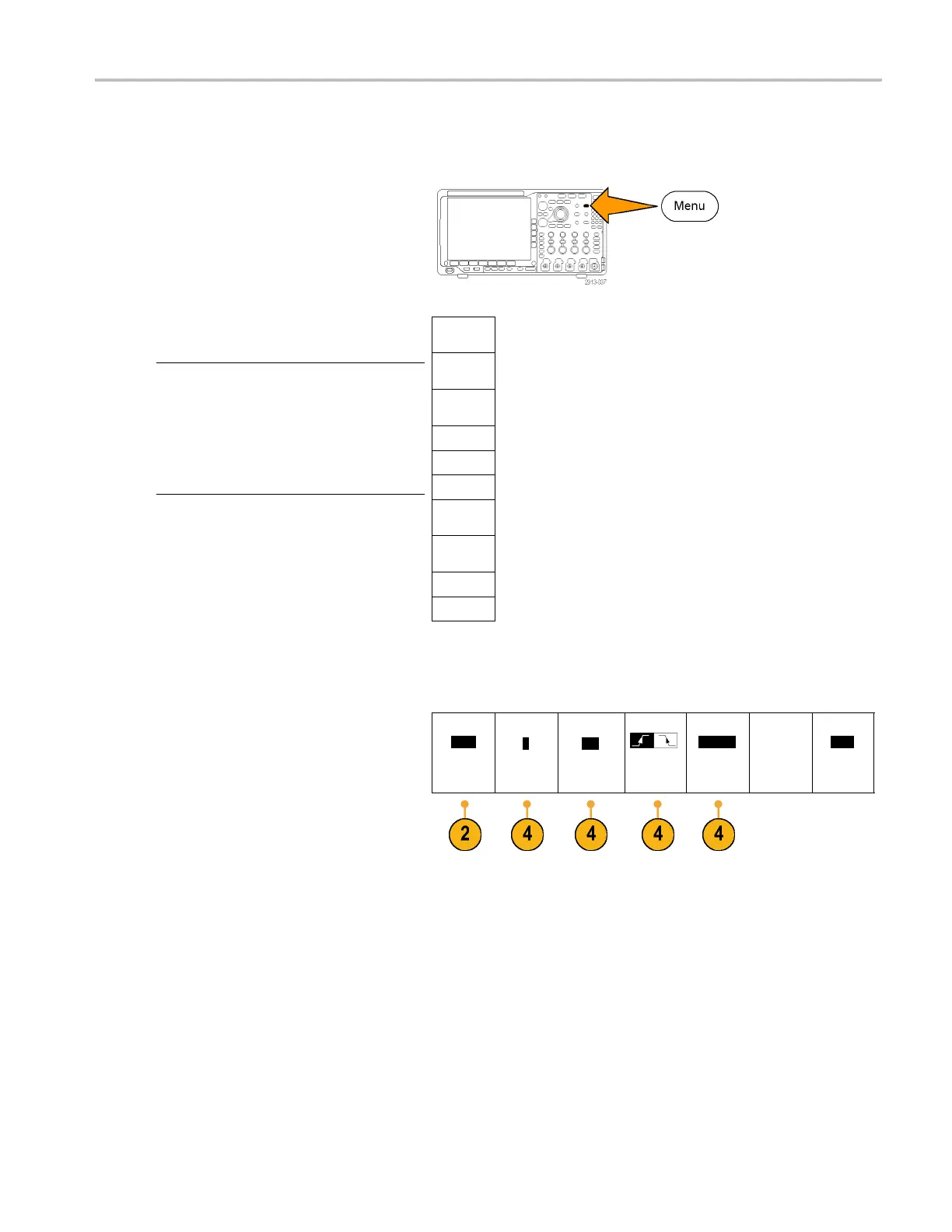
To select a trigger:
1. Push Trigger Menu.
Trigger
Type
Sequence
(B Trigger)
Pulse
Width
Timeout
Runt
Logic
Setup &
Hold
Rise/Fall
Time
Video
2. Push Type tobringuptheTrigger Type
side-bezel menu.
NOTE. The bus trigger in the MDO4000
Series works o n parallel buses even without
an application module. Using the bus trigger
on other buses requires use of a DPO4AERO,
DPO4AUDIO, DPO4AUTO, DPO4AUTOMAX,
DPO4COMP, DPO4EMBD, DPO4ENET, or
DPO4USB application m odule.
Bus
3. Turn multipurpose knob a to select the
desired trigger type.
4. Complete the trigger setup using the
lower-bezel menu controls displayed for
the trigger type. The controls to set up the
trigger vary depending on the trigger type.
Type
Edge
Source
1
Coupling
DC
Slope
Level
100 mV
Mode
Auto
& Holdoff
MDO4000 Series Oscilloscopes User Manual 83


 To Next Page
 Loading...