Save and Recall I
nformation
6. Push Ed it File N
ame.
Edit the file name the same way you edit
labels for c hannels. (See page 51, Labeling
Channels and B
uses.)
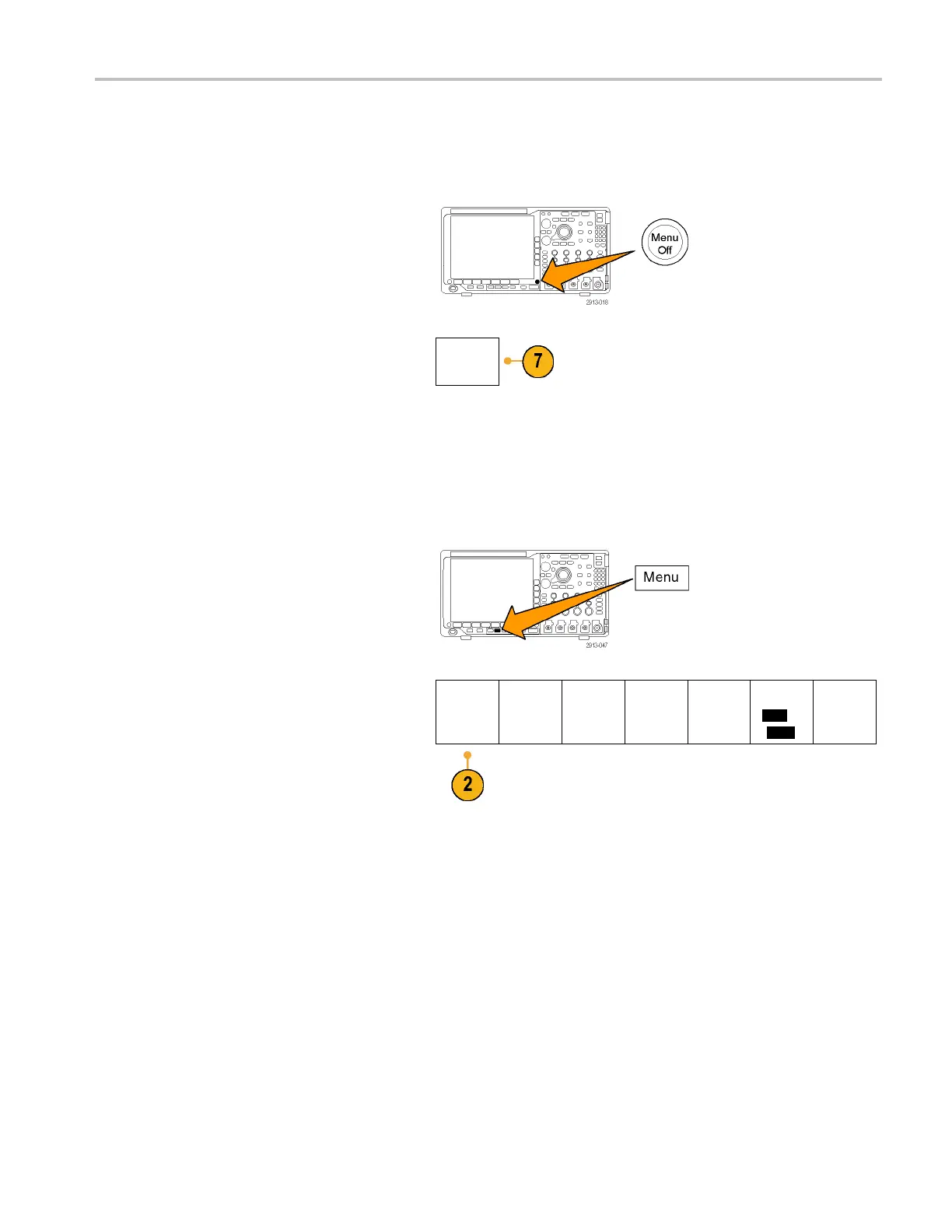
7. Push the Menu Off button to cancel the
save operati
on, or push a side-bezel menu
OK Save item to complete the operation.
OK Save
Saving a Screen Image
A screen image consists of a graphical image of the oscilloscope screen. This is different from waveform data, which
consists of numeric values for each poi nt in the waveform. To save a screen image:
1. Push Save / Recall Menu .
Do not yet push the Save button.
2. Push Save Screen Image from the
lower-bezel menu.
Save
Screen
Image
Save
Waveform
Save
Setup
Recall
Waveform
Recall
Setup
Assign
Save|t
o
Setup
File
Utilities
MDO4000 Series Oscilloscopes User Manual 163


 To Next Page
 Loading...