Save and Recall I
nformation
5. Save the file.
Save to
Selected
File
Quick Tips
Recalling the Default Setup. Push the front-panel Default Setup button to initialize the oscilloscope to a known
setup. (See page 53, Using the Default Setup.)
Saving with One Button Push
After you have defined the save/recall parameters with the Save/Recall Menu button and menu, you can save files with a
single pus
hoftheSave button. For example, if you have defined the save operation to save waveform data to a USB flash
drive, then each push of the Save button will save current waveform data to the defined USB fl ash drive.
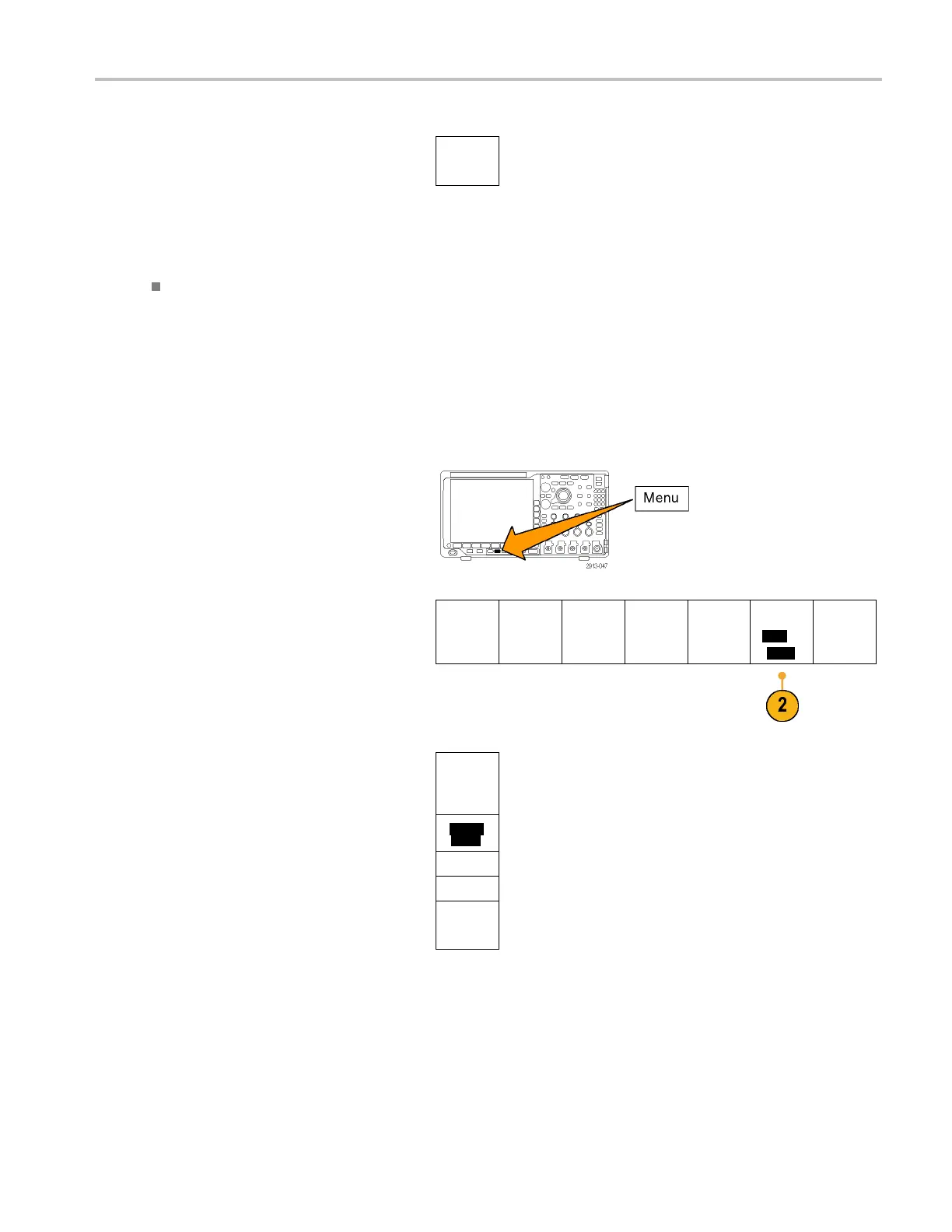
1. To define the Save button behavior, push
Save/Rec
all M enu .
2. Push Ass
ign Save to ....
Save
Screen
Image
Save
Waveform
Save
Setup
Recall
Wavefor
m
Recall
Setup
Assign
Save|t
o
Setup
File
Utiliti
es
3. Push t
he side-button corresponding to the
items or items you wish to save when you
push the Save button.
Assig
n
Save to
Screen
Image
Wave
form
Setu
p
Image,
Waveform,
and S
etup
MDO4000 Series Oscilloscopes User Manual 169


 To Next Page
 Loading...