Get Acquainted w
ith the Instrument
Using the Men u System
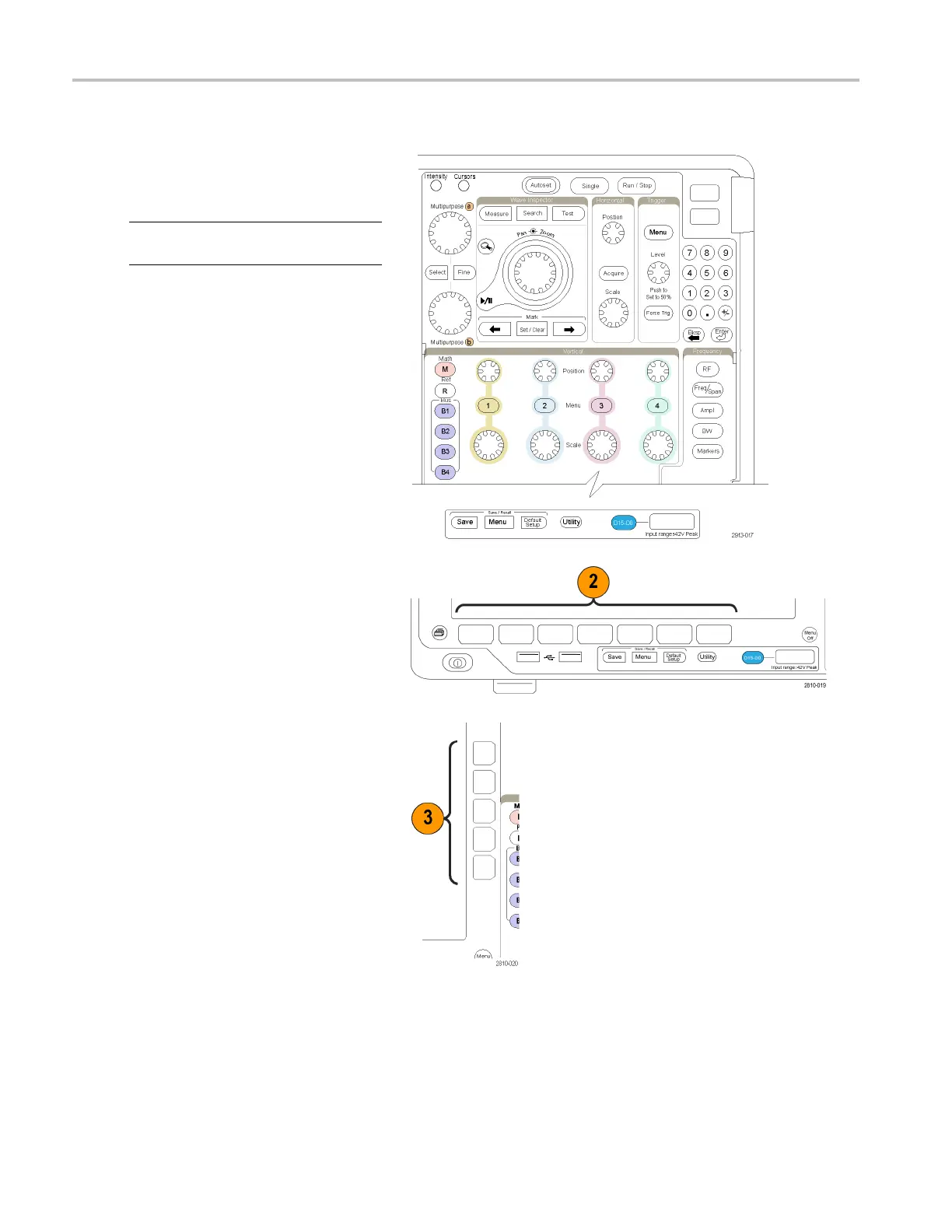
To use the menu system:
1. Push a front-panel menu button to
display the me
nu that you want to use.
NOTE. The B1 through B4 buttons support
up to four different serial or parallel buses.
2. Push a lower-bezel button to select a
menu item. If a pop-out menu appears,
turn multipurpose knob a to select
the desired choice. If a pop-up menu
appears, push the button again to select
the desired choice.
3. Push a s ide-bezel button to choose a
side-bezel menu item.
If the
menu item contains more than
one choice, push the side-bezel button
repeatedly to cycle through the choices.
If a po
p-out menu appears, turn
multipurpose knob a to select the desired
choice.
34 MDO4000 Series Oscilloscopes User Manual


 To Next Page
 Loading...