TS4000 Radio Modem User’s Manual Configuration Program 12
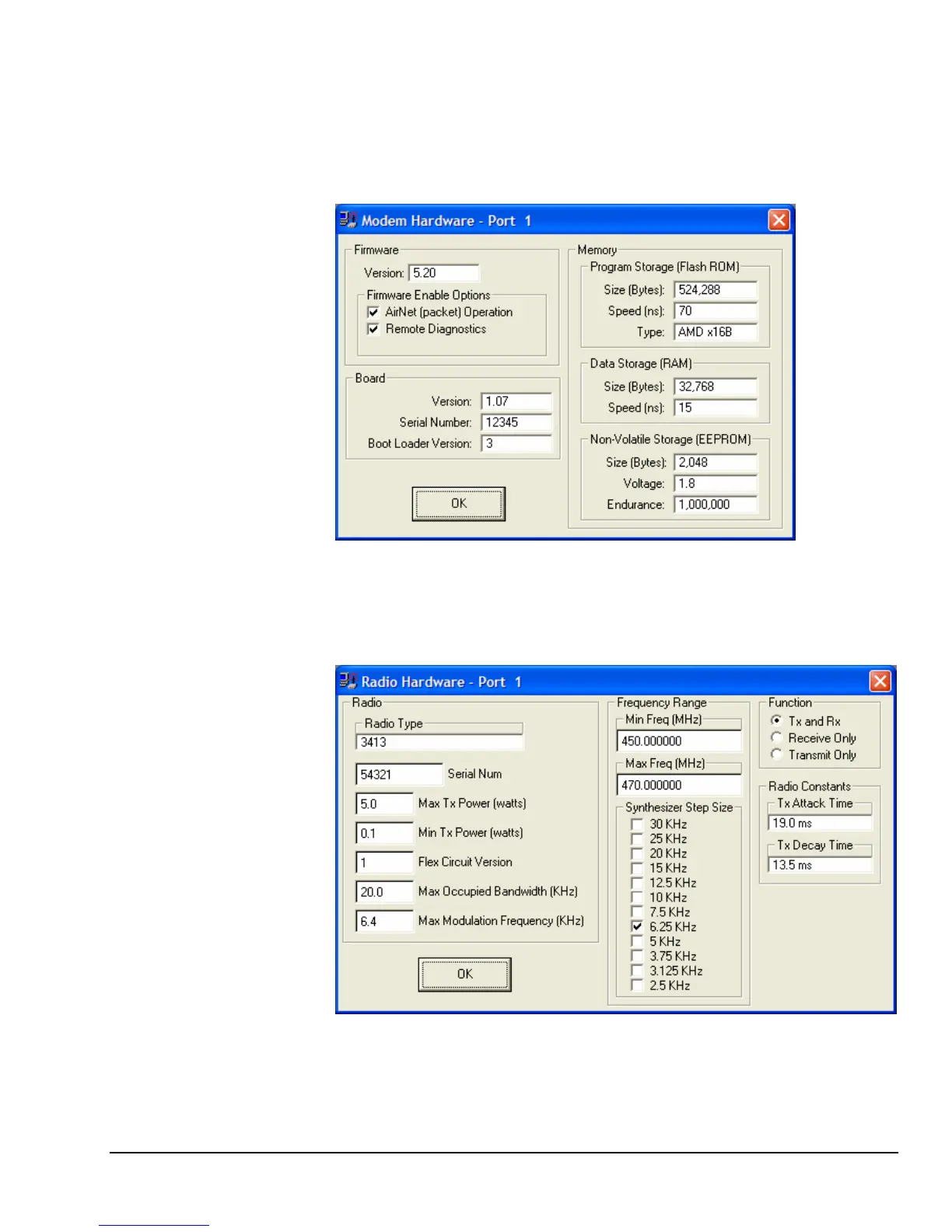
Choose the Retrieve Modem Hardware menu to read and display the modem
hardware details. These include details on the firmware version and memory
configuration. These modem hardware values are set at the factory based on
the modem hardware included in the TS4000 and cannot be changed.
Modem Hardware
Screen
Choose the Retrieve Radio Hardware menu to read and display the radio
hardware details. This includes details about the radio’s frequency, channel
spacing and transmit power. These values are set at the factory based on the
radio hardware included in the TS4000 and cannot be changed.
Radio Hardware
Screen



 To Next Page