TS4000 Radio Modem User’s Manual Radio Setup 21
Radio Setup
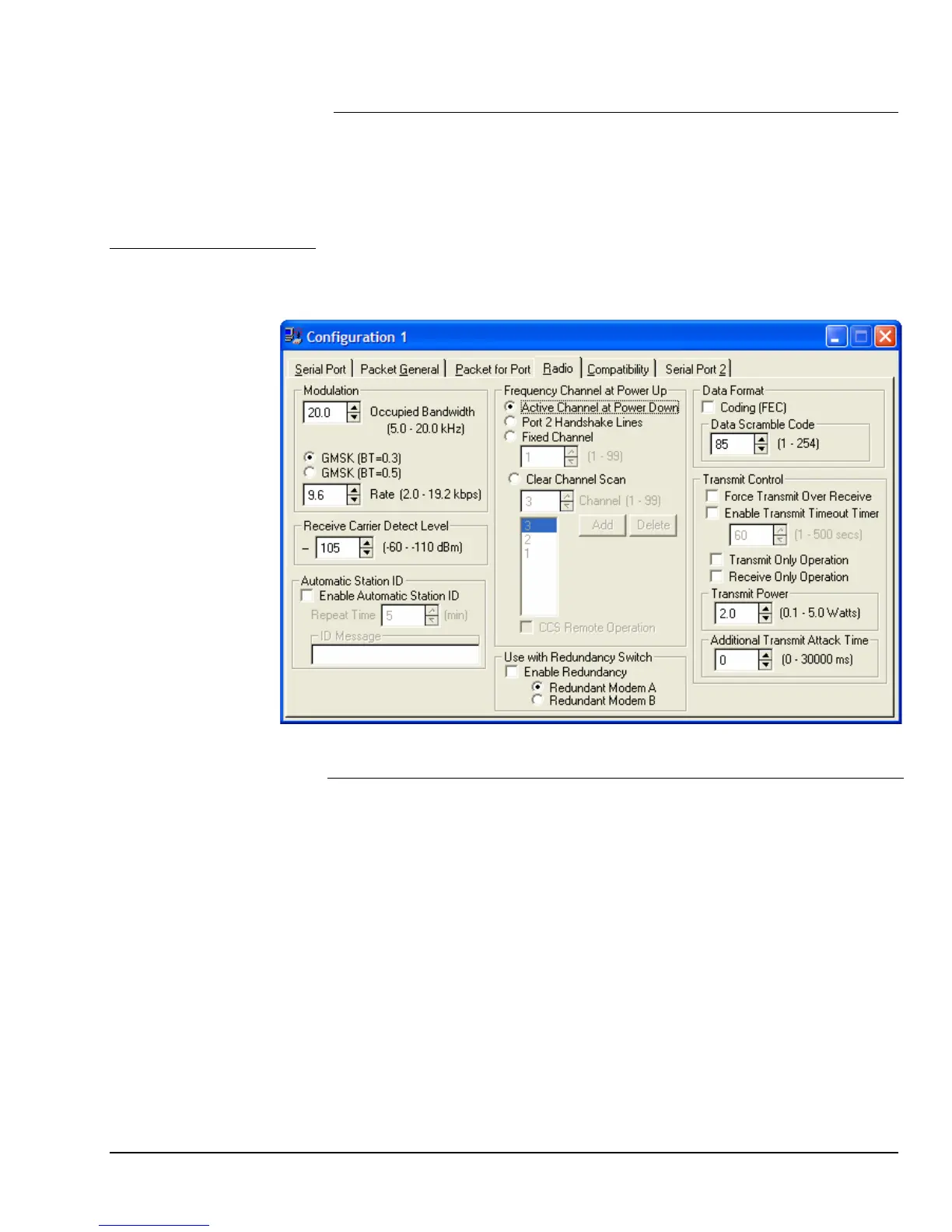
The radio setup requires setting the modem configuration options and also
setting the radio frequencies. The modem configuration options are accessed on
the Radio tab of the Modem Configuration. The frequency programming is
accessed with the Frequency Configuration button on the main screen of the
configuration program.
The radio configuration options set the operation of the radio. These
configuration options are set using the Radio tab of the Modem Configuration
portion of the configuration program.
Configuration
Options
Selection Description
Occupied
Bandwidth
The occupied bandwidth sets the amount of frequency
bandwidth that the transmitted signal will use. A higher value
corresponds to more bandwidth and therefore provides better
BER (Bit Error Rate) performance.
The occupied bandwidth should be set to equal to or lower
than the occupied bandwidth that is allowed for the channels
in use.
Example: The FCC licenses many channels with a 12.5 kHz
channel spacing for an 11K2 (11.2 kHz) emission designator.
Therefore the occupied bandwidth must be set for 11.2 kHz
or lower.
The maximum value that occupied bandwidth can be set for
is dependent on the specific radio module ordered with the
unit. This is set at the factory when the unit is manufactured.
This maximum value will be shown in the range label when
the configuration program is connected to the modem.
Modulation



 To Next Page