TS4000 Radio Modem User’s Manual Radio Setup 27
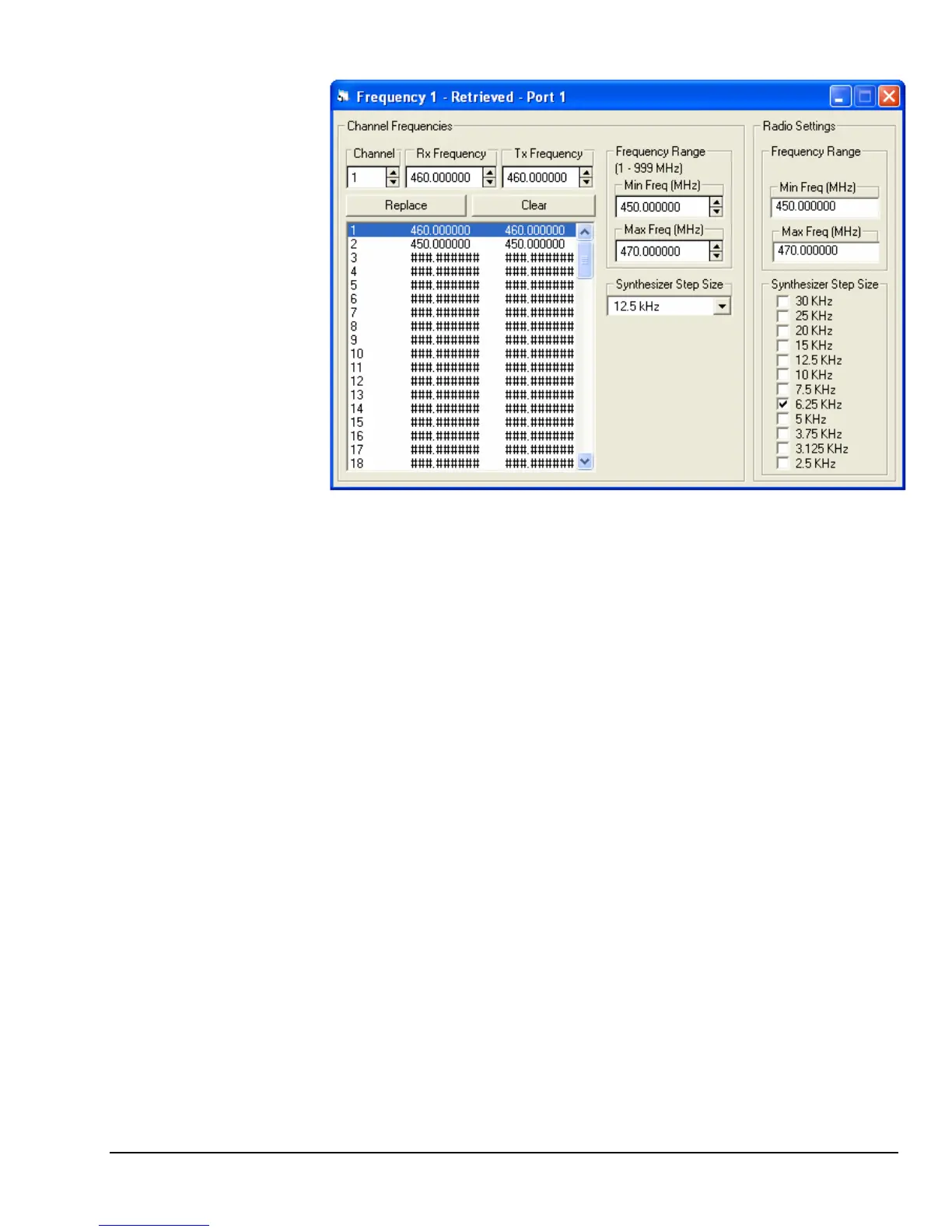
Frequency
Configuration Screen
The minimum and maximum frequencies and the channel spacing depend on the
specific radio module in the TS4000. The configuration program does not know
this information unless it is connected to the TS4000. Therefore, these fields in
the Radio Settings frame only show up when the configuration program is
connected to the TS4000. When the user creates a new frequency configuration
file these values can be set in the channel frequencies frame. This allows the
user to create, modify and store frequency files without being connected to a
TS4000. When a file is used to program frequency channels into the TS4000,
the configuration program compares the radio values with the file values and
determines if they are compatible. If they are compatible then the programming
continues. If they are not compatible then the user is prompted to make the
necessary changes in these values so that only valid frequency channels are
programmed into the TS4000.
Radio vs. File Settings



 To Next Page