TSA-1000
© 2008 – 2012 Telefire Fire & Gas Detectors Ltd Revision 1.12 האיגש !אצמנ אל הינפהה רוקמ. 2
– Page 60 of 60 –
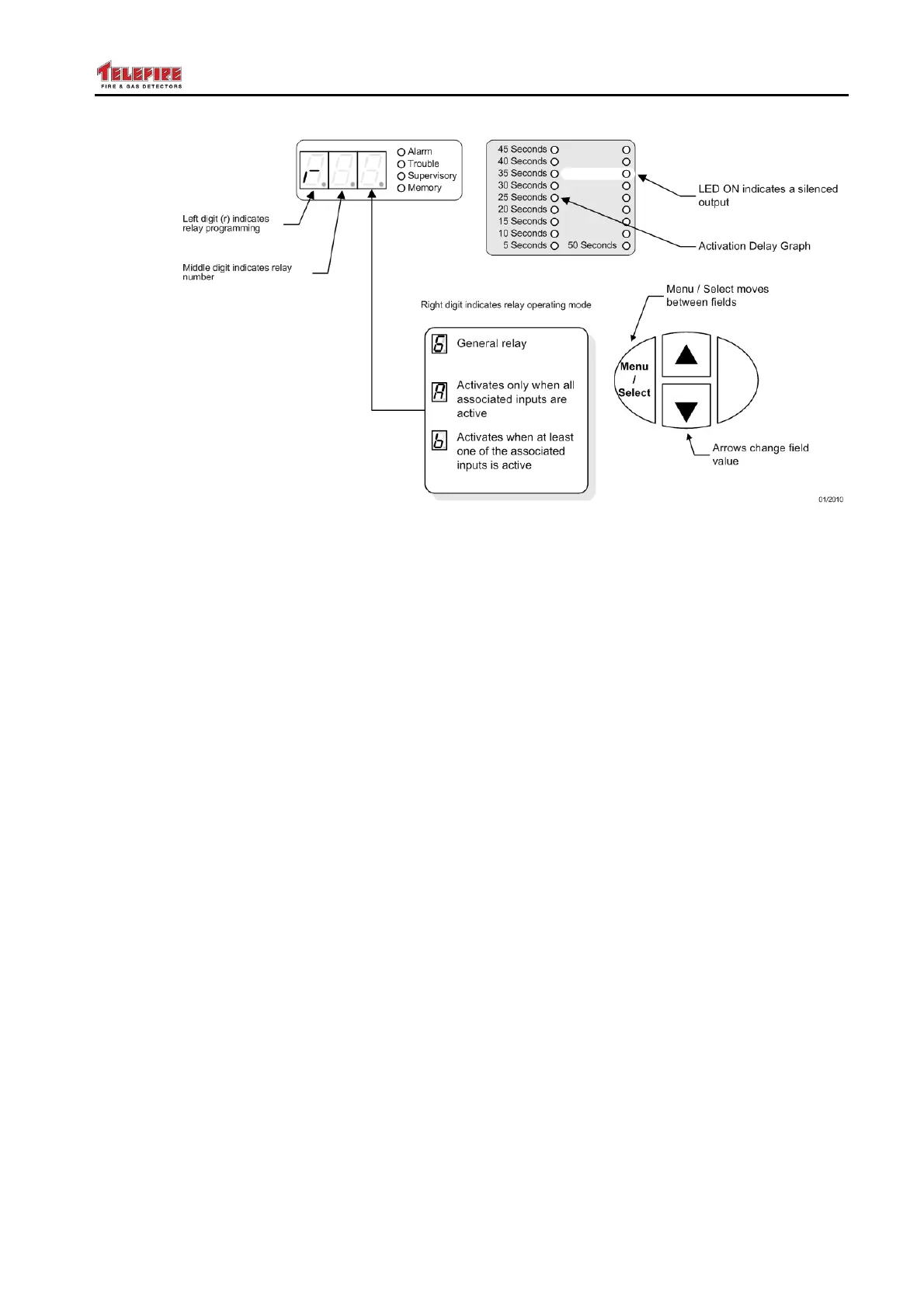
Figure 26 Display during relay programming
14.11.1 Additional Parameters for General Relays
A relay that is defined as a General relay can be programmed as an Alarm relay, Fault
relay, or Supervisory relay using the LEDs to the right of the digital display.
When selecting an alarm relay we have additional fields to define, the delay field,
"silenced" field, and the matrix field.
• General Alarm relays can be programmed with a delay, and defined as "silenced" or
"not silenced".
• General Fault relays do not have any additional fields.
• General Supervisory relays can be programmed with a delay.
Refer to section 14.5 on page 57 for a detailed explanation of these fields.
14.11.2 Additional Parameters for Logical "And" Relays
A relay that is defined as a Logical "And" relay can be programmed as an Alarm or
Supervisory relay using the LEDs to the right of the digital display.
• Logical "And" Alarm relays can be programmed with a delay, defined as "silenced"
or "not silenced", and the zones that belong to the logical operation.
• Logical "And" Supervisory relays can be programmed with a delay, and the zones
that belong to the logical operation.
Refer to section 14.5 on page 57 for a detailed explanation of these fields.
14.11.3 Additional Parameters for Logical "Or" Relays
A relay that is defined as a Logical "Or" relay can be programmed as an Alarm or
Supervisory relay using the LEDs to the right of the digital display.
• Logical "Or" Alarm relays can be programmed with a delay, defined as "silenced" or
"not silenced", and the zones that belong to the logical operation.
• Logical "Or" Supervisory relays can be programmed with a delay, and the zones
that belong to the logical operation.
Refer to section 14.5 on page 57 for a detailed explanation of these fields.



 To Next Page