54 • 5. Decoder Configuration
MCC201/MCC201H User manual
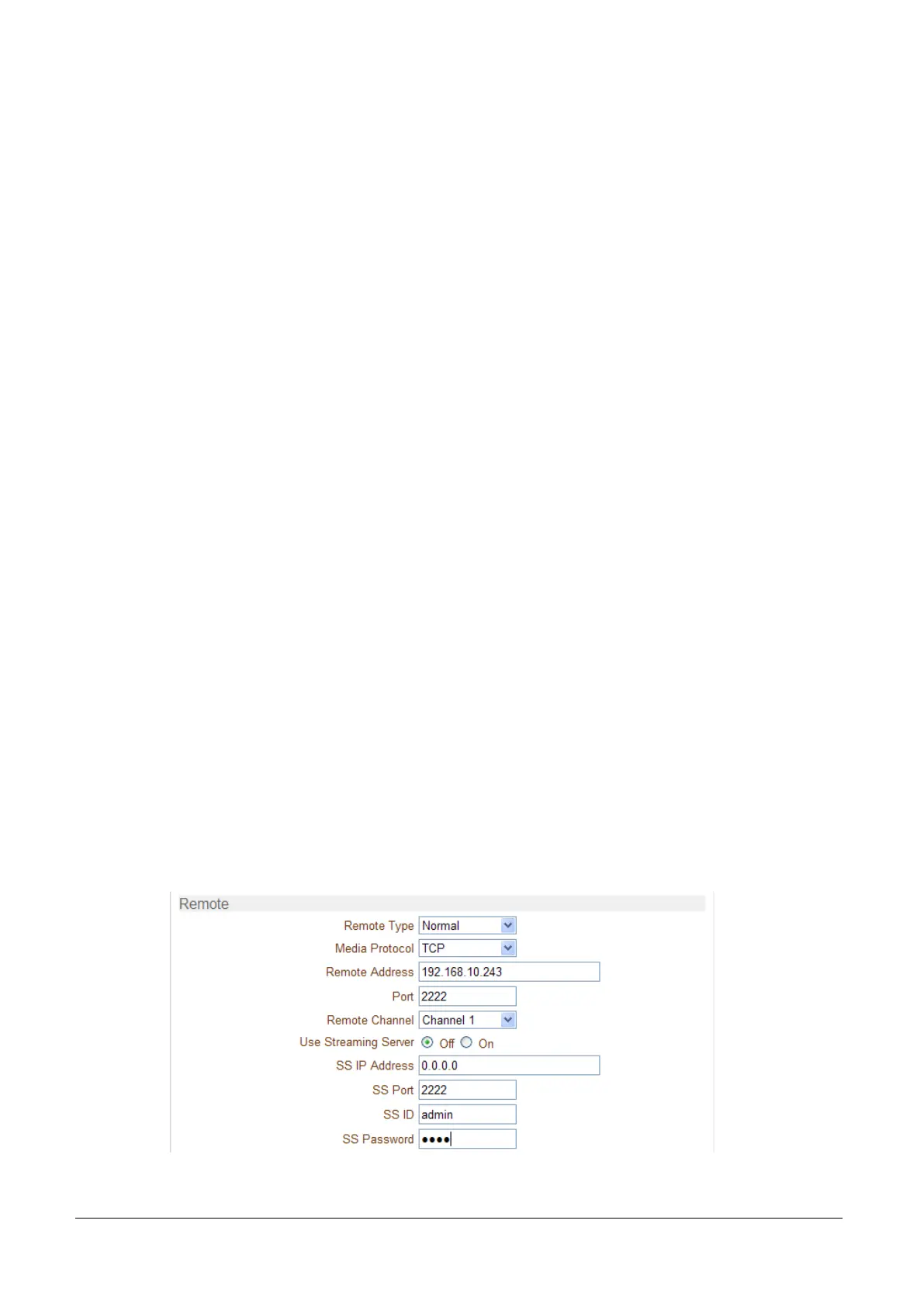
Remote Type
- Normal: Connection for Encoder and decoder.
- RTSP/RTP: Decoder system can make connection though RTSP protocol and get the stream via RTP.
It is also possible to make connection with other vendor’s H.264 IP camera supporting standard
RTSP/RTP and standard H.264 algorithm.
- To make RTSP connection, set Remote Type to “RTSP”, enter the RTSP URL of remote system to
Remote Address, and RTSP access port number to Remote Port. Currently it supports only video.
Media Protocol
Select protocol used for transmission of audio and video data between remote system and decoder.
The decoder system or VMS can choose media protocol among TCP, UDP and Multicast.
Remote Address
Address of the remote system to connect.
Port
Port of the remote system to connect.
Remote Channel
The channel can be selectable when the remote system has more than multiple video channels.
Use Streaming Server
- Decoder system has the settings to connect to Encoder or IP Camera via the Streaming Server.
To connect to Encoder or IP Camera via Streaming Server, Use Streaming Server of Remote group in
Network page should be set to On and information of the Streaming Server (SS) needs to be
configured appropriately.
- SS IP address: IP address of Streaming server.
- SS port: Enter Port number that is set when registering Streaming server.
- SS ID: Enter Streaming Server ID.
- SS password: Enter Streaming Server Password.



 To Next Page