10 AVA Wireless Security System - User’s Manual
2.2.2 System Disarming by the Keyboard
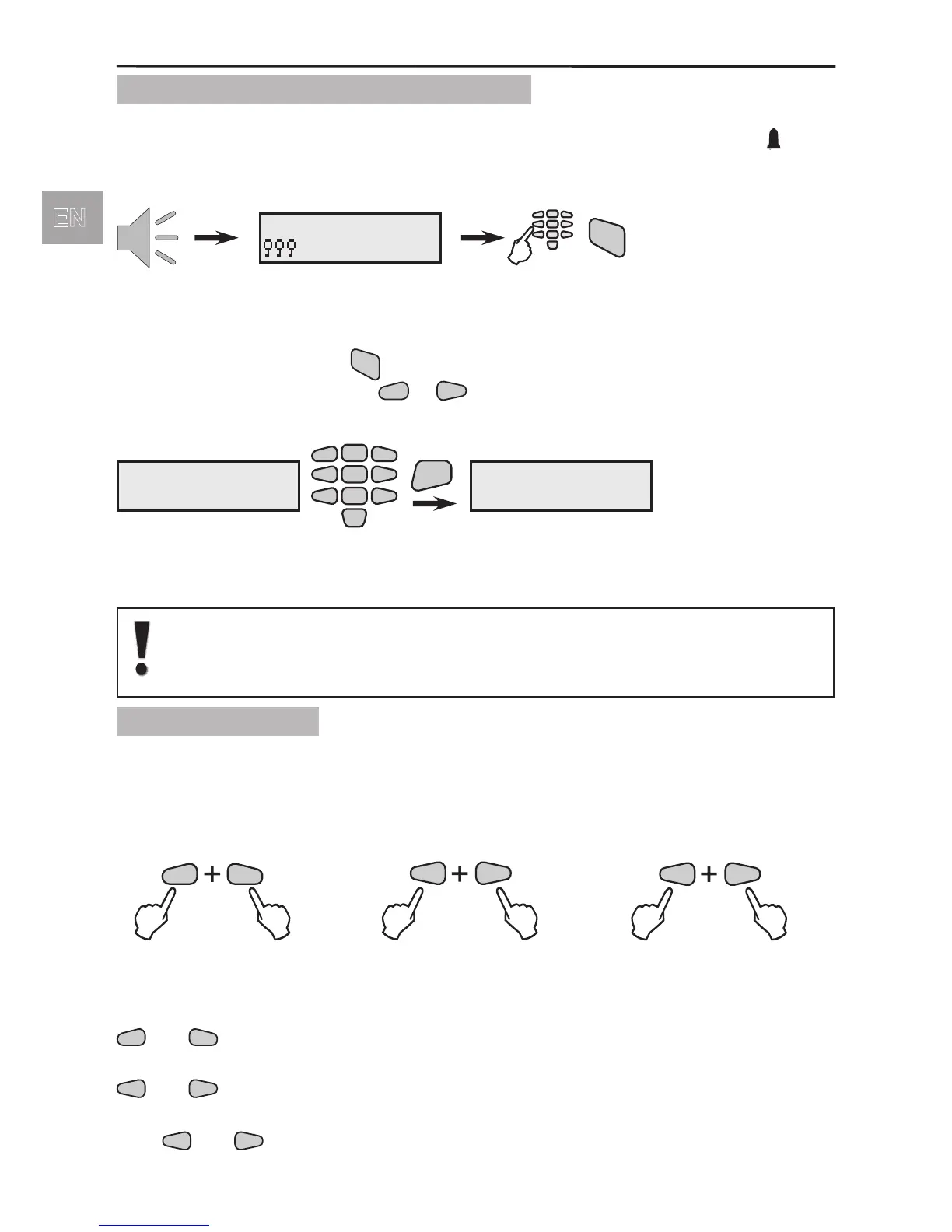
To Disarm the system you must rst enter a valid user code (by default the user code is
0000). When accessing an entry/exit group an entry time starts running. Symbol
blinks
at the control panel. By default the programmed entry time is 10 seconds.
To enter the User Menu and to DISARM the system:
If the user code is correctly introduced a conrmation signal would be heard from the
keyboard. Singe press the
button and enter a number of a DISARMING function
from 1 to 6 with the help of the
buttons.
LCD displays:
By default the DISARM Function N1 is programmed to DISARM Groups 1,2
and 3 and the DISARM Function N2 - Groups 1, 2, 3, 4, 5 and 6.
By default the DISARM Functions from N3 to N6 are not programmed.
2.2.3 Panic Buttons
There are three Panic Alarm buttons’ combinations in the AVA wireless control system.
The User can send PANIC, FIRE and MEDICAL alarm messages to the control station
by simultaneously pressing two buttons according the alarm event.
The buttons’ combinations for the separate alarm events are as follows:
Examples:
• To send a PANIC alarm message to a monitoring station press simultaneously buttons
.
• To send a FIRE alarm message to a monitoring station press simultaneously buttons
.
• To send a MEDICAL alarm message to a monitoring station press simultaneously but-
tons
entry
time
123456 Mon.04/09
--- 10:51
code
DISARM
DISARMing
DisarmFn N:
2
5
8
0
1
3
4
6
79
ENT
DISARMing
disarmed
Number of
DISARMing
Function



 To Next Page