14 AVA Wireless Security System - User’s Manual
4. Bypassing Detectors or Detector Groups
Individual detectors can be bypassed where necessary. When bypassed their state will
take no effect when arming the system.
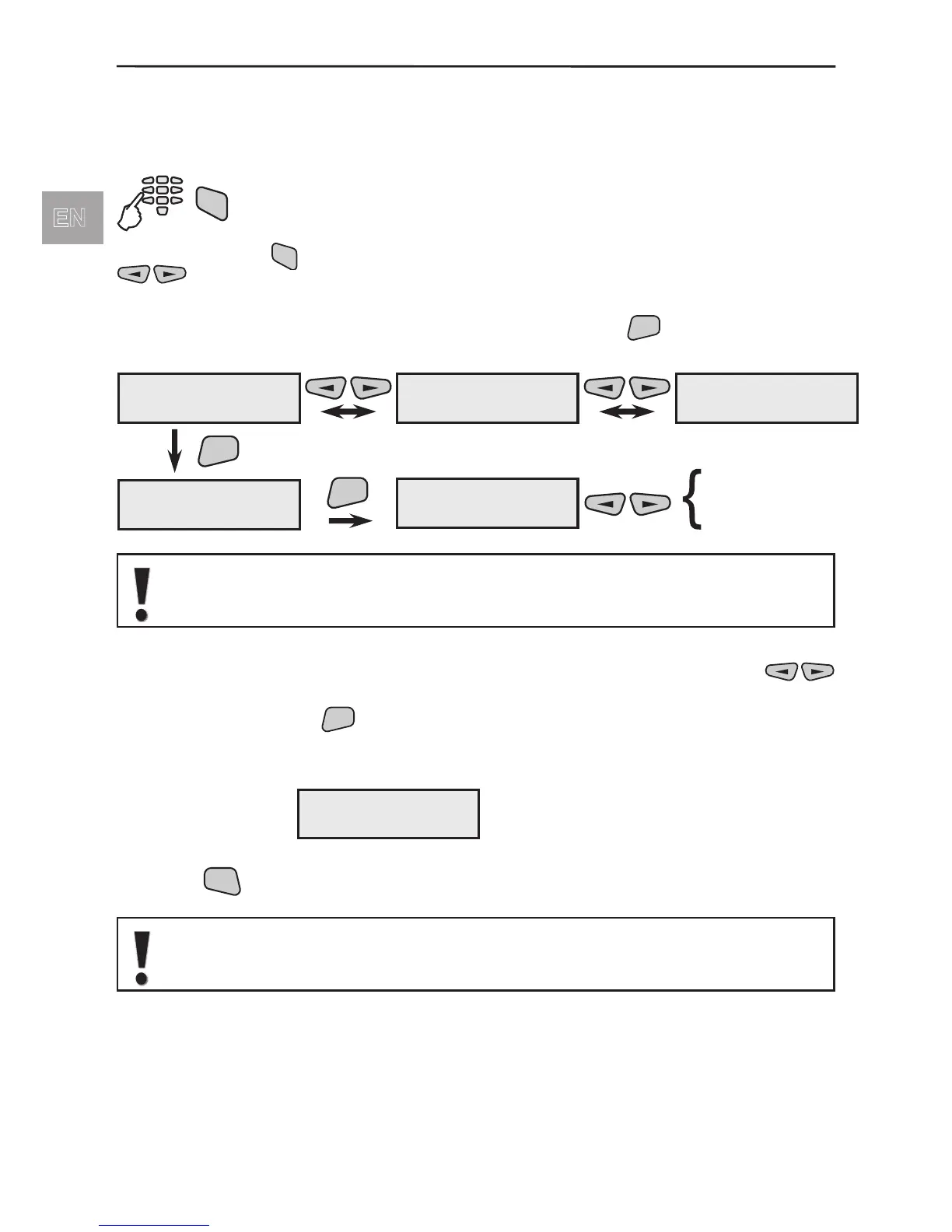
To bypass modules in the system:
After pressing the
button the user can bypass individual system modules. With the
buttons the user can review all registered in the system modules and devices
(wireless and wired).
From the screen of each module or device after pressing the
button the user can
enter in the menu for bypassing.
Attention: It is possible the devices to be with edited names according their
position in the system. If possible, ask your installer for more details.
Menu for bypassing of modules and detectors. Use the
buttons to choose the bypass? option and conrm by pressing
the
button. Bypassed device is marked with symbol B in the
device status eld.
Example for bypassed device:
Press the
button several times to return to the initial menu screen.
When disarming, the System automatically restores the bypassed detec-
tors which belong to disarmed Areas.
01PIR ---#012345
Device01 name
02SIR ---#123456
Device02 name
22KBD ---#678990
Device24 name
ENT
Device01 name
1)Bypass device
ENT
1)Bypass device
Not BYPASSED
unbypass?
bypass?
01PIR -B-#012345
Device01 name



 To Next Page