AVA Wireless Security System - User’s Manual 15
5. Event LOG-le Review
The System records the latest 256 events by time and date of occurrence. These events
are available for review by the user. For this purpose the respective user needs to have
been assigned the relevant right - Log view. You can check the meaning of the respec-
tive event in the APPENDIX: Description of the Event LOG.
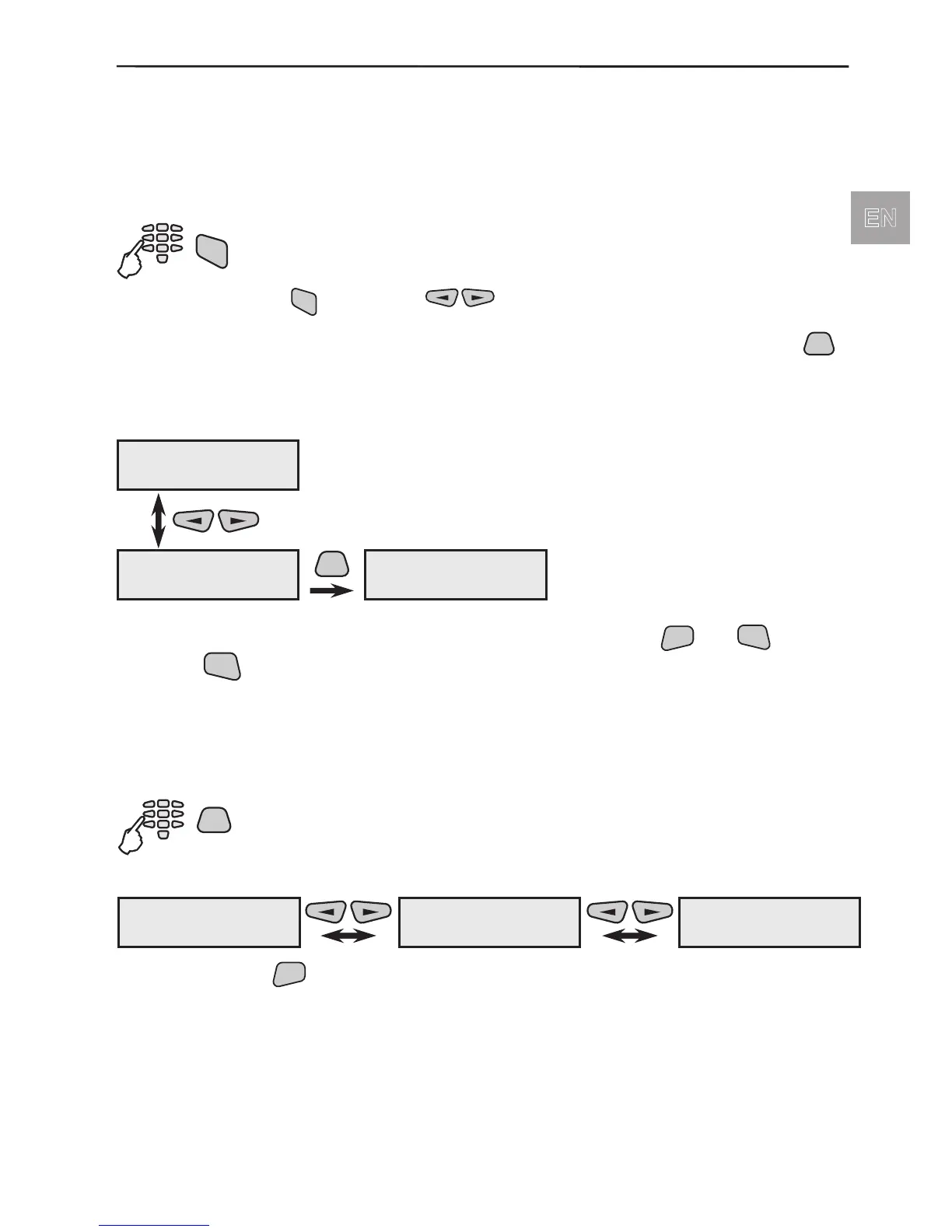
To review the system events (the Log-le):
After pressing the
, use the buttons to review the different system
events.
When the event is associated with a module, a device or a group, after pressing the
button on the screen could be seen additional information about the name and the
number of the group/device, and if a device had been bypassed - the number of the user
who had made the action.
Step back to the list of events you can make by single pressing
button several times to return to the initial menu screen.
6. User’s Programming
The System maintains 16 user codes. Depending on their programmed rights the users
avail of access rights to various menus.
To enter the User Programming Menu:
The user programming menu has three separate submenus:
After pressing the
button from the screen of the respective menu the user has
access to different programming submenus - see also Appendix: General Structure
of User’s Menus.
000 07/29 19:18
EV_PROG_ENG
PRG
G:02 Group name
D:01 Device name
001 07/29 19:18
EV_BURG_ALARM
PROGramming
1)User Codes
PROGramming
2)ChangeOwn Code
PROGramming
3)System



 To Next Page