button to enter the submenu for chang-
ing the own code.
The codes without Manager attribute can only change their own digit combination.
The new code combination requires double conrmation with the
button.
The screen will display already exists if any code which already exists is introduced
and confirming ERROR if there are discrepancies between the initial code introduced
and the conrmation code. In both cases the introduction should be resumed from the
beginning.
If the change has been done correctly the screen will display code is changed.
Quick access to change own code menu:
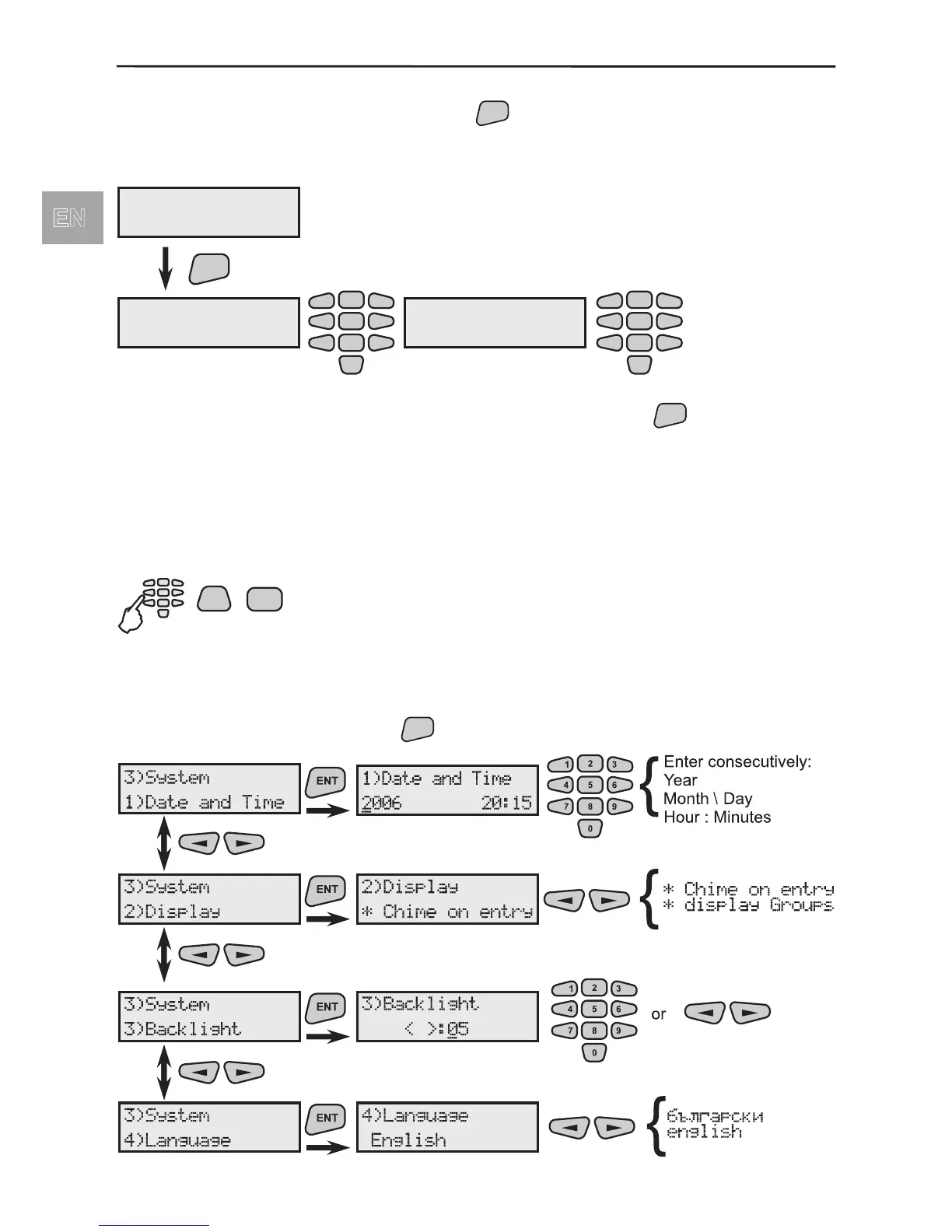
6.3 System Programming
Every user has access to four menus to make system settings. To enter these submenus
choose 3)System and press the



 To Next Page