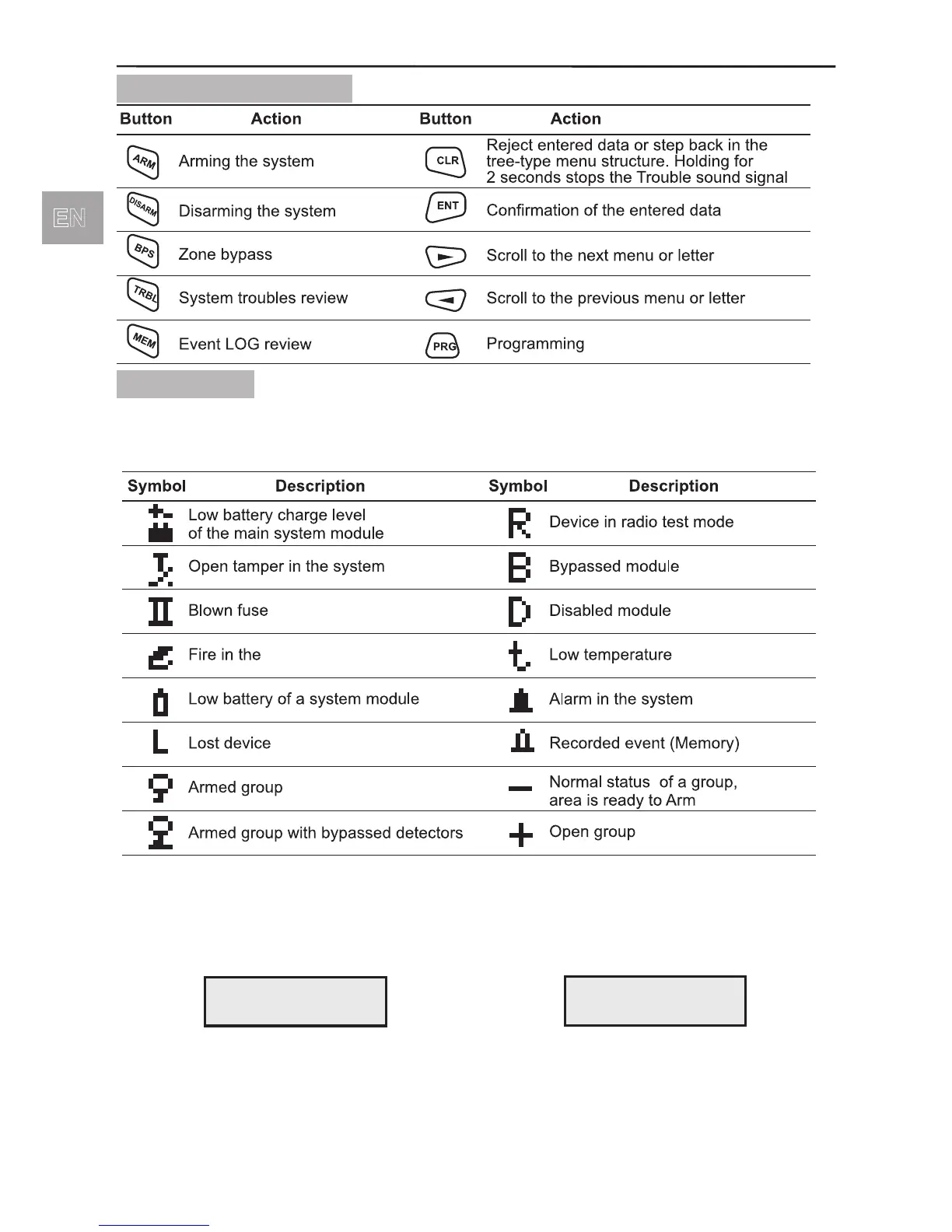
1.2.3 Button Functions
1.2.4 Display
The AVA Wireless System avails of an alphanumeric display (2 x 16 characters). The
following specic symbols have been introduced to account for various events:
In normal working mode time and date are displayed and the user can choose from
between two screens - Screen 1 with information of groups status, set by default and
Screen 2, see §6.3, page 18.
Screen 1 Screen 2
The display is lit by a LED backlight with controllable brightness and a power saving
option when the keyboard is not in use and/or during power failure.



 To Next Page