EasyManua.ls Logo

Teletek electronics AVA - System Status and Troubleshooting; Reviewing System Technical Troubles

Teletek electronics AVA
40 pages
Print Icon
To Next Page IconTo Next Page
To Previous Page IconTo Previous Page
Loading...
12 AVA Wireless Security System - User’s Manual
EN
3. System Status
The user has an access to review the technical troubles in the system (the troubles in
the system at the moment).
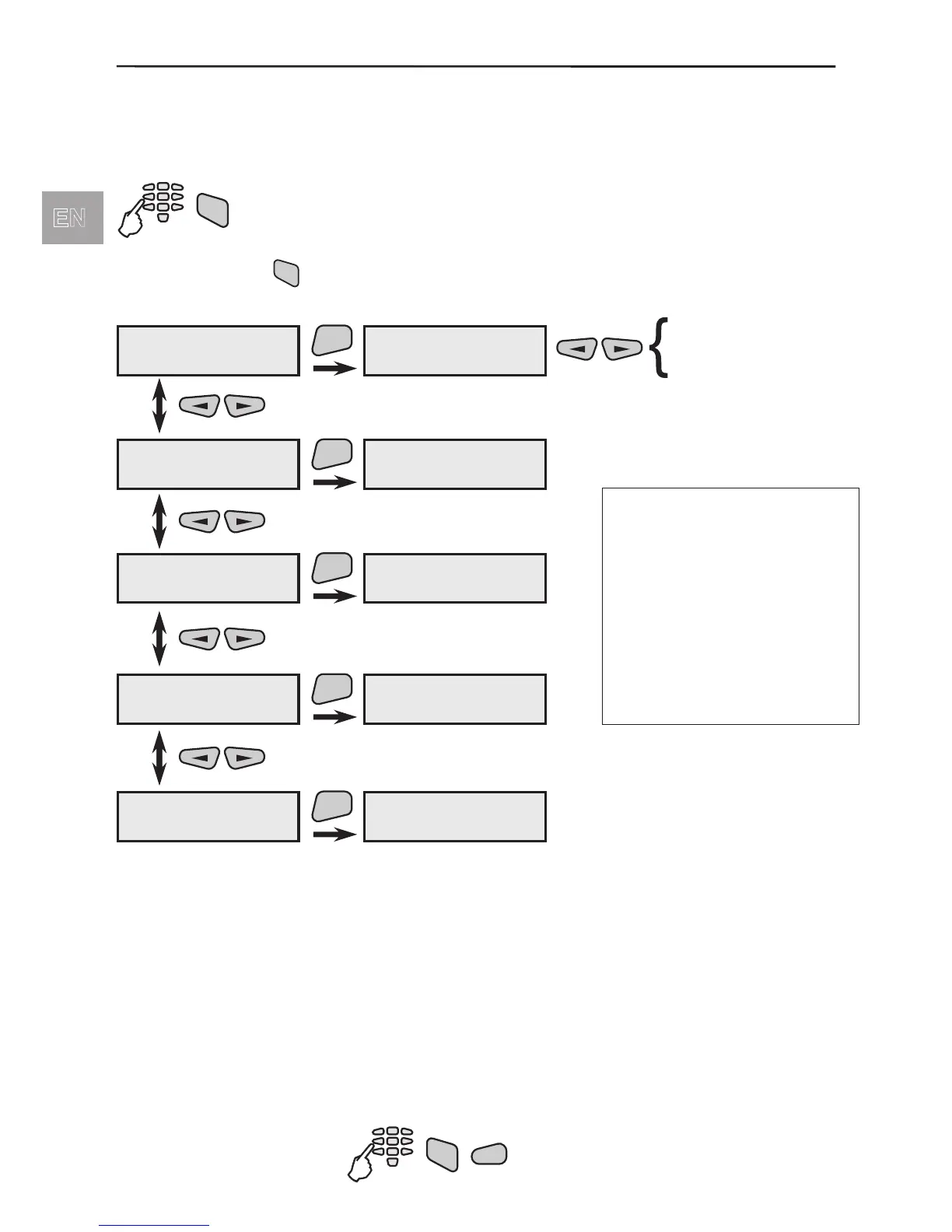
To review the technical troubles in the system:
After pressing the
TRBL
button the user can review the system troubles menus.
Menu for technical troubles review. At the display would be
shown only the current system troubles:
AC loss - no main power supply
Main BATT - low charge level or burnt out battery fuse
fuse - burnt out auxiliary power supply fuse
module BATT - low battery charge in any of the modules
low temp. - low temperature or FD requires servicing
comm. ERR - telephone communication trouble
line fault - telephone line trouble
RFinterference- working frequencies interference
Quick access to the system troubles:

TRBL
code
TRBL (troubles)
1)SystemTroubles
TRBL (troubles)
2)Open Groups
TRBL (troubles)
3)Open Devices
TRBL (troubles)
4)Group state
TRBL (troubles)
5)Device State
ENT
ENT
ENT
ENT
ENT
1)SystemTroubles
* main ÂÀÒÒ
ÀÑ loss
main ÂÀÒÒ
fuse
module ÂÀÒÒ
low temp.
comm. ERR
line fault
RFinterference
TRBL (troubles)
not found
TRBL (troubles)
not fount
TRBL (troubles)
not found
TRBL (troubles)
not found
ATTENTION:
If there are trouble events
in the groups or devices
at the LCD will be given
information for their
number and type.
For details see given
below explanations of the
system trouble menus.
1)SystemTroubles
TRBL
1
code

Table of Contents

Other manuals for Teletek electronics AVA

Related product manuals