AIRMAN 8+ Maintenance | en 23
Bosch Security Systems, LLC
Customer Maintenance Manual
2024-11 | 07 | F.01U.387.060
5.6 Cleaning the headset and connectors
Caution!
Do not allow alcohol or any liquid to touch the speaker or microphone element directly.
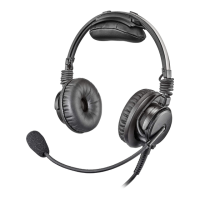
To clean the headset, do the following:
4 Using a mild detergent with water and a soft towel, or isopropyl alcohol wipes, clean
the plastic and metal headset parts.
Caution!
Do not soak or allow liquid to puddle on the unit.
5.7 Cleaning the ear cushions and headband pads
Caution!
Do not soak the cushions or pads.
To clean the ear cushions and headband pad, do the following:
4 Using a soft towel dampened with water or isopropyl alcohol (not wet) or isopropyl
alcohol wipe, gently wipe the ear cushions and headband pad thoroughly.
5.8 Replacing ear cushions and headband pads
To ensure optimal product performance, it is recommended you replace ear cushions and
headband pads periodically (every six months, or sooner if needed). See Recommended
maintenance schedule, page 15.
For detailed instructions on replacing the ear cushions, refer to Ear cushion replacement,
page 25.
For detailed instructions on replacing the headband pads, refer to Headband pad and
headband pad replacement, page 26.
5.9 Installing and replacing the hygenic covers
Notice!
Two hygienic covers are included with the headset. However, extra hygienic covers can be
purchased separately.
To replace the hygienic covers, do the following:
1. Grasp the edge of the hygienic cover where it folds into the slot on the ear cup.
2. Gently pull the hygienic cover up and away from the ear cup.
3. Starting at the top of the ear cup, carefully work the cover around the ear cup until it is
in place.


 To Next Page