19
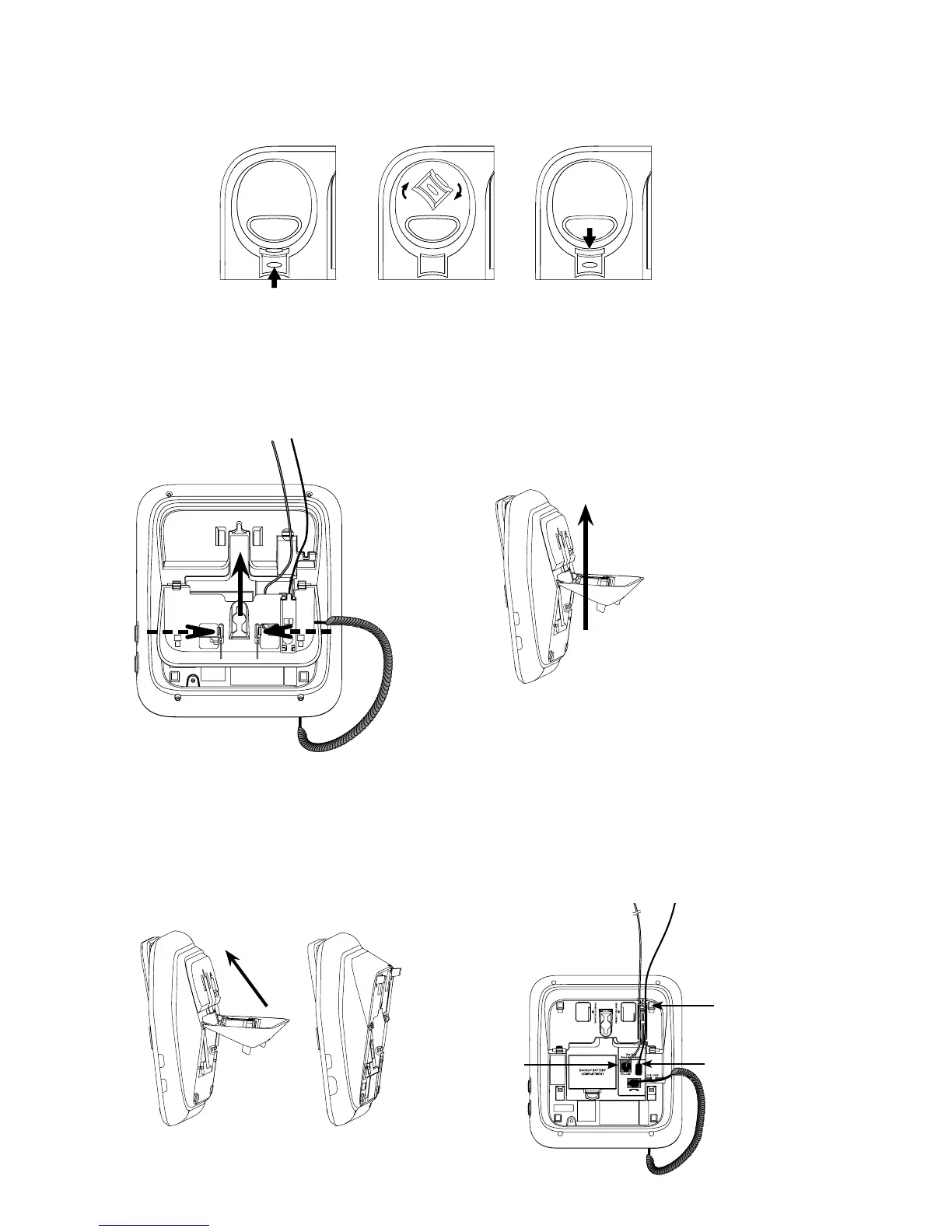
Lift the handset and place it aside. Hold down the switch hook to the telephone
base, then slide the handset tab upwards to remove it from the slot. Rotate the
handset tab 180 degrees. Push the handset tab down into the groove so it clicks
into position.
Press the tabs of the wall mount bracket as the arrows indicated below to
release it from the telephone base. Unplug the telephone line cord from the
the telephone line cord and power adaptor cord through the wall mount bracket.
Rotate the wall mount bracket and lock it into tabletop position as indicated.
bottom of the telephone base. Plug the small end of the power adaptor into the
and the power adaptor cord through the slots accordingly.
3.
4.
5.



 To Next Page