EasyManua.ls Logo

Telstra 13450 - Page 20

Telstra 13450
75 pages
Print Icon
To Next Page IconTo Next Page
To Previous Page IconTo Previous Page
Loading...
20


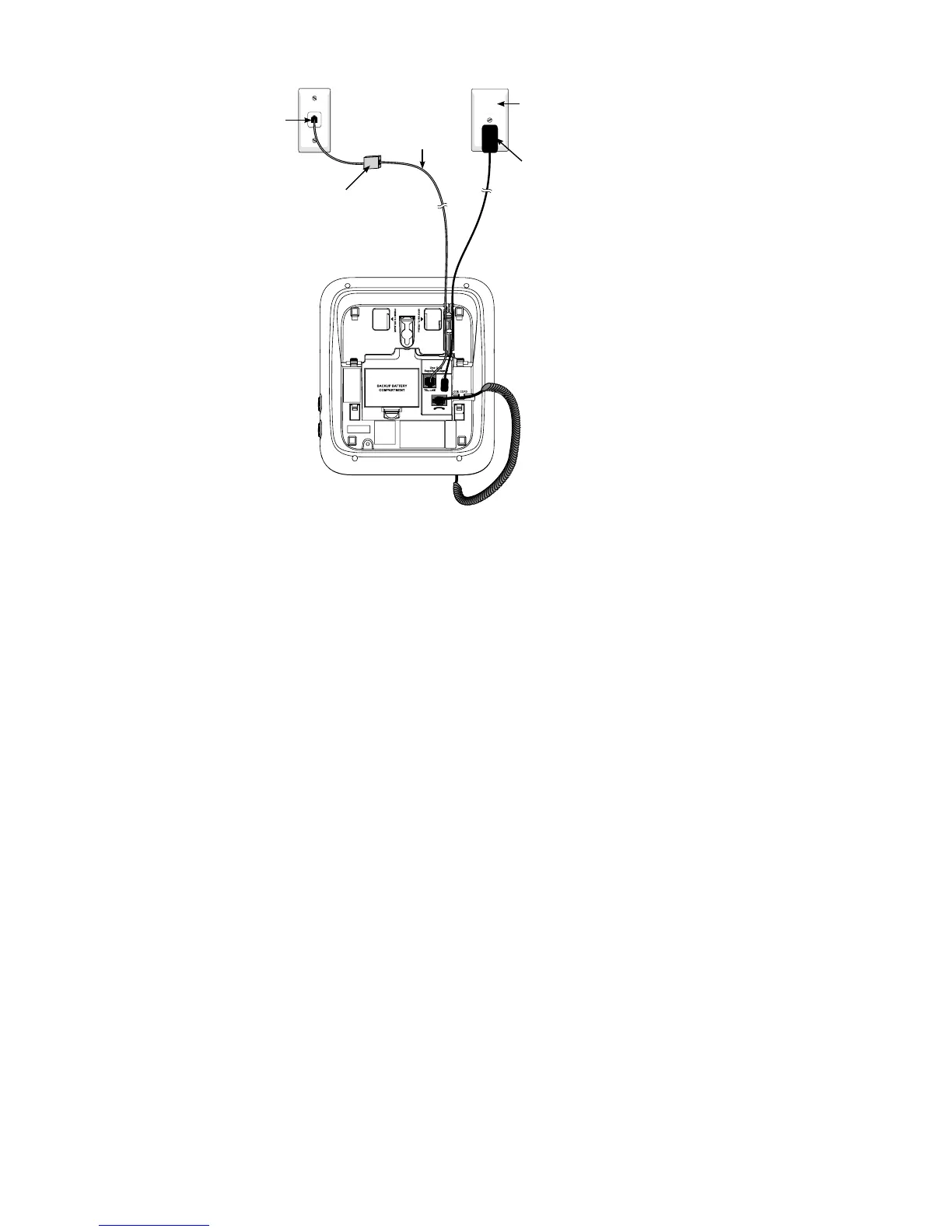
Place the handset in the telephone base. Rotate the top of the display up or

6.
7.
Telephone
line cord
If you have DSL high-speed

included) is required.
Telephone base
power adapter
Mains power
wall socket
Telephone
wall jack

Table of Contents

Related product manuals