8
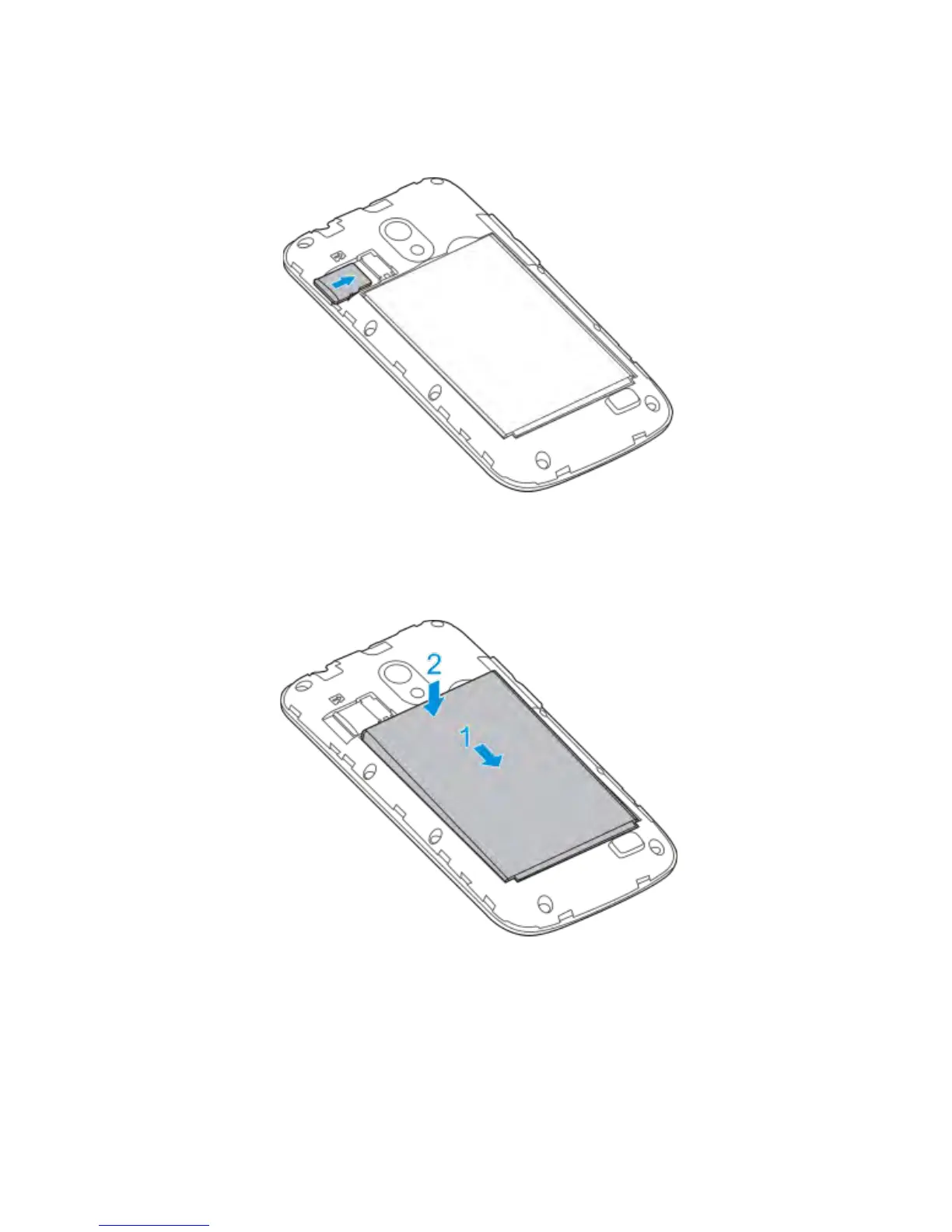
3. Hold your microSD card (*optional) with the metal contacts
facing down and slide it in.
4. Insert the battery by aligning the gold contacts on the battery
with the gold contacts in the battery compartment. Gently
push down on the battery until it clicks into place.
5. Press the cover gently back into place until you hear a click.
* The microSD card is not included in the box



 To Next Page