18
3. Use Home Network Extenders (optional)
A range of optional accessories that can enhance your T-Box
®
experience
is available. These are particularly useful if your modem or Home Network
Gateway is far away from your TV or there is a lot of wireless interference
preventing a good connection between your T-Box and your modem. These can
be purchased outright or on a repayment option. Call us on 13 2200.
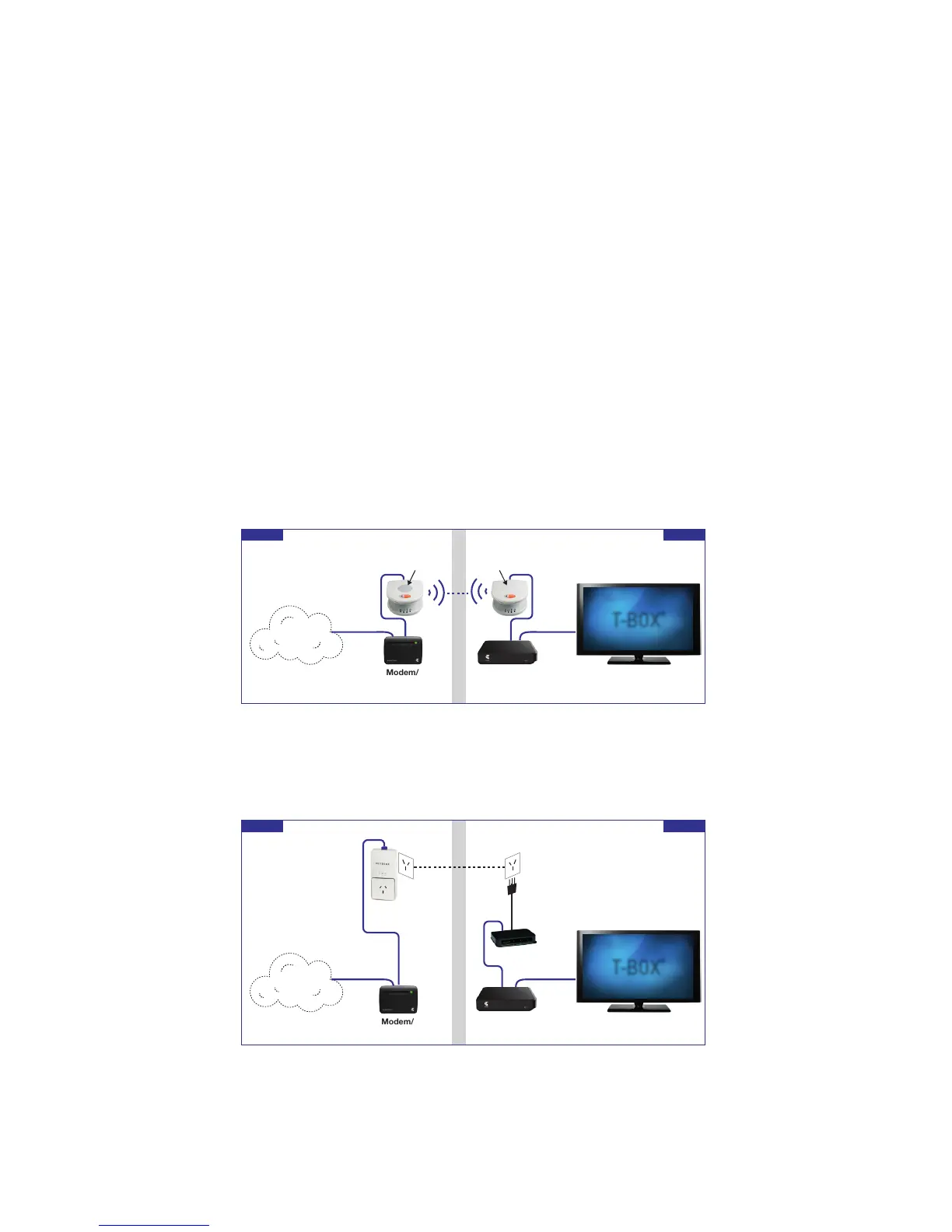
Ruckus Wi-Fi Home Network Extender
A Ruckus Device sets up a point-to-point Wi-Fi connection, providing a reliable
wire-like connection that is adaptable to changes in the wireless environment.
Once powered on, the units will setup the connection automatically.
Netgear Powerline Home Theatre Kit
A Netgear Powerline Home Theatre kit uses the power circuit in the home, it can
support four devices and no conguration is required. The units will search for
each other and setup the connection automatically



 To Next Page