3. Bin lift operation
MONITOR
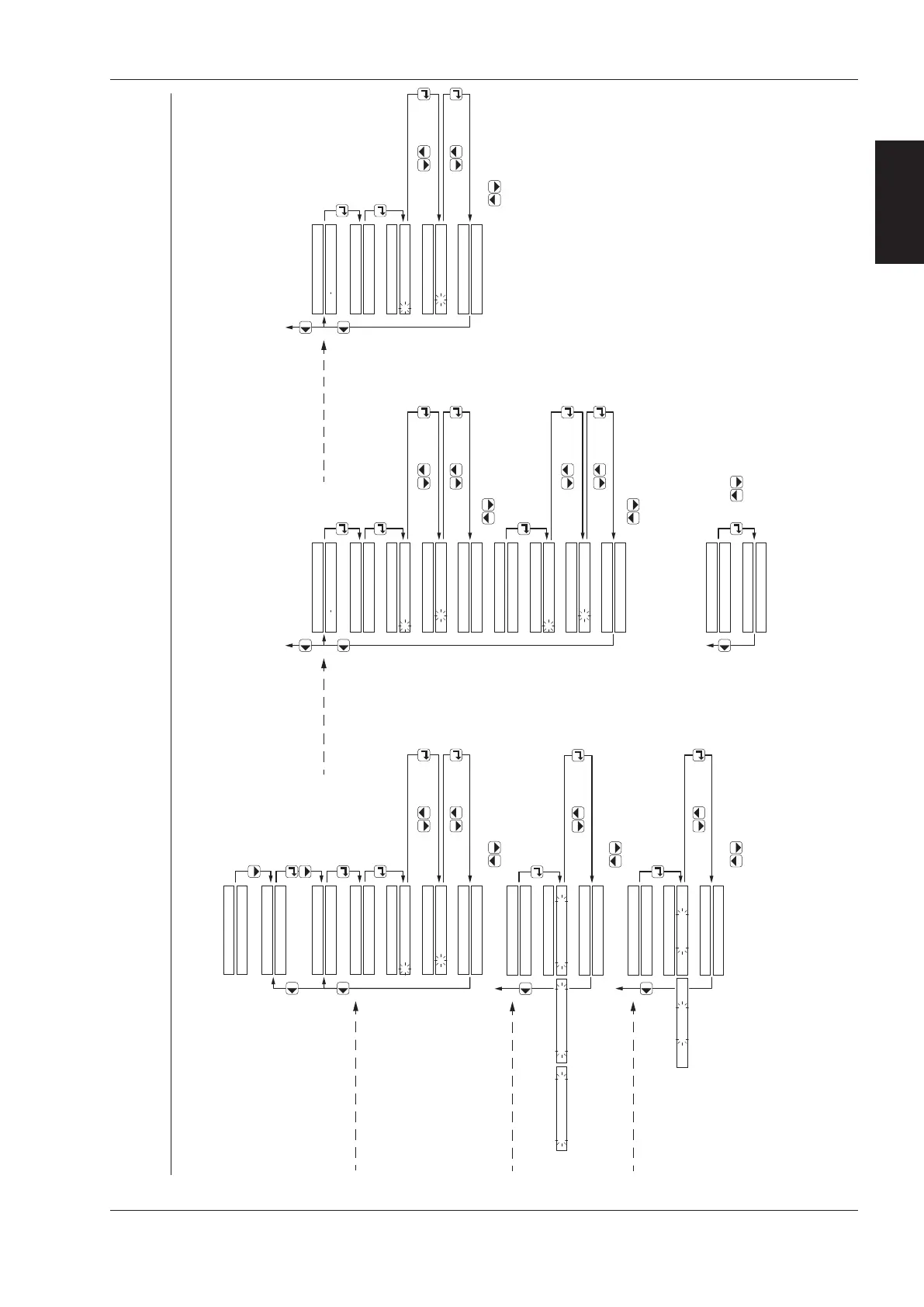
SHAKE: - Maximum number of shakes via manual lift
- Shake frequency
- Activate or deactivate the variable shake mode
- Setting the 5 shake timers
- Restoring the Terberg default shake timer settings
- Shake switch positions and number of shakes
SETTINGS:
SHAKE SETTINGS:
SETTINGS:
push 3x
push 6x
SHAKES MANUAL LIFT
00 x
SHAKES MANUAL LIFT
SHAKES MANUAL LIFT
SHAKES MANUAL LIFT
0 x
0 0 x
00 x
confirm withchange with
confirm withchange with
Maximum number of shakes
via manual lift
SHAKE MODE ACTIVE
SHAKE MODE ACTIVE
SHAKE MODE ACTIVE
STANDARD MODE
confirm withchange with
Shake frequency
STANDARD MODE
INTENSIVE MODE ECONOMIC MODE STANDARD MODE
VARIABLE SHAKE MODE
DISABLED
DISABLED
confirm withchange with
Activate or deactivate
the variable shake mode
ENABLED = Variable shake mode active
DISABLED = Standard shake mode active
VARIABLE SHAKE MODE
VARIABLE SHAKE MODE
ENABLED DISABLED
with keys you can display the
next / previous message
with keys you can display the
next / previous message
with keys you can display the
next / previous message
TOTAL SHAKES SW 1
TOTAL SHAKES SW 1
TOTAL SHAKES SW 1
0 x
0 0 x
00 x
confirm withchange with
confirm withchange with
SHAKE SWITCH:
TOTAL SHAKES SW 1
00 x
SETTINGS
Setting the shake switch
2 and 3 in the same manner.
Shake switch positions
and number of shakes
with keys you can display the
next / previous message
SHAKE TIMERS:
SHAKE TIME DOWN 1
0.5 S
SETTINGS
SHAKE TIME DOWN 1
SHAKE TIME DOWN 1
SHAKE TIME DOWN 1
0 . S
0 . 0 S
0.0 S
Setting the shake timers
2, 3, 4 and 5 in the same
manner.
confirm withchange with
confirm withchange with
SHAKE WAIT DOWN 1
SHAKE WAIT DOWN 1
SHAKE WAIT DOWN 1
0.2 S
0 . S
0 . 0 S
SHAKE WAIT DOWN 1
0.0 S
confirm withchange with
confirm withchange with
TO RESTORE TIMERS
PRESS CONFIRM BUTTON
TIMERS ARE RESTORED
PRESS A BUTTON
with keys you can display the
next / previous message
with keys you can display the
next / previous message
Setting the
5 shake timers
with keys you can display the
next / previous message
Option for restoring the Terberg
default shake timer settings
SETTINGS



 To Next Page