4.11 Operator Interface
The operator interface allows the operator to monitor machine systems and
configure the machine as needed to adapt to operator experience and conditions.
Note: to view the selection bar (if available) at the bottom of each screen, press
any of the four buttons beneath the screen.
Gauge Screen 1
When the key is turned to the on position, the operator interface powers up to
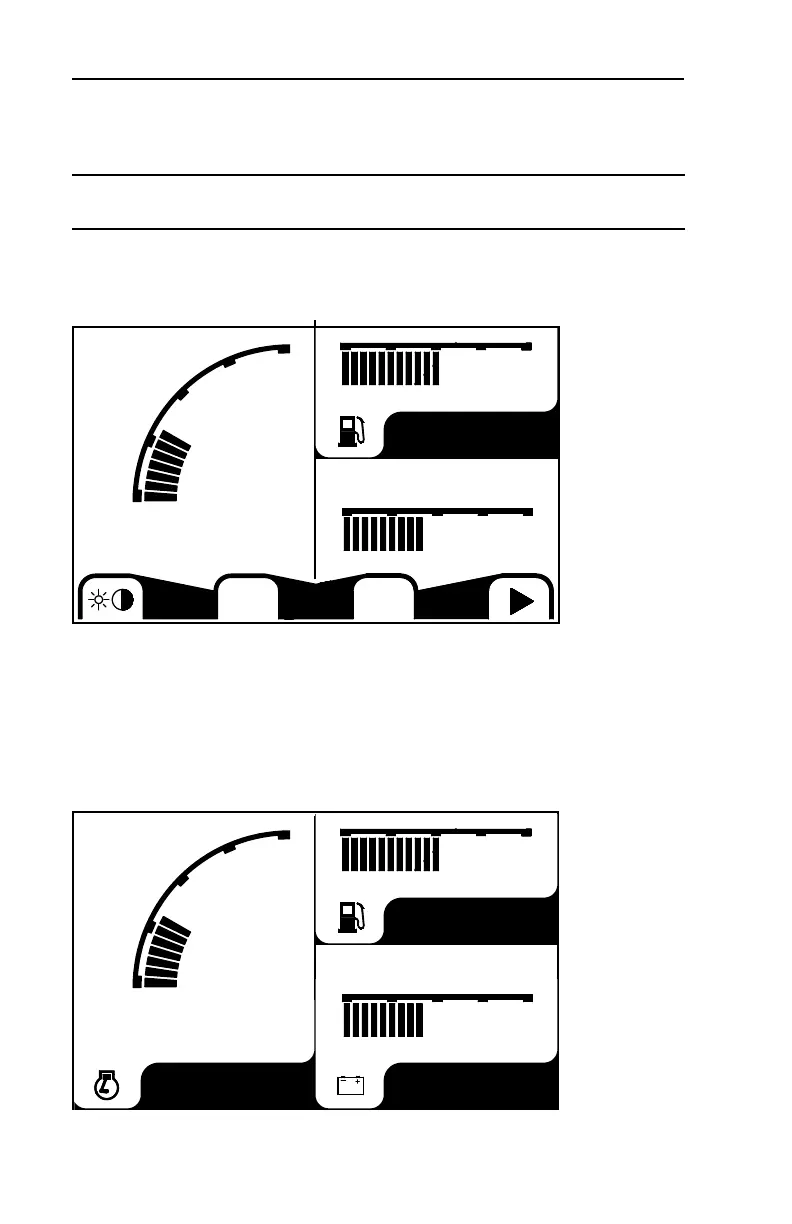
display gauge screen #1 (following two splash screens) as pictured below.
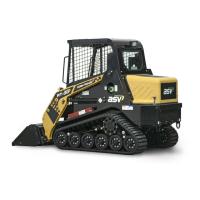
This screen displays engine RPM, fuel level and battery charge in volts.
The selection bar visible on this screen allows the operator to:
• Access the brightness / contrast adjustment screen.
• Access the “status” menu (S).
• Access the “config” menu (C).
• Access the subsequent gauge screens (right arrow)
To access these sub menus, press the button below the desired icon.
Once the temporary selection bar times out, the screen should look similar to this.
44
4 MACHINE DESCRIPTION / CONTROLS
RPM
800
SC
1400
0
8 12 16
Fuel
RPM
800
1400
0
Vdc
8 12 16
Fuel
Engine
PT-110/PT-110F US O&M
2095-479 2013-02



 To Next Page