Page 34/62
Rev. A
2017-12-04
SCANTER 1002 Radar System
User’s Manual
1255194-HO
Any default perspective can be customized by adding or removing views freely
selected by the user.
Alternatively, new personal perspectives can be created, which can be stored in the
perspectives area.
Views are placed inside the “Views” area, or “minimized” and placed in the sidebar
areas (right and left side) of the RST window.
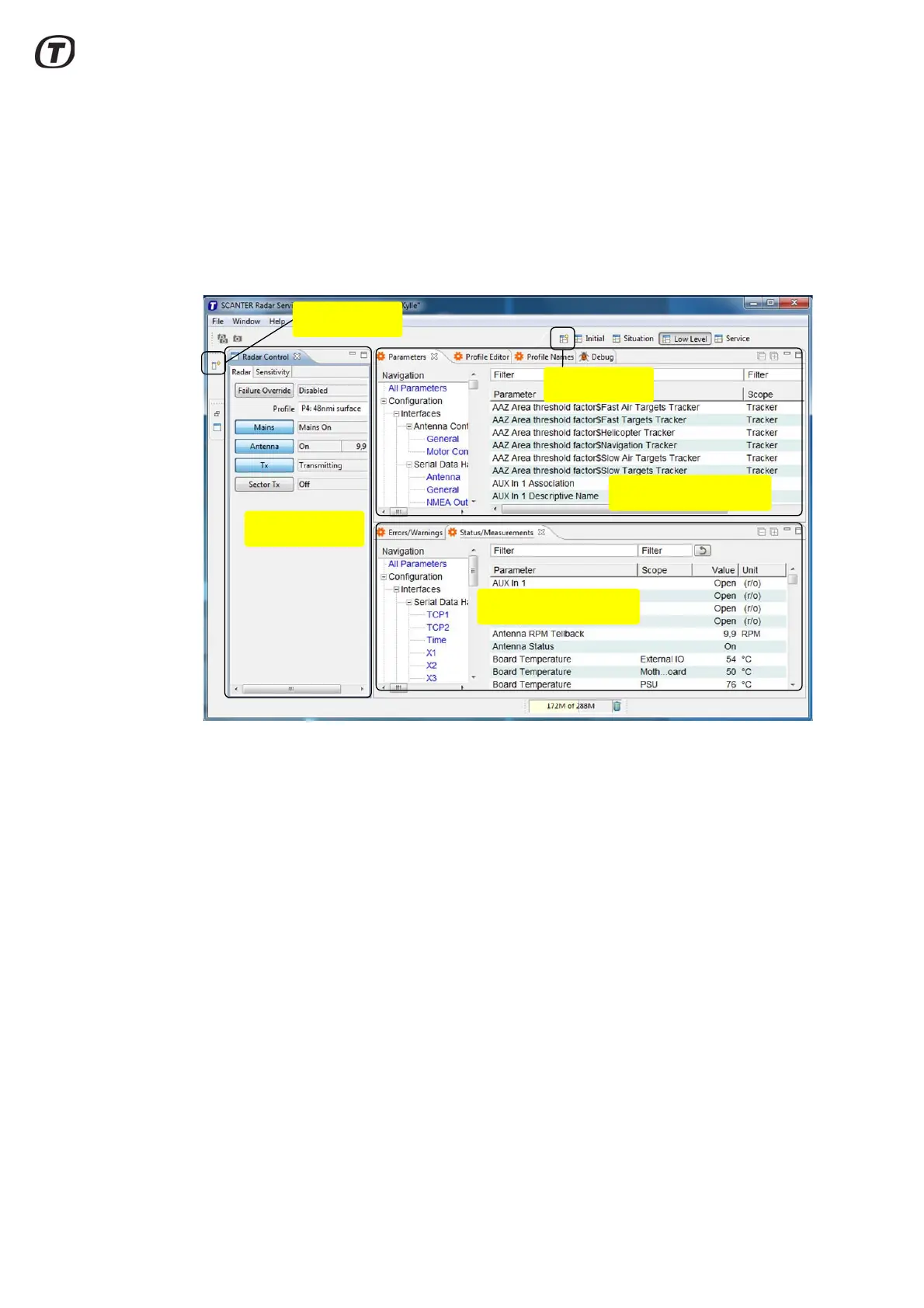
Fig. 5.11 RST, Views
A view can be placed in its own frame, or several views can be placed in the same
frame/window. See Fig. 5.11 (p. 34).
To move a view within the view area, select the view tab with the left mouse button
while holding down the button. Move the view to another location or inside a frame
already containing one or more views.
Open Perspective
4 Views in one frame
1 View in one frame
Open fast View
2 Views in one frame



 To Next Page