B-18 | Cyber Hardened IBUC 2, IBUC 2e, IBUC 2G, IBUC R, IBUC G Operations Manual: Embedded Web Pages
• Reboot Firmware
When selected, this causes a momentary muting of the transmitter and should be
used with caution. A dialog box appears and you are asked to confirm your
selection.
• Enable AC 50 Hz Correction
When enabled, applies a 50 Hz correction factor to AC-powered IBUCs. Options
include:
• Disabled
• Enabled
Disabled is the default setting.
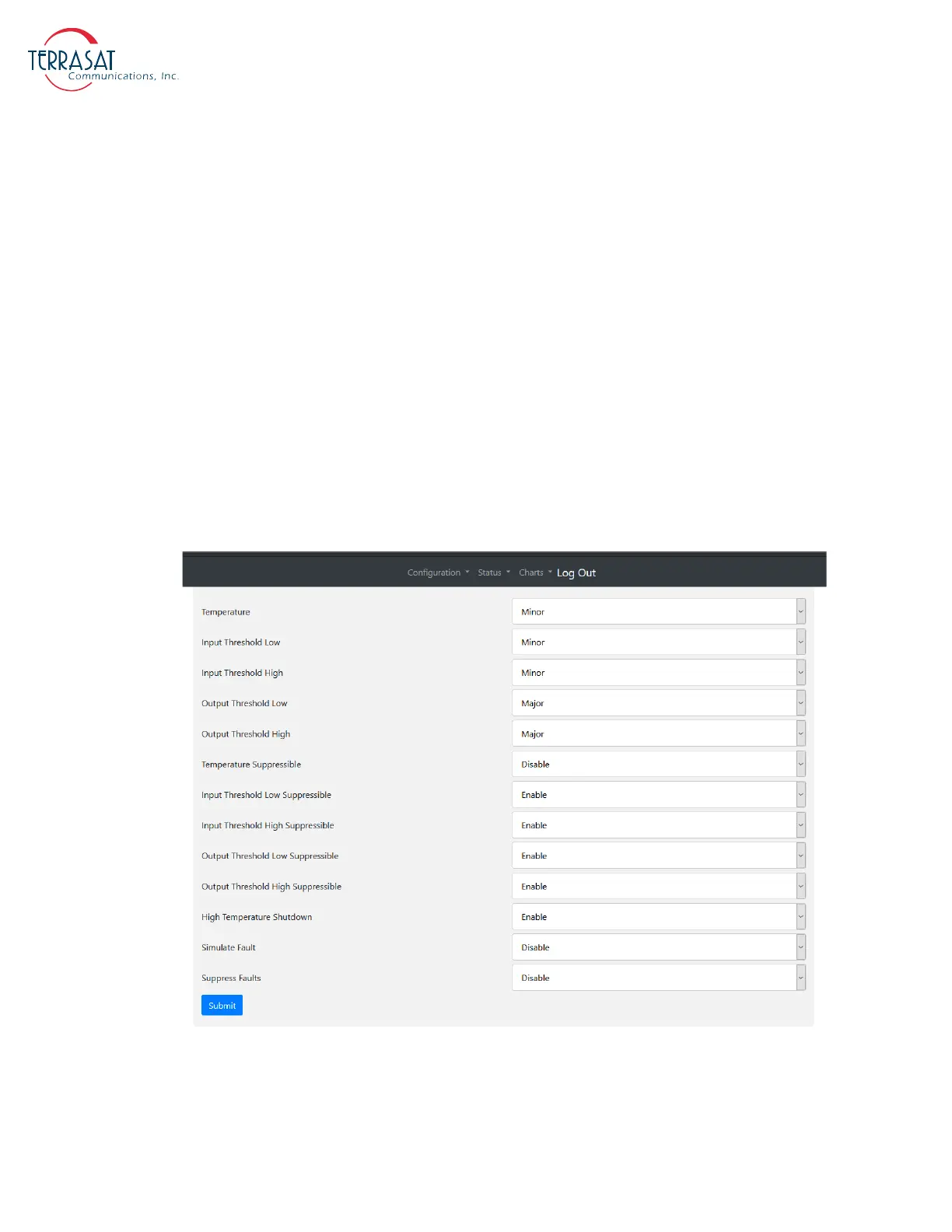
Alarm Configuration Tab
Use this tab to configure alarms as Minor, Major, or None. You can also configure the
alarms as suppressible. Suppressible alarms will be suppressed only when the
“Suppress Faults” option is enabled. Click Submit when you have completed entering
data to ensure that your changes are saved and then implemented.
Figure B.12
Alarm Configuration Tab
From this page you can configure the following alarms:



 To Next Page