OPERATIONS MANUAL
+1 215 785 2338 www.tescometering.com
support@tescometering.com
3.1 Introduction
This chapter is a reference for the functions and locations of the Instrument’s front panel
features and provides brief descriptions of each feature for quick access. Please read this
information before operating the Instrument. Front panel operating instructions for the
Instrument are provided in this chapter and Remote Operating instructions are in Chapter 4.
3.2 Front Panel Features
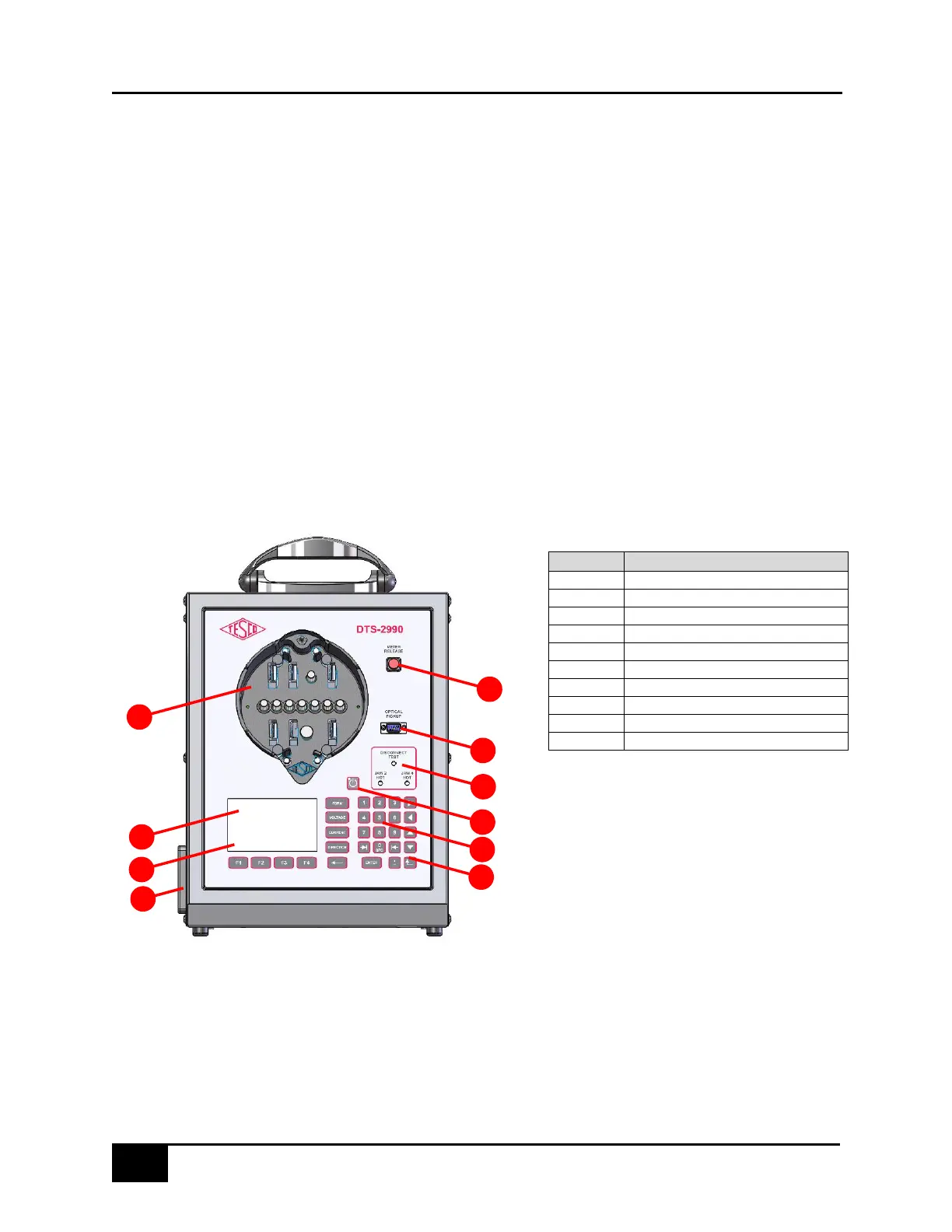
Front panel features (including all controls, displays, indicators, and terminals) are shown in
Figure 3.2.1a. Each front panel feature is briefly described in Table 3.2.1.
3.2.1 Front Panel Sections
Figure 3.2.1a DTS-2990 Front Panel
Disconnection Test indicators
Table 3.2.1. DTS-2990 Front Panel Sections



 To Next Page