OPERATIONS MANUAL
+1 215 785 2338 www.tescometering.com
support@tescometering.com
4.1 Introduction
This chapter provides a brief introduction on how to remotely operate the Instrument, conduct test, and
manage information using Test Manager Application (TMA). Additional information can be found on
certain sections in the TMA Operations Manual.
4.2 Installation
In the installation, only TMA_Setup.exe is needed. Please refer to Section 1.2 The Installation in the
TMA Operations Manual for instructions.
4.3 Network Configuration
Remote access requires establishing the connection between the Instrument and TMA. Please refer to
Section 1.3 Configuring the TMA Software in the TMA Operations Manual for instructions.
For setting the network connections on the Instrument, refuter to §3.3.11.
4.4 Functionalities
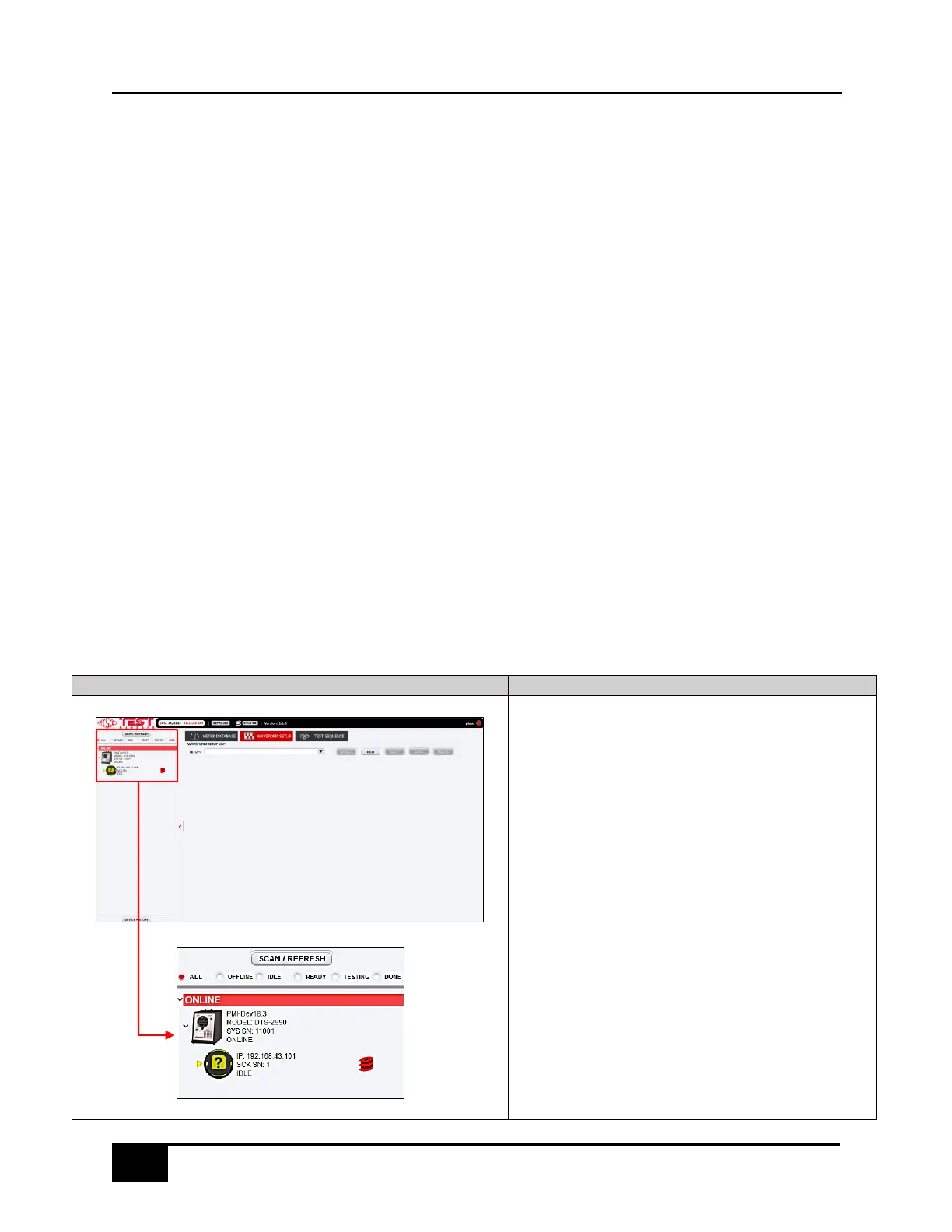
4.4.1 NETWORK VIEW
NETWORK VIEW
This provides information on the NextGen devices that are
connected to the network.
If the list is empty, click SCAN/REFRESH to scan the devices
connected to the network. Please refer to the TMA Operations
Manual section 2.3.3 Network Discovery (NET SCAN) for more
details.
Once the list is filled, look for the DTS-2990 model and check if the
device is online or offline.
If offline, the device needs to be manually turned on. If online, click
the device to enable the TEST and MANUAL TEST tabs.
Navigate to the METER DATABASE tab, select a meter information,
and click USE IN TEST button to proceed with the test.
For more details, please refer to the TMA Operations Manual section
2.3.4 View Scan Details and 2.3.5 Network View Functionality.



 To Next Page