OPERATIONS MANUAL
+1 215 785 2338 www.tescometering.com
support@tescometering.com
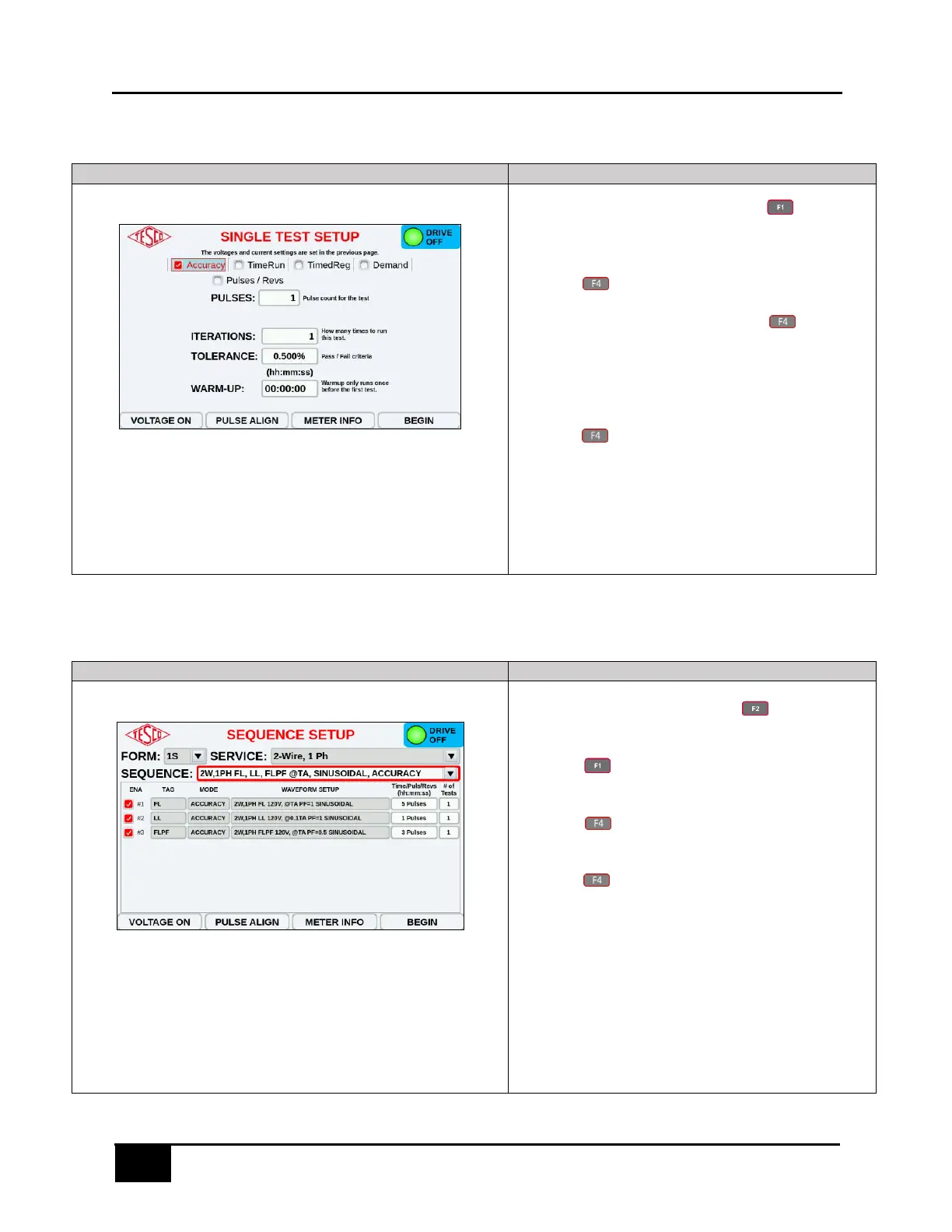
6.1 Single Test
1. From the MAIN MENU, press to access
MANUAL TEST.
2. Configure the Drive Setup. Once everything is set,
press to access METER INFO. SOCKET.
3. Enter the meter’s details and press to proceed
with the SINGLE TEST SETUP.
4. Configure as desired. Only one test type can be
selected per test.
5. Press to begin the test.
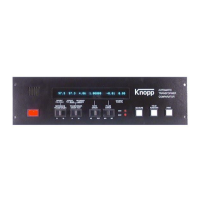
6.2 Sequence Test
1. From the MAIN MENU, press to access TEST
SELECTION.
2. Press to open METER INFO SOCKET 1 screen
and enter the meter’s details.
3. Press to open SEQUENCE SETUP screen and
choose the desired SEQUENCE TEST.
4. Press to begin with the test and view the live
feed for the results.



 To Next Page