Page 17
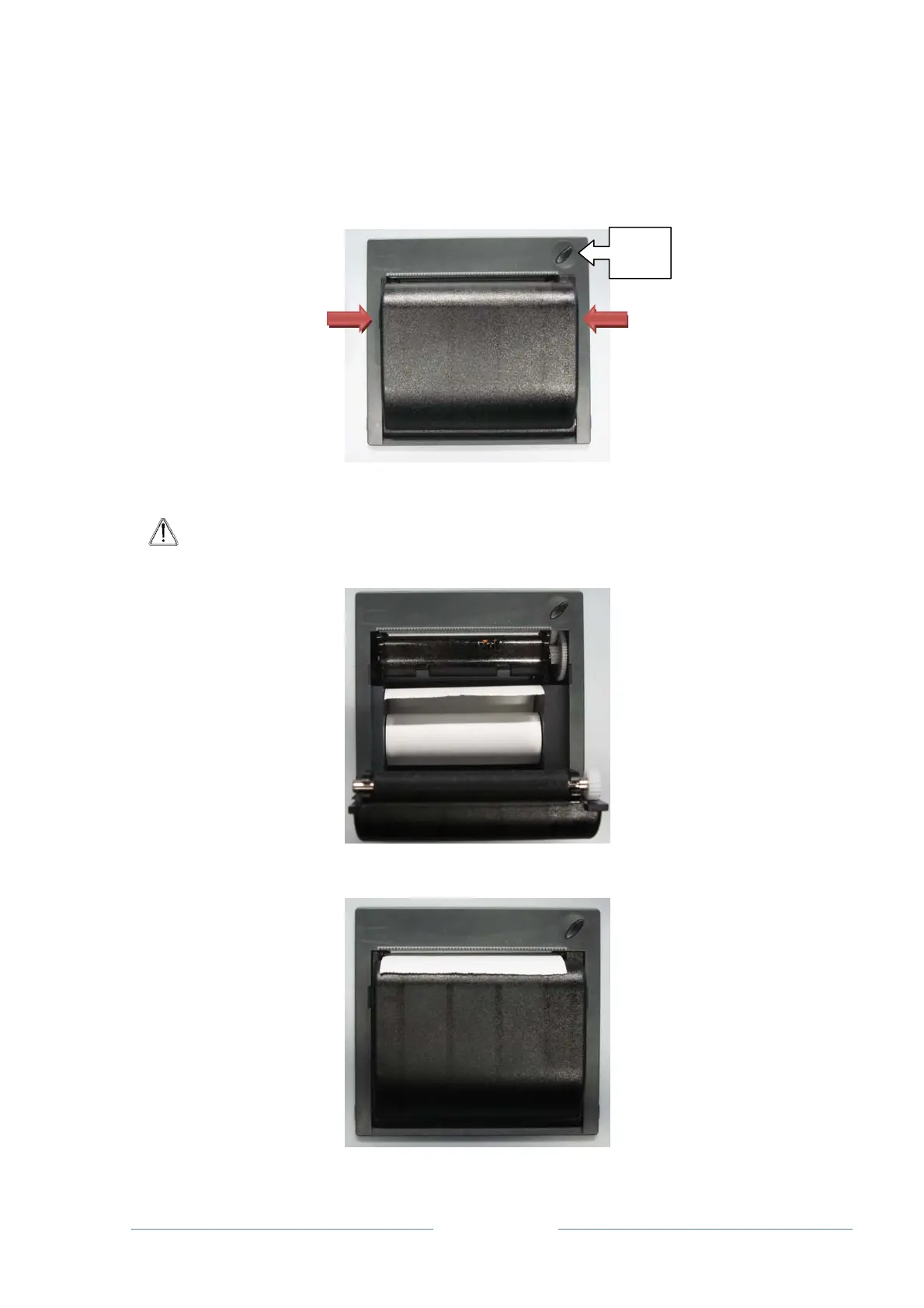
3.10 REPLACING THE PAPER ROLL.
When the feed button of the printer blinks, replace the roll of thermal paper. The printer will
continue the print job once the paper is replaced and the feed button stops blinking.
Proceed as follows to replace the roll:
• Open the cover of the printer by pressing the two hooks at the side
• Remove the roll support, if present, and position the paper inside the printing device
ATTENTION: When replacing the paper, ensure the side to be printed on is facing
upwards. Otherwise, the print jobs will not be printed correctly
• Close the cover leaving the end part of the paper out of the printing slot
FEED
button



 To Next Page