EasyManua.ls Logo

Tesmec DLR300 - Page 44

Tesmec DLR300
52 pages
Print Icon
To Next Page IconTo Next Page
To Previous Page IconTo Previous Page
Loading...
8.
9.
10.
11.
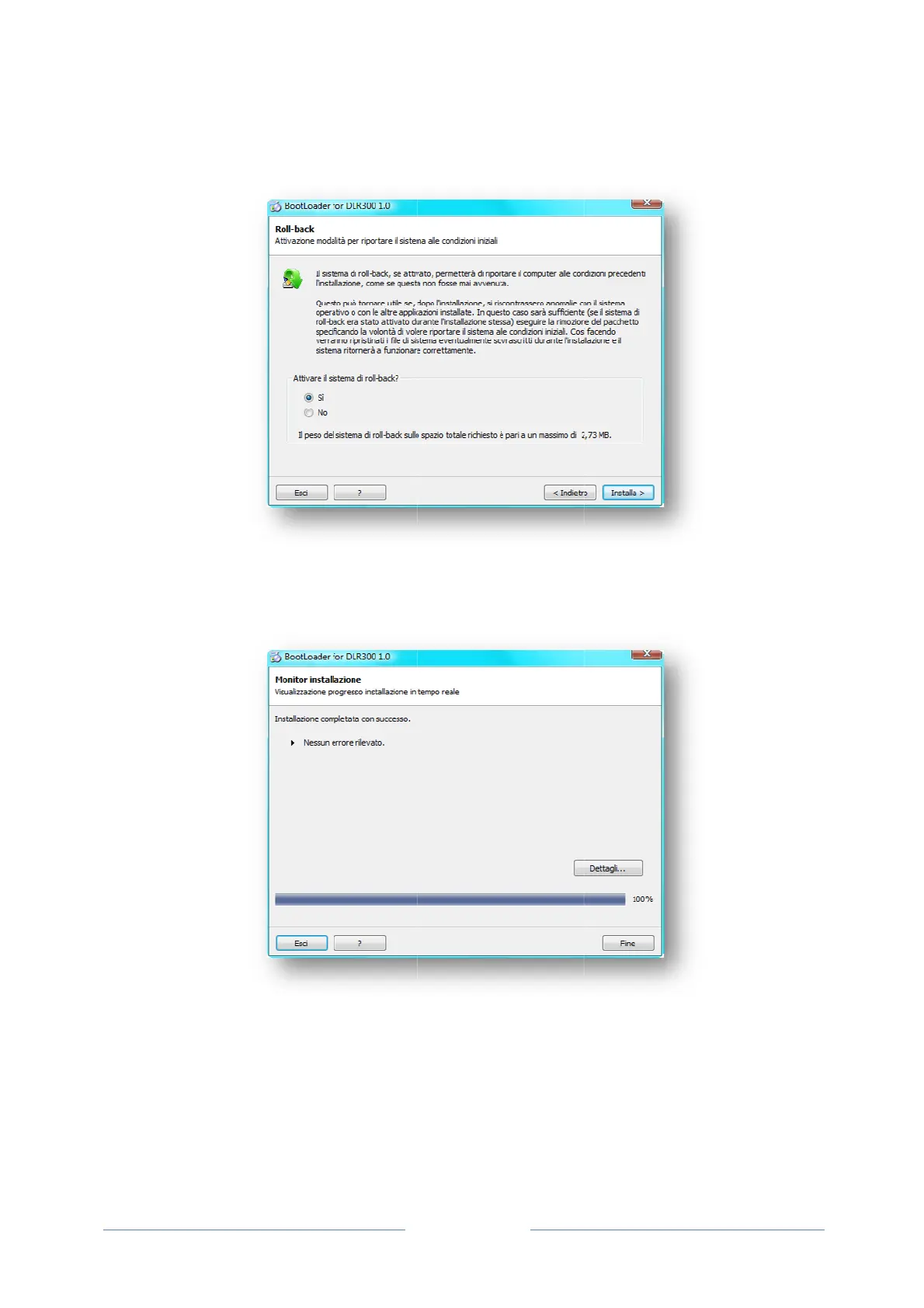
Select whet
h
to installatio
installation
o
A
fter install
a
Click Finish
Connect th
e
correctly.
Use the typ
e
Switch the
D
h
er to activ
a
n to be rest
o
o
r Quit to exi
t
a
tion, a wind
o
to complete
e
DLR300 t
o
e
-B USB co
n
D
LR300 on;
a
te the roll-b
a
o
red in case
t
;
o
w appears
the process
o
the USB
p
n
nector foun
d
Page 38
a
ck system,
of anomalie
s
confirming
w
;
p
ort of the
P
d
on the rea
r
which allow
s
caused by
w
hether inst
a
P
C in order
r
panel of th
e
s the syste
m
this. Click I
n
a
llation was
s
to complet
e
e
device to c
o
m
conditions
n
stall to begi
n
s
uccessful o
r
e
the install
o
nnect to a
P
prior
n
the
r
not.
ation
P
C;

Related product manuals